In today’s fast-paced digital environment, maximizing workspace efficiency is crucial for professionals, gamers, and creatives alike. One of the most effective ways to enhance productivity and comfort is through the use of dual computer monitor mounts, especially when paired with LED displays. This article delves into the essentials of dual monitor mounts, explains the benefits of LED displays, and offers practical guidance on choosing and setting up the perfect dual-monitor configuration.
Understanding Dual Computer Monitor Mounts
What Is a Dual Monitor Mount?
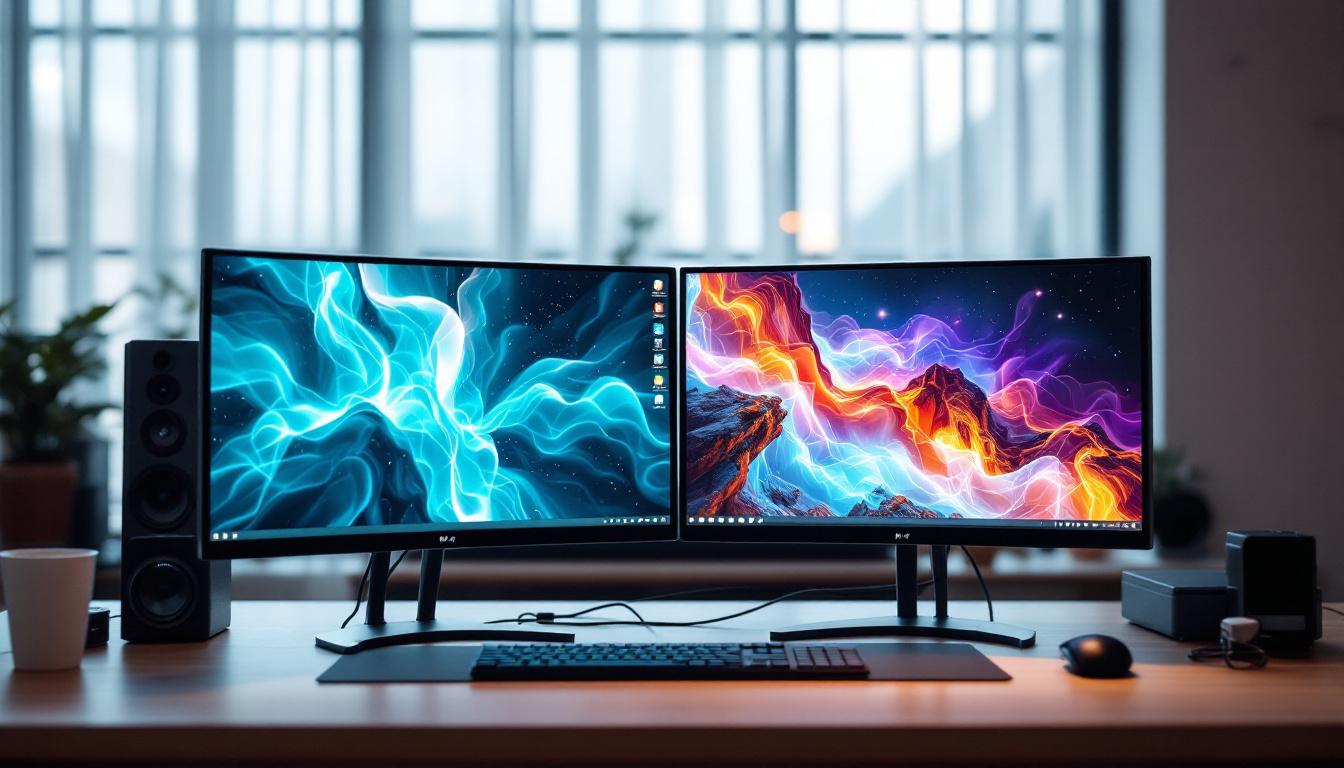
A dual computer monitor mount is a hardware accessory designed to hold two monitors simultaneously, allowing users to position their screens side-by-side or stacked vertically. These mounts come in various styles, including desk clamps, grommet mounts, and freestanding bases. They help to free up valuable desk space, reduce clutter, and provide ergonomic benefits by enabling customizable screen height, tilt, and rotation.
With the rise of remote work and multitasking, dual monitor setups have become increasingly popular. According to a 2023 survey by Statista, nearly 60% of office workers use two or more monitors to improve workflow efficiency. Dual mounts not only support this trend but also optimize the physical arrangement of monitors for comfort and productivity. By allowing users to adjust their screen positions, dual monitor mounts can help reduce neck and eye strain, promoting a healthier work environment. This is particularly important for those who spend long hours in front of screens, as proper ergonomics can lead to improved focus and overall job satisfaction.
Types of Dual Monitor Mounts
Choosing the right type of dual monitor mount depends on the workspace, monitor size, and personal preferences. The most common types include:
- Desk Clamp Mounts: These attach securely to the edge of a desk, saving surface space and providing sturdy support. They are ideal for desks with limited room and allow for easy repositioning.
- Grommet Mounts: Installed through a hole in the desk, these mounts offer a clean look and strong stability, perfect for permanent setups.
- Freestanding Bases: These mounts rest on the desk surface and do not require drilling or clamping, making them portable and easy to install.
- Wall Mounts: For those with limited desk space, wall-mounted dual monitor arms can free up the entire desk area and provide a sleek aesthetic.
Each type offers different levels of adjustability and installation complexity, so it’s important to assess your workspace and monitor specifications before making a choice. Additionally, many dual monitor mounts come with features such as cable management systems, which help keep cords organized and out of sight, further enhancing the clean look of your workspace. Some advanced models even offer integrated USB hubs, allowing for easy access to charging ports and data connections, which can be a game-changer for users with multiple devices. Moreover, the ability to swivel and pivot monitors can facilitate collaborative work, enabling multiple users to view the screens without straining or adjusting the setup constantly.
The Advantages of LED Displays in Dual Monitor Setups
Why Choose LED Displays?
LED (Light Emitting Diode) displays have become the standard for computer monitors due to their superior image quality, energy efficiency, and slim design. When paired with a dual monitor mount, LED screens offer several advantages:
- Enhanced Visual Clarity: LED monitors typically provide higher brightness and better contrast ratios than older LCD models, resulting in sharper images and more vibrant colors.
- Energy Efficiency: LEDs consume less power, which is beneficial for users who keep their monitors on for extended periods.
- Thin and Lightweight: The slim profile of LED monitors makes them easier to mount and adjust on dual arms without adding excessive weight.
- Reduced Eye Strain: Many modern LED monitors include features like flicker-free technology and blue light filters, which help reduce eye fatigue during long work sessions.
LED vs. Other Display Technologies
While OLED and QLED technologies have gained attention for their superior color accuracy and contrast, LED displays remain the most practical choice for most dual monitor setups due to cost-effectiveness and availability. OLED monitors, for example, can suffer from burn-in issues when displaying static images for long periods, which is common in office environments.
Additionally, LED monitors generally offer a wider range of sizes and resolutions, making it easier to find a pair that matches perfectly for a dual setup. This uniformity is crucial for seamless multitasking and a consistent viewing experience.
Setting Up Your Dual Monitor Mount with LED Displays
Choosing the Right Monitors
Selecting compatible monitors is the first step to a successful dual setup. Ideally, both monitors should be identical or at least similar in size, resolution, and refresh rate. This consistency helps avoid visual discrepancies and ensures smoother cursor movement between screens.
For LED displays, popular sizes range from 24 to 32 inches, with resolutions from Full HD (1920×1080) to 4K (3840×2160). For most office and creative work, 27-inch monitors with 1440p resolution strike a good balance between screen real estate and clarity.
Mount Compatibility and Weight Limits
Before purchasing a dual monitor mount, verify that it supports the size and weight of your LED displays. Most mounts specify a maximum weight per arm; exceeding this limit can compromise stability and safety. For example, a typical dual arm mount might support monitors up to 17.6 pounds (8 kg) each.
Additionally, check the VESA mounting pattern on your monitors (usually 75×75 mm or 100×100 mm) to ensure compatibility with the mount’s brackets. VESA compliance is a standardized mounting interface that simplifies the installation process.
Installation Tips for Optimal Ergonomics
Proper installation of your dual monitor mount is essential for comfort and productivity. Here are some key tips:
- Height Adjustment: Position the top of the monitors at or slightly below eye level to prevent neck strain.
- Distance: Keep monitors about an arm’s length away to reduce eye fatigue while maintaining a broad field of view.
- Angle and Tilt: Adjust tilt to minimize glare and reflections. Slight inward angling of the monitors can create a more immersive workspace.
- Alignment: Ensure both monitors are aligned horizontally and vertically to create a seamless visual transition.
Many dual mounts offer gas spring arms or adjustable joints that make fine-tuning these parameters straightforward. Taking the time to customize your setup can significantly improve comfort during extended computer use.
Practical Benefits of Dual Monitor Mounts with LED Displays
Boosting Productivity
Research consistently shows that dual monitor setups can increase productivity by up to 30-40%. Having two screens allows users to multitask more efficiently—whether it’s referencing documents while writing, monitoring data streams while coding, or managing multiple communication channels simultaneously.
LED displays’ sharp visuals and quick response times further enhance this experience, making it easier to work with detailed graphics, spreadsheets, or video content without switching tabs constantly.
Improving Ergonomics and Health
Ergonomics is a critical consideration in any workspace. Dual monitor mounts enable users to position screens at the correct height and distance, reducing the risk of repetitive strain injuries, neck pain, and eye strain. This is especially important for remote workers and professionals who spend long hours at their desks.
LED monitors with flicker-free technology and blue light reduction features complement ergonomic setups by minimizing visual fatigue, contributing to overall well-being.
Enhancing Aesthetic and Workspace Organization
Beyond functional benefits, dual monitor mounts contribute to a cleaner, more organized workspace. By elevating monitors off the desk, users free up valuable surface area for other tasks and accessories. This can lead to a more aesthetically pleasing and motivating environment.
LED monitors’ sleek designs and thin bezels also create a modern, professional look that complements contemporary office setups.
Common Challenges and How to Overcome Them
Dealing with Cable Management
One common challenge in dual monitor setups is managing the cables for power, video, and peripherals. Poor cable management can lead to clutter and even damage over time.
Many dual monitor mounts include integrated cable management systems—channels or clips that keep cables organized and out of sight. Using cable ties, sleeves, or adhesive clips can also help maintain a tidy appearance and prevent accidental disconnections.
Ensuring Color and Brightness Consistency
Even with identical LED monitors, slight variations in color calibration and brightness can occur. This may be distracting, especially for creative professionals working with color-sensitive projects.
To address this, consider calibrating your monitors using hardware calibration tools or software solutions. Adjusting brightness and contrast settings manually can also help achieve a more uniform display experience.
Mount Stability and Desk Compatibility
Not all desks are suitable for every type of dual monitor mount. Lightweight or thin desks may struggle to support heavy mounts or monitors, leading to wobbling or instability.
Before purchasing, assess your desk’s thickness and material. For fragile desks, freestanding mounts or wall mounts might be safer alternatives. Additionally, ensure that the mounting hardware is securely installed and periodically check for loosening screws or clamps.
Conclusion: Elevating Your Workspace with Dual Monitor Mounts and LED Displays
Dual computer monitor mounts paired with LED displays offer a powerful combination for enhancing productivity, comfort, and workspace aesthetics. By understanding the types of mounts available, the benefits of LED technology, and the best practices for setup and maintenance, users can create an efficient and ergonomic multi-screen environment tailored to their needs.
Whether you are a professional seeking to streamline your workflow, a gamer aiming for immersive gameplay, or a creative looking for precise color accuracy, investing in a quality dual monitor mount and LED displays is a smart step toward a more effective and enjoyable computing experience.
Discover the Ultimate LED Display Solutions with LumenMatrix
Ready to transform your workspace and elevate your visual experience? LumenMatrix is at the forefront of LED display innovation, offering a wide array of cutting-edge solutions tailored to your needs. From immersive Indoor LED Wall Displays to dynamic Outdoor LED Wall Displays, and from versatile Vehicle LED Displays to sleek LED Poster Displays, our products are designed to maximize your brand’s impact. Embrace the future of visual communication with our LED Sports Displays, Floor LED Displays, Custom LED Displays, All-in-One LED Displays, and LED Transparent Displays. Don’t just take our word for it—see the difference for yourself. Check out LumenMatrix LED Display Solutions today and step into a world of unparalleled clarity and engagement.