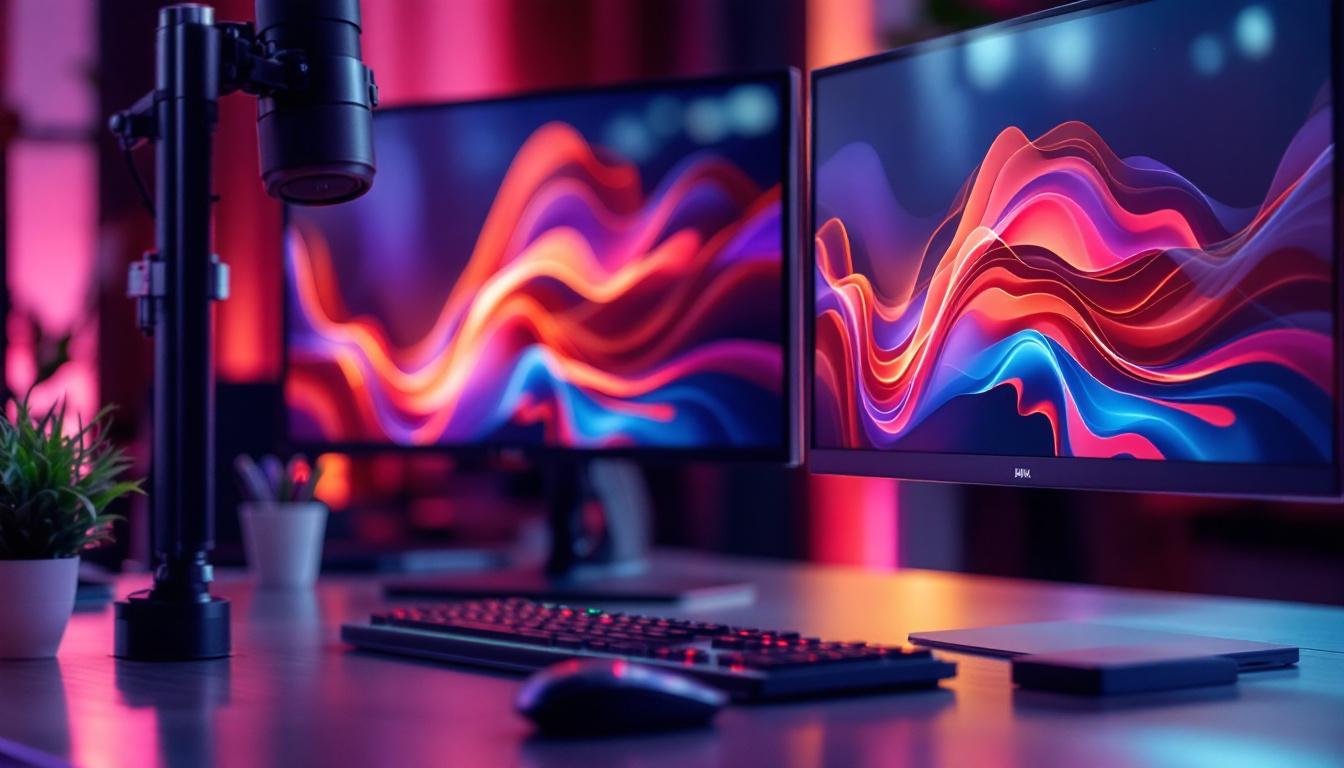
In today’s fast-paced digital world, maximizing workspace efficiency has become a priority for professionals, gamers, and creatives alike. Dual monitor setups have surged in popularity, offering enhanced productivity, immersive experiences, and ergonomic benefits. Central to these setups are dual monitor stands and mounts, which not only support LED displays but also optimize desk space and viewing comfort.
This article delves into the essentials of dual monitor stands and mounts, focusing on their compatibility with LED displays. It explores the types, benefits, installation tips, and key considerations to help you create an ideal multi-monitor workspace.
Understanding Dual Monitor Stands and Mounts
What Are Dual Monitor Stands and Mounts?
Dual monitor stands and mounts are hardware solutions designed to hold two monitors side by side, vertically stacked, or in other configurations. Unlike traditional monitor bases, these stands and mounts provide flexibility in positioning, allowing users to adjust height, tilt, swivel, and rotation for optimal viewing angles.
While a dual monitor stand typically refers to a single base supporting two monitors, a dual monitor mount usually involves arms or brackets that clamp to a desk or attach to a wall. Both types aim to reduce clutter, improve ergonomics, and enhance the overall aesthetic of a workspace.
Why Focus on LED Displays?
LED (Light Emitting Diode) displays dominate the monitor market due to their energy efficiency, slim profiles, and superior image quality. Most modern monitors, including those used in dual setups, feature LED backlighting technology. Understanding how dual monitor stands and mounts interact with LED displays is crucial because LED monitors often have specific weight, size, and mounting requirements.
Moreover, LED displays come in various sizes and aspect ratios, from ultrawide to standard 16:9 formats, influencing the choice of stands and mounts. Proper support ensures the longevity of the monitors and prevents damage caused by improper mounting.
Types of Dual Monitor Stands and Mounts
Freestanding Dual Monitor Stands
Freestanding stands are an excellent option for users who prefer flexibility and portability. These stands typically feature a weighted base that sits on the desk, supporting two monitors attached via VESA mounts. They are easy to set up and do not require drilling or permanent installation.
Freestanding stands are ideal for LED displays ranging from 19 to 32 inches and can usually support monitors weighing up to 20 pounds each. Their adjustable arms allow users to tilt, swivel, and rotate screens, making them suitable for various work environments.
Clamp and Grommet Mounts
Clamp mounts attach to the edge of a desk, while grommet mounts fit through a hole in the desk surface. Both options save desk space by lifting monitors off the surface and provide a clean, organized look. They are particularly beneficial for users with limited desk space or those seeking a minimalist setup.
These mounts offer extensive adjustability, including height adjustment and screen rotation. They are compatible with most LED monitors that support VESA mounting standards, typically 75x75mm or 100x100mm hole patterns.
Wall Mounts
Wall mounts are a space-saving solution that frees up desk area entirely. They require a sturdy wall and proper installation but offer excellent flexibility in positioning dual LED monitors. Wall mounts are popular in offices, studios, and gaming setups where desk space is at a premium.
When choosing wall mounts for LED displays, it’s important to consider the weight capacity and ensure the mount supports the size and thickness of the monitors. Some wall mounts also offer articulating arms, allowing users to pull the monitors forward or push them back against the wall.
Specialized Dual Monitor Mounts for Ultrawide and Curved LED Displays
Ultrawide and curved LED monitors have unique mounting requirements due to their size and shape. Specialized dual monitor mounts accommodate these displays by offering wider arms, enhanced weight capacity, and flexible articulation to maintain ergonomic alignment.
For example, curved monitors benefit from mounts that allow slight angling inward to preserve the immersive viewing experience. Ultrawide monitors, often exceeding 34 inches, require mounts with robust support and stability to prevent wobbling or tilting.
Benefits of Using Dual Monitor Stands and Mounts with LED Displays
Improved Ergonomics and Health
One of the most significant advantages of dual monitor stands and mounts is the improvement in ergonomics. Properly positioned monitors reduce strain on the neck, shoulders, and eyes, which is essential for users who spend long hours in front of screens.
Adjustable stands and mounts allow users to set the monitors at eye level and at an appropriate distance, promoting better posture and reducing the risk of repetitive strain injuries. For LED displays, which tend to be thinner and lighter, these stands provide stable support without compromising adjustability.
Enhanced Productivity and Multitasking
Research indicates that dual monitor setups can increase productivity by up to 42%. Having two LED displays allows users to multitask efficiently—comparing documents side by side, monitoring communication channels while working, or running multiple applications simultaneously.
Dual monitor stands and mounts facilitate seamless workflow by enabling users to position screens for optimal viewing angles and reduce distractions caused by awkward monitor placements.
Space Optimization and Aesthetics
Desk space is often limited, especially in home offices or compact work environments. Dual monitor stands and mounts help declutter the workspace by elevating monitors off the desk surface, freeing room for other essentials.
Additionally, these stands contribute to a clean, professional look. With cable management features integrated into many mounts, users can maintain an organized setup, enhancing both functionality and visual appeal.
Key Considerations When Choosing Dual Monitor Stands and Mounts for LED Displays
Compatibility with Monitor Size and Weight
Before purchasing a dual monitor stand or mount, verify that it supports the size and weight of your LED displays. Most manufacturers specify the maximum screen size and weight capacity for their products.
For example, a stand rated for monitors up to 27 inches and 15 pounds per arm may not safely support larger or heavier LED displays. Using incompatible mounts can lead to instability, damage to the monitors, or even accidents.
VESA Mounting Standards
VESA (Video Electronics Standards Association) mounting patterns are standardized hole configurations on the back of monitors used for mounting purposes. The most common sizes are 75x75mm and 100x100mm.
Ensure your LED displays have VESA-compatible mounts and that the dual monitor stand or mount supports these patterns. Some monitors, especially ultra-thin or budget models, may lack VESA holes, necessitating adapter kits or alternative mounting solutions.
Adjustability and Range of Motion
The degree of adjustability varies widely among dual monitor stands and mounts. Consider how much tilt, swivel, height adjustment, and rotation you require based on your work habits and desk setup.
For instance, graphic designers and video editors may benefit from mounts that allow portrait orientation, while gamers might prefer mounts with quick tilt and swivel for dynamic viewing angles. LED displays, being lightweight, often allow for greater flexibility in adjustment.
Build Quality and Materials
Durability and stability are critical factors. Look for stands and mounts made from high-quality materials such as steel or aluminum, which provide strength without excessive weight.
Cheap plastic components may compromise stability, especially when supporting dual LED monitors. Investing in a robust mount ensures long-term reliability and safety for your displays.
Cable Management Features
Effective cable management is essential for maintaining a tidy workspace. Many dual monitor stands and mounts include integrated clips, channels, or sleeves to route power and data cables neatly along the arms or base.
Proper cable management not only improves aesthetics but also prevents cables from tangling or getting damaged during monitor adjustments.
Installation Tips for Dual Monitor Stands and Mounts with LED Displays
Preparing Your Workspace
Before installation, clear your desk and ensure you have enough space to work comfortably. Gather necessary tools such as screwdrivers, Allen wrenches, and measuring tape, which are often included with the stand or mount.
Check the weight and size of your LED monitors and confirm that the mounting hardware matches the VESA pattern on the back of the displays.
Step-by-Step Installation Process
Begin by attaching the mounting brackets to the back of each LED monitor using the provided screws. Be careful not to overtighten, as this can damage the monitor casing.
If using a clamp or grommet mount, securely fasten the base to your desk according to the instructions. For wall mounts, locate studs or use appropriate anchors to ensure a firm installation.
Next, attach the monitor arms or brackets to the base or wall mount, then hang the monitors on the arms. Adjust the height, tilt, and rotation to suit your ergonomic preferences.
Testing and Final Adjustments
Once installed, test the stability of the monitors by gently moving them through their range of motion. Ensure that the mounts hold the LED displays securely without wobbling.
Adjust the viewing angles and height to reduce glare and optimize comfort. Use cable management features to route cables neatly and prevent strain on connectors.
Popular Dual Monitor Stand and Mount Options for LED Displays
Ergonomic Desk Mounts with Gas Spring Arms
Gas spring arms provide smooth, effortless adjustment of monitor position. These mounts are favored by professionals who frequently change their monitor orientation throughout the day. They accommodate a wide range of LED display sizes and weights, offering superior flexibility.
Heavy-Duty Freestanding Dual Monitor Stands
For users with larger LED monitors or those who prefer not to drill into their desks or walls, heavy-duty freestanding stands offer a sturdy solution. These often feature a broad base and reinforced arms to support monitors up to 32 inches or more.
Wall Mounts with Articulating Arms
Articulating wall mounts allow users to pull monitors forward, swivel side to side, and tilt up or down, making them ideal for collaborative workspaces or gaming setups. They are compatible with most LED displays and help maximize desk space.
Conclusion: Enhancing Your Dual LED Monitor Setup
Choosing the right dual monitor stand or mount is essential for optimizing the benefits of your LED display setup. Whether for professional productivity, creative work, or immersive gaming, the right hardware enhances ergonomics, saves space, and elevates your overall experience.
Consider your specific needs, including monitor size, weight, desk space, and desired adjustability, when selecting a stand or mount. Investing in quality materials and compatible designs ensures your LED monitors remain secure and functional for years to come.
With the growing prevalence of dual monitor configurations, understanding the nuances of stands and mounts is more important than ever. Armed with this knowledge, users can create efficient, comfortable, and visually appealing workspaces tailored to their unique requirements.
Discover LumenMatrix’s Advanced LED Display Solutions
Ready to elevate your workspace with the ultimate dual LED monitor setup? LumenMatrix, a pioneer in LED display technology, offers a wide array of innovative solutions that transform your environment and enhance your visual experience. From immersive Indoor LED Wall Displays to dynamic Outdoor LED Wall Displays and beyond, LumenMatrix is committed to revolutionizing visual communication. Check out LumenMatrix LED Display Solutions today and step into a world where functionality meets cutting-edge design.