In today’s fast-paced digital world, efficiency and productivity often hinge on how effectively one can manage multiple streams of information simultaneously. Multimonitor setups have become increasingly popular among professionals, gamers, and creatives alike, offering expansive screen real estate to enhance multitasking and immersive experiences. Central to these setups is the multimonitor stand, a crucial accessory that supports LED displays and optimizes workspace ergonomics. This article delves into the essentials of multimonitor stands, focusing on their compatibility with LED displays, design considerations, and the benefits they bring to various users.
Understanding Multimonitor Stands and Their Importance
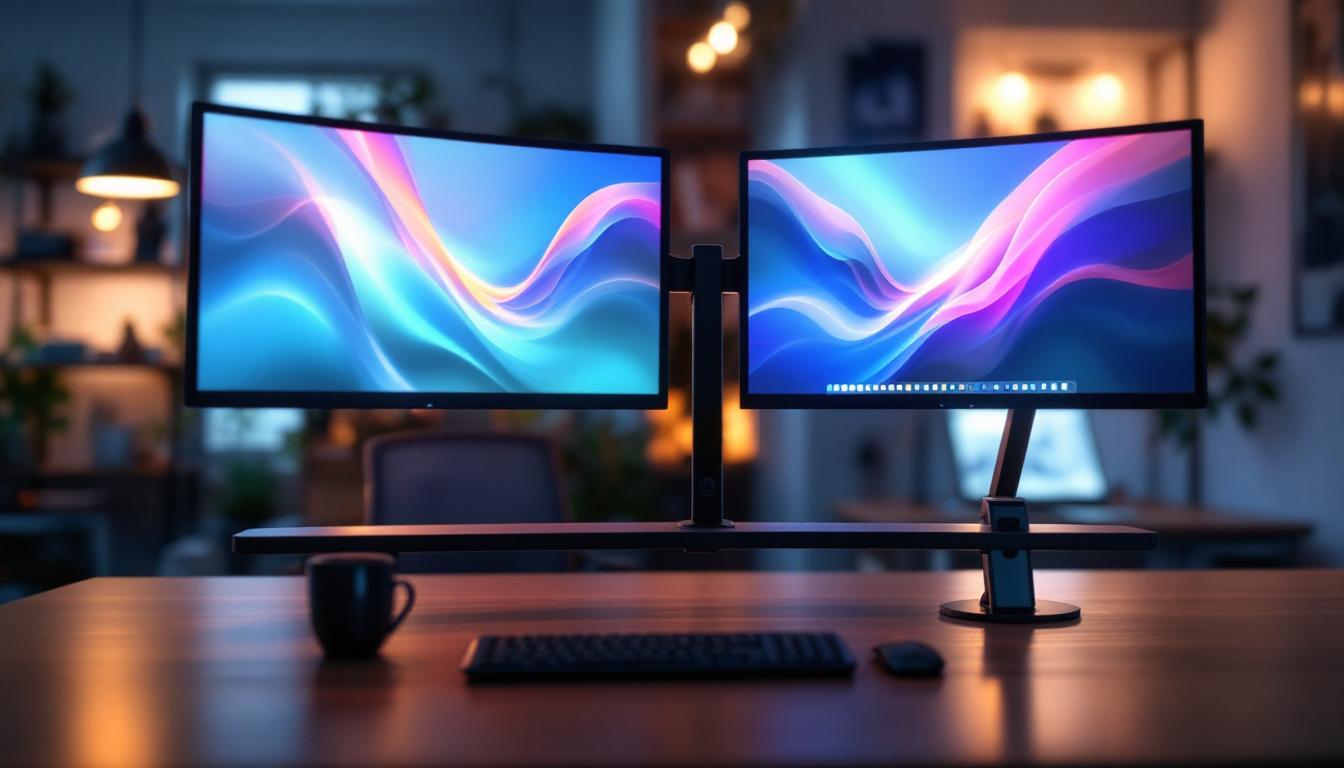
Multimonitor stands are specialized mounts designed to hold two or more monitors in a single, organized setup. Unlike traditional single-monitor stands, these stands offer flexibility in positioning, allowing users to adjust the height, tilt, and angle of each screen to suit their viewing preferences. This adaptability is especially important when working with LED displays, which are known for their vivid colors, energy efficiency, and slim profiles.
According to a 2023 survey by the International Ergonomics Association, users with multimonitor setups reported a 35% increase in productivity compared to single-monitor users. This improvement is largely attributed to the ability to view multiple applications or documents simultaneously without constantly switching windows. Multimonitor stands play a pivotal role in this by providing a stable and ergonomic framework that supports these displays effectively.
Why Choose a Multimonitor Stand for LED Displays?
LED displays are favored for their high brightness, contrast ratios, and energy-saving capabilities. However, their slim and lightweight design requires a stand that can securely hold multiple panels without compromising stability. Multimonitor stands designed specifically for LED displays often feature robust construction materials such as aluminum or steel, ensuring durability while maintaining a sleek aesthetic.
Moreover, these stands often include cable management systems to keep power and data cables organized, reducing clutter and potential damage. This is particularly beneficial in professional environments where a clean and efficient workspace is essential.
Types of Multimonitor Stands Compatible with LED Displays
When selecting a multimonitor stand for LED displays, understanding the various types available can help users make informed decisions based on their specific needs and workspace constraints.
Desk-Mounted Multimonitor Stands
Desk-mounted stands are the most common type, clamped or bolted directly to the edge of a desk. They save valuable desk space by lifting monitors off the surface, creating room for other work materials. These stands typically support two to four monitors and offer extensive adjustability, including height, swivel, and rotation.
For LED displays, desk-mounted stands are ideal because they provide a sturdy foundation while allowing users to customize the viewing angle to reduce glare and eye strain. Many models also include quick-release mechanisms, making it easy to attach or detach monitors as needed.
Freestanding Multimonitor Stands
Freestanding stands rest on the desk surface without the need for clamps or screws. They are suitable for users who cannot modify their desks or prefer a portable solution. While they may take up more desk space than mounted options, freestanding stands offer flexibility in placement and are generally easier to set up.
LED displays benefit from freestanding stands that feature adjustable arms and sturdy bases, ensuring stability despite the lightweight nature of the screens. These stands are popular in office environments where desks are shared or frequently reconfigured.
Wall-Mounted Multimonitor Stands
Wall-mounted stands offer a space-saving alternative by attaching monitors directly to the wall. This setup is common in trading floors, control rooms, and creative studios where multiple LED displays need to be arranged in a fixed, ergonomic layout.
These stands must be compatible with the VESA mounting standards of LED displays, typically 75x75mm or 100x100mm patterns. Proper installation is critical to ensure safety and maintain the integrity of the wall and monitors.
Key Features to Consider When Choosing a Multimonitor Stand for LED Displays
Selecting the right multimonitor stand involves evaluating several features that impact usability, durability, and comfort. Here are the most important factors to consider:
Weight Capacity and Monitor Size Compatibility
LED displays come in various sizes, commonly ranging from 21 inches to 32 inches or larger. Multimonitor stands specify maximum weight and size limits per arm or mount. It is essential to choose a stand that can support the combined weight of all monitors without risk of tipping or sagging.
For example, a stand designed to hold three 27-inch LED monitors should have a weight capacity of at least 15-20 pounds per arm to ensure stability. Overloading a stand can lead to damage or injury, so adherence to manufacturer specifications is critical.
Adjustability and Ergonomics
Ergonomics play a vital role in preventing strain and enhancing comfort during extended computer use. A good multimonitor stand offers height adjustment, tilt, swivel, and rotation options to position each LED display at an optimal viewing angle.
Adjustability also facilitates different user preferences and work scenarios, such as collaborative meetings or focused individual tasks. Some stands include gas spring arms for smooth and effortless movement, which is particularly useful in dynamic work environments.
Build Quality and Materials
Durability is paramount, especially when supporting multiple LED displays. High-quality materials like steel and aluminum provide strength without excessive weight. Additionally, powder-coated finishes resist scratches and corrosion, extending the lifespan of the stand.
Investing in a well-constructed multimonitor stand ensures long-term reliability and maintains the professional appearance of the workspace.
Cable Management Solutions
LED displays require power and data connections, often resulting in a tangle of cables. Multimonitor stands with integrated cable management channels or clips help organize these cables, reducing clutter and minimizing the risk of accidental disconnections or damage.
Effective cable management also contributes to better airflow around the monitors, which can help maintain optimal operating temperatures and prolong the life of LED displays.
Benefits of Using Multimonitor Stands with LED Displays
Integrating multimonitor stands with LED displays offers numerous advantages that extend beyond mere aesthetics.
Enhanced Productivity and Workflow
Studies have shown that users with multiple monitors can complete tasks faster and with fewer errors. For instance, a 2022 report by the Human Factors and Ergonomics Society highlighted that financial analysts using three or more monitors improved their data processing speed by up to 40%.
Multimonitor stands enable seamless arrangement of LED displays, allowing users to view spreadsheets, emails, and research materials simultaneously. This setup minimizes the need to toggle between windows, streamlining workflows and reducing cognitive load.
Improved Ergonomics and Comfort
Proper monitor positioning reduces neck, back, and eye strain, common complaints among office workers. Multimonitor stands facilitate ergonomic setups by enabling precise adjustments tailored to individual body dimensions and seating postures.
LED displays, with their high brightness and anti-glare properties, combined with ergonomic stands, create a comfortable viewing environment that supports long hours of work without discomfort.
Space Optimization and Aesthetics
Multimonitor stands help declutter desks by lifting monitors off the surface and organizing cables neatly. This not only frees up valuable workspace but also contributes to a clean, professional look that can enhance focus and reduce stress.
In creative studios and gaming setups, the sleek design of LED displays paired with minimalist multimonitor stands creates an immersive and visually appealing environment.
Installation and Maintenance Tips for Multimonitor Stands and LED Displays
Proper installation and upkeep are essential to maximize the lifespan and performance of multimonitor stands and LED displays.
Installation Best Practices
Before installation, verify that the stand supports the size and weight of your LED displays. Follow manufacturer instructions carefully, ensuring all screws and clamps are securely tightened. Use a level to align monitors evenly and prevent strain on mounting points.
When wall-mounting, confirm that the wall material can support the combined weight and use appropriate anchors. It is advisable to enlist professional help for complex installations to ensure safety.
Regular Maintenance
Periodically check all mounting hardware for signs of loosening or wear. Clean the stand and monitors with appropriate materials—avoid harsh chemicals that can damage finishes or screen coatings.
Inspect cable management systems to ensure cables remain organized and free from damage. Keeping the workspace tidy not only protects equipment but also promotes a productive environment.
Future Trends in Multimonitor Stands and LED Display Technology
As technology evolves, multimonitor stands and LED displays continue to advance, offering new features and enhanced user experiences.
Integration with Smart Technologies
Emerging multimonitor stands are incorporating smart features such as motorized adjustments controlled via apps or voice commands. These innovations allow users to customize monitor positions effortlessly and save preferred configurations for different tasks.
Improved Materials and Sustainability
Manufacturers are increasingly adopting eco-friendly materials and sustainable production methods. Lightweight composites and recycled metals are becoming more common, reducing environmental impact without sacrificing durability.
Advancements in LED Display Quality
LED technology continues to improve with higher resolutions, faster refresh rates, and better color accuracy. These advancements make multimonitor setups even more valuable for professionals in graphic design, video editing, and gaming, where visual fidelity is paramount.
Conclusion
Multimonitor stands are indispensable accessories for anyone leveraging the power of multiple LED displays. They not only enhance productivity and ergonomics but also contribute to a tidy and aesthetically pleasing workspace. By understanding the types of stands available, key features to consider, and best practices for installation and maintenance, users can create optimized multimonitor environments tailored to their unique needs.
As LED display technology and multimonitor stands continue to evolve, embracing these innovations will help professionals and enthusiasts alike stay ahead in an increasingly digital and visually demanding world.
Discover LumenMatrix’s Advanced LED Display Solutions
Ready to elevate your multimonitor setup with the latest in LED display technology? Look no further than LumenMatrix, a pioneer in crafting visually stunning and technologically advanced LED displays. From dynamic indoor and outdoor walls to innovative vehicle and sports displays, LumenMatrix offers a wide array of solutions to meet your specific needs. Experience the future of visual communication with our custom, all-in-one, and transparent LED displays designed to captivate and engage. Check out LumenMatrix LED Display Solutions today and transform your workspace into a hub of productivity and inspiration.