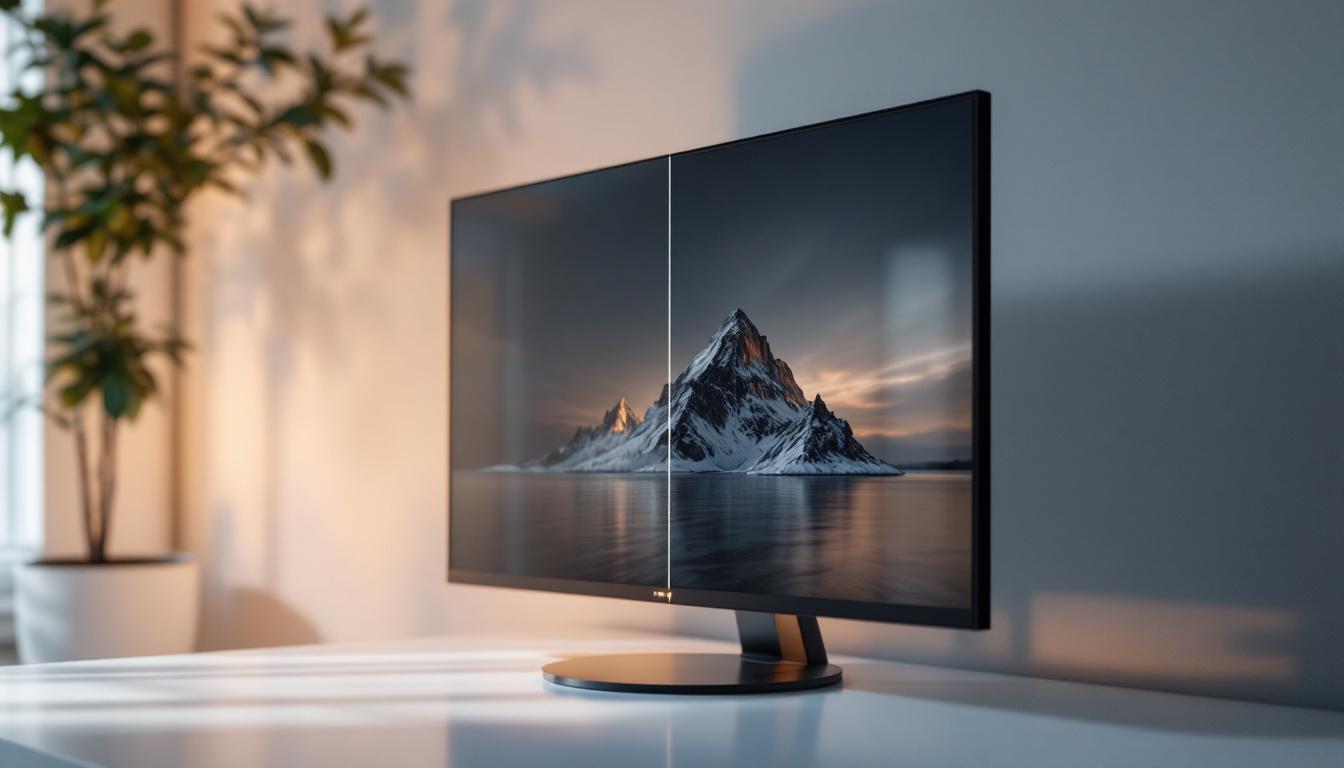
When it comes to choosing or optimizing an LED display, one term that often appears in menus and specifications is dynamic contrast ratio. For many users, this setting can be confusing: should it be turned on or off? What impact does it have on image quality? And how does it differ from static contrast ratio? This article delves deep into the concept of dynamic contrast ratio in LED displays, explaining how it works, its benefits and drawbacks, and practical advice on when to enable or disable it.
Understanding Contrast Ratio: Static vs Dynamic
What Is Contrast Ratio?
Contrast ratio is a fundamental metric in display technology that measures the difference between the darkest black and the brightest white a screen can produce. It is expressed as a ratio, such as 1000:1, meaning the brightest white is 1000 times brighter than the darkest black. A higher contrast ratio generally translates into more vivid images, deeper blacks, and better overall picture quality.
Static contrast ratio refers to this difference measured under constant lighting conditions, without any adjustments during content playback. It is a fixed specification provided by manufacturers and is a key indicator of a display’s inherent capability to produce contrast. Static contrast ratios are particularly significant when evaluating displays for tasks that require color accuracy and consistency, such as graphic design or photo editing, where precise tonal differentiation is crucial.
Moreover, the importance of static contrast ratio extends beyond mere numbers; it can significantly affect the viewing experience. For instance, in a brightly lit room, a display with a high static contrast ratio will maintain its image quality better than one with a lower ratio, ensuring that details in both shadows and highlights remain visible. This makes it essential for consumers to consider static contrast when selecting a display for varied environments and use cases.
Dynamic Contrast Ratio: What Does It Mean?
Dynamic contrast ratio (DCR) is a more complex metric. Instead of measuring contrast under static conditions, it evaluates the contrast achieved by dynamically adjusting the display’s backlight or brightness levels in real time, depending on the content being shown. For example, during dark scenes, the backlight dims to deepen blacks, while in bright scenes, it increases to enhance highlights.
This adaptive approach can result in contrast ratios that are orders of magnitude higher than static contrast ratios, sometimes advertised as 1,000,000:1 or more. However, it’s important to understand that dynamic contrast ratio is not a direct comparison to static contrast; it reflects the display’s ability to optimize contrast through backlight modulation rather than its inherent panel capabilities. This means that while dynamic contrast can enhance the viewing experience, it may not always provide the same level of accuracy and consistency that static contrast offers, especially in content that features rapid scene changes or varying lighting conditions.
Furthermore, the implementation of dynamic contrast ratio can vary significantly between manufacturers and models. Some displays may utilize advanced algorithms to detect scene changes and adjust brightness levels accordingly, while others may rely on simpler methods that could lead to noticeable flickering or artifacts during transitions. As a result, consumers should be aware of how dynamic contrast is applied in the displays they are considering, as this can greatly influence the overall image quality and viewing comfort, especially during extended use or in darker environments.
How Dynamic Contrast Ratio Works in LED Displays
Backlight Dimming and Brightness Control
LED displays, particularly LCD panels with LED backlighting, rely on a backlight to illuminate the pixels. Unlike OLED displays, where each pixel emits its own light, LED LCDs use a uniform backlight behind the liquid crystal layer. Dynamic contrast ratio is achieved by adjusting this backlight intensity dynamically.
There are two primary methods of backlight control:
- Global Dimming: The entire backlight dims or brightens uniformly depending on the overall scene brightness.
- Local Dimming: The backlight is divided into zones that can be dimmed independently, allowing for more precise contrast control in different parts of the screen.
Local dimming, which is often found in higher-end LED TVs and monitors, can significantly improve dynamic contrast by deepening blacks in shadowy areas without affecting bright parts of the image.
Impact on Image Quality
When dynamic contrast is enabled, the display attempts to optimize the picture by lowering the backlight during dark scenes. This can make blacks appear deeper and shadows more detailed. Conversely, during bright scenes, the backlight is increased to enhance highlights and make colors pop.
However, this process is not without potential issues. Rapid changes in backlight intensity can cause noticeable fluctuations in brightness, sometimes described as “pumping” or “breathing,” which may distract viewers. Moreover, aggressive dimming can crush shadow details, reducing image fidelity.
Pros and Cons of Using Dynamic Contrast Ratio
Advantages of Enabling Dynamic Contrast
Dynamic contrast ratio can offer several benefits, especially in certain viewing environments and content types:
- Enhanced Black Levels: By dimming the backlight during dark scenes, dynamic contrast can produce deeper blacks than static contrast alone.
- Improved Perceived Contrast: The overall picture appears more vivid and engaging, particularly in movies or games with high contrast scenes.
- Better Viewing in Dark Rooms: In low ambient light conditions, dynamic contrast can improve immersion by reducing screen glow.
- Energy Efficiency: Dimming the backlight when possible can reduce power consumption, extending the display’s lifespan.
Drawbacks and Limitations
Despite its advantages, dynamic contrast ratio has some notable downsides:
- Brightness Fluctuations: Sudden changes in backlight intensity can be distracting, especially during scenes with mixed lighting.
- Loss of Shadow Detail: Over-aggressive dimming may cause dark areas to lose subtle details, negatively impacting image accuracy.
- Artificial Image Processing: Some users find the effect unnatural or “over-processed,” preferring a more consistent picture.
- Inconsistent Performance: The effectiveness of dynamic contrast varies widely between different display models and manufacturers.
When Should You Turn Dynamic Contrast On or Off?
Use Cases for Turning Dynamic Contrast On
Dynamic contrast is most beneficial in scenarios where maximizing perceived contrast and immersion is a priority:
- Watching Movies and TV Shows: Cinematic content with dark scenes benefits from enhanced black levels and deeper shadows.
- Gaming in Dark Environments: Gamers playing in dimly lit rooms can enjoy more immersive visuals with better contrast.
- Casual Viewing: For everyday TV watching where picture fidelity is less critical, dynamic contrast can improve the overall experience.
When to Consider Turning Dynamic Contrast Off
There are situations where disabling dynamic contrast may yield a better viewing experience:
- Professional Photo or Video Editing: Accurate color and consistent brightness are crucial, and dynamic contrast can introduce unwanted variability.
- Bright Ambient Lighting: In well-lit rooms, the benefits of dynamic contrast are less noticeable, and fluctuations may be distracting.
- Content with Mixed Lighting: Scenes with both bright and dark areas may suffer from backlight pumping, making the effect undesirable.
- Preference for Natural Image Quality: Some viewers prefer a stable, consistent picture without artificial brightness shifts.
How to Evaluate Dynamic Contrast on Your Display
Testing and Calibration
To determine whether dynamic contrast improves your viewing experience, it’s essential to test it under different conditions. Start by enabling the feature and watching a variety of content, including dark scenes, bright scenes, and mixed lighting. Pay attention to:
- Black level depth and shadow detail
- Brightness consistency and any distracting fluctuations
- Color accuracy and overall image naturalness
Many modern displays also offer calibration tools or presets that can help optimize settings for your environment. Adjusting gamma, brightness, and contrast alongside dynamic contrast can yield the best results.
Manufacturer Variations
It’s important to note that the implementation of dynamic contrast varies significantly between brands and models. Some displays use subtle adjustments that enhance contrast without noticeable artifacts, while others may apply aggressive dimming that causes distracting effects.
Reading professional reviews and user feedback for your specific display model can provide valuable insights into how well dynamic contrast performs in real-world use.
Future Trends in Contrast Technology
Advancements in Local Dimming and Mini-LED
Emerging technologies like Mini-LED backlighting are revolutionizing dynamic contrast capabilities. Mini-LED displays feature thousands of tiny LEDs that can be dimmed independently, allowing for extremely precise local dimming. This results in much higher dynamic contrast ratios without the common issues of backlight blooming or pumping.
As these technologies become more affordable and widespread, the line between static and dynamic contrast performance will continue to blur, offering consumers superior picture quality.
OLED and MicroLED: The Next Generation
OLED and MicroLED displays inherently offer perfect black levels because each pixel emits its own light and can be turned off completely. This eliminates the need for dynamic backlight adjustments, resulting in infinite contrast ratios in practical terms.
While currently more expensive, these technologies represent the future of display contrast, providing unmatched image quality without the compromises of dynamic contrast on LED LCDs.
Conclusion: Making the Right Choice for Your LED Display
Dynamic contrast ratio is a powerful tool in enhancing the visual experience on LED displays by adapting backlight levels to content in real time. When used appropriately, it can deepen blacks, improve perceived contrast, and increase immersion, especially in dark viewing environments.
However, it is not a one-size-fits-all solution. The potential for brightness fluctuations, loss of shadow detail, and artificial image processing means that some users and scenarios benefit more from turning it off. Understanding the differences between static and dynamic contrast, testing the feature with your content and environment, and considering your personal preferences will help you make the best decision.
As display technologies continue to evolve, dynamic contrast will become more refined and less intrusive. Until then, knowing when to enable or disable this feature is key to enjoying your LED display to its fullest potential.
Explore Cutting-Edge LED Displays with LumenMatrix
Ready to experience the ultimate visual performance? LumenMatrix offers a comprehensive range of LED display solutions tailored to meet your needs. Whether you’re looking to enhance brand visibility, captivate your audience, or create immersive environments, our innovative LED technology is designed to deliver unparalleled clarity and impact. From indoor and outdoor displays to custom configurations, LumenMatrix is at the forefront of transforming visual communication. Check out LumenMatrix LED Display Solutions today and see how we can help you make a lasting impression.