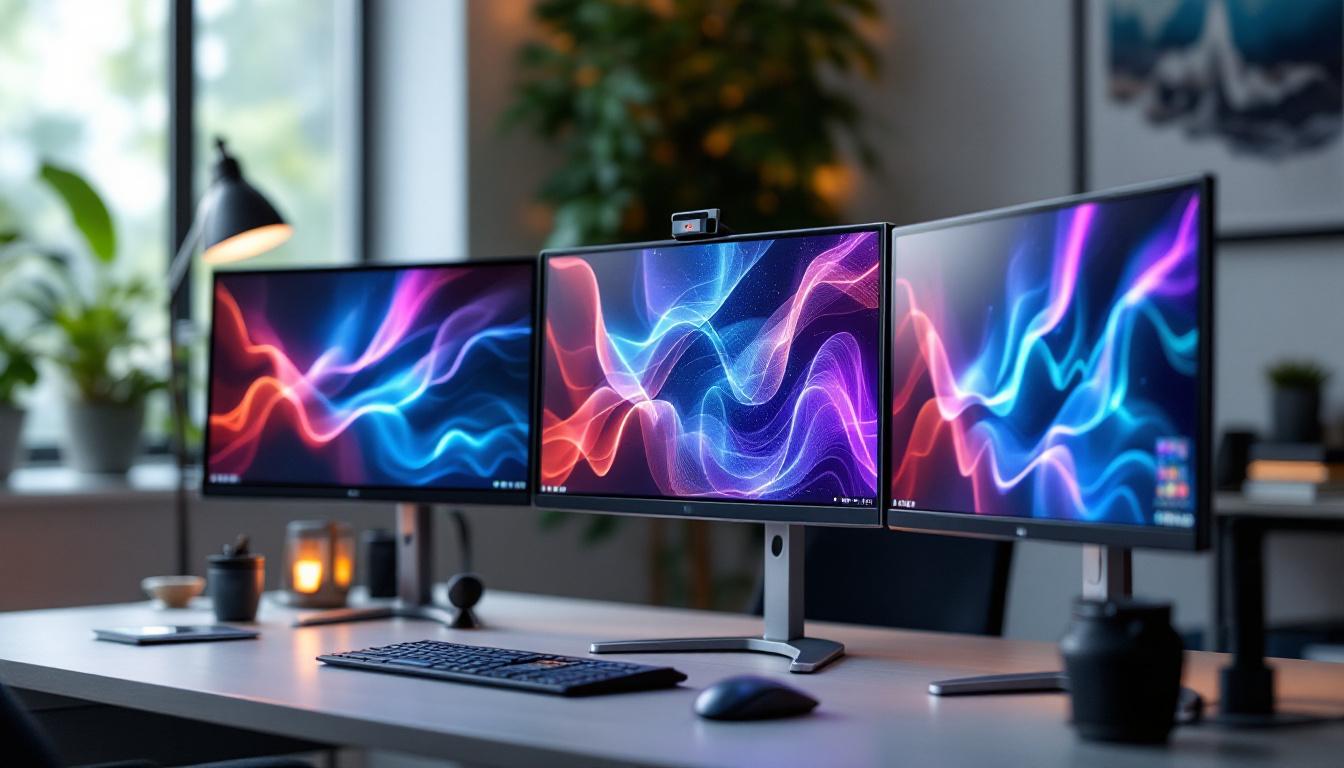
In today’s fast-paced digital world, the demand for efficient workspace setups has never been higher. Whether you are a professional gamer, a graphic designer, a stock trader, or simply a productivity enthusiast, the triple PC monitor stand has become an essential accessory. Coupled with LED displays, these setups offer an immersive and ergonomic experience that can significantly enhance workflow and visual comfort.
Why Choose a Triple PC Monitor Stand?
Multi-monitor setups have surged in popularity over the past decade. According to a recent survey by Statista, nearly 30% of professionals working in tech and creative industries use two or more monitors, with triple monitor setups becoming increasingly common. But why specifically opt for a triple monitor stand?
A triple PC monitor stand provides a stable, organized, and ergonomic solution for mounting three monitors side-by-side or in a curved arrangement. This setup maximizes screen real estate and minimizes neck and eye strain by allowing users to adjust the height, tilt, and orientation of each monitor individually.
Furthermore, a triple stand helps declutter the desk by freeing up space that would otherwise be occupied by bulky monitor bases. This is especially important for users who require additional peripherals or workspace for writing, drawing, or other tasks. The clean and organized appearance of a triple monitor setup can also contribute to a more focused and efficient work environment, reducing distractions that often arise from clutter.
In addition to aesthetic benefits, a triple monitor stand can accommodate various monitor sizes and brands, making it a versatile choice for users who may upgrade their displays over time. This adaptability ensures that your investment in a monitor stand remains relevant, regardless of future hardware changes.
Ergonomics and Productivity Benefits
Ergonomics plays a crucial role in workplace health and productivity. Poor posture and repetitive strain injuries are common among users who spend long hours in front of screens. A triple monitor stand allows for precise positioning of each display, reducing the need to twist or crane the neck.
Studies from the Occupational Safety and Health Administration (OSHA) highlight that ergonomic setups can reduce musculoskeletal disorders by up to 60%. Additionally, multiple screens enable multitasking and improve workflow efficiency. For example, a software developer can code on one screen, test on another, and keep documentation or communication tools open on the third. This seamless transition between tasks not only enhances productivity but also fosters a more dynamic and engaging work experience.
Moreover, the flexibility offered by a triple monitor stand allows users to create personalized layouts that cater to their specific needs. Graphic designers might prefer a setup that showcases their creative software on one monitor while keeping reference images on another, while financial analysts could benefit from real-time data feeds across multiple screens. This customization empowers professionals to tailor their workspace to their workflow, ultimately leading to greater satisfaction and performance in their roles.
Understanding LED Displays in Triple Monitor Setups
LED (Light Emitting Diode) displays have become the standard for modern monitors due to their superior brightness, energy efficiency, and color accuracy compared to older technologies like LCD or CRT. When combined with triple monitor stands, LED displays offer a visually stunning and consistent viewing experience. This setup is particularly favored by gamers, graphic designers, and professionals who require extensive screen real estate for multitasking. The immersive quality of a triple monitor configuration can significantly enhance productivity and enjoyment, allowing users to spread applications across multiple screens seamlessly.
Types of LED Displays
There are several types of LED display technologies used in monitors, each with unique advantages:
- Edge-Lit LED: LEDs are positioned along the edges of the screen, allowing for thinner panels and lower power consumption. However, this can sometimes result in uneven brightness, especially in darker scenes. This type is often used in budget-friendly monitors, making it accessible for users who prioritize cost over high-end performance.
- Direct-Lit LED: LEDs are placed directly behind the screen, providing more uniform lighting but often resulting in thicker monitors. This technology is ideal for users who need consistent brightness across the entire display, such as video editors and photographers.
- Mini-LED: A newer technology that uses thousands of tiny LEDs for precise local dimming zones, enhancing contrast and HDR performance. Mini-LED displays are becoming increasingly popular in high-end monitors, offering a significant improvement in picture quality and detail.
- OLED (Organic LED): Although not technically LED, OLEDs use organic compounds that emit light individually, offering perfect blacks and vibrant colors, but at a higher cost and with potential burn-in issues. This technology is often favored by those who prioritize color accuracy and contrast in their visual work.
For triple monitor setups, edge-lit and mini-LED panels are popular choices due to their balance between performance, thickness, and cost. Additionally, the choice of display technology can significantly impact the overall aesthetic of the workspace, with sleek designs and modern finishes enhancing the visual appeal of a multi-monitor arrangement.
Key Features to Consider in LED Monitors for Triple Stands
When selecting LED monitors for a triple setup, several factors should be considered to ensure compatibility and optimal performance:
- Screen Size and Resolution: Matching the size and resolution of all three monitors ensures a seamless visual experience. Common choices include 24-inch to 27-inch monitors with 1080p or 1440p resolutions. For high-end setups, 4K monitors are gaining traction, providing stunning detail that can elevate gaming and design work to new heights.
- Refresh Rate: A higher refresh rate (e.g., 144Hz) is beneficial for gaming and fast-paced work, reducing motion blur and eye strain. Gamers, in particular, will appreciate the smoothness that a high refresh rate provides, allowing for a more responsive and enjoyable gaming experience.
- Color Accuracy: Critical for creative professionals, monitors with wide color gamut coverage (such as AdobeRGB or DCI-P3) and factory calibration are preferred. Accurate color representation is essential for tasks like photo editing and graphic design, where even slight variations can lead to significant discrepancies in the final output.
- Connectivity: Multiple input options such as HDMI, DisplayPort, and USB-C facilitate easy connection to PCs and peripherals. This flexibility is particularly important in a triple monitor setup, where users may want to switch between different devices or use docking stations.
- Bezel Size: Thin bezels minimize the visual gap between screens, creating a more immersive and cohesive display. This is especially beneficial for gaming and video editing, where continuity across screens enhances the overall experience.
Moreover, considering the ergonomics of the setup is crucial. Adjustable monitor stands that allow for height, tilt, and swivel adjustments can help create a comfortable viewing angle, reducing neck and eye strain during long hours of use. Additionally, features like blue light filters and flicker-free technology can further enhance user comfort, making triple monitor setups not only visually impressive but also user-friendly.
Setting Up a Triple PC Monitor Stand with LED Displays
Proper installation and configuration of a triple monitor stand with LED displays are essential to fully leverage the benefits of the setup. This section outlines the key steps and tips for an optimal arrangement.
Choosing the Right Stand
Triple monitor stands come in various designs, including freestanding, clamp-mounted, and wall-mounted options. Freestanding stands are easy to set up and move but take up desk space. Clamp-mounted stands attach to the desk edge, saving surface area but requiring sturdy desks. Wall mounts free up desk space entirely but need proper wall support and installation tools.
When selecting a stand, consider the weight capacity, adjustability (height, tilt, swivel, and rotation), and compatibility with VESA mounting standards (commonly 75x75mm or 100x100mm).
Arranging the Monitors
Positioning the monitors correctly is crucial for comfort and productivity. The ideal setup usually involves placing the center monitor directly in front of the user, with the side monitors angled inward to create a curved field of view. This arrangement reduces neck strain and enhances immersion.
Height adjustment should ensure the top of the screens is roughly at or slightly below eye level. Spacing between monitors should be minimal, especially with thin bezels, to create a near-seamless visual flow.
Calibrating the Displays
To achieve consistent color and brightness across all three monitors, calibration is recommended. Many LED monitors come with factory calibration, but fine-tuning using hardware calibration tools like colorimeters can enhance accuracy.
Adjust brightness, contrast, and color temperature settings to match across all displays. This is particularly important for professionals in photography, video editing, and design, where color consistency is paramount.
Common Challenges and Solutions in Triple LED Monitor Setups
While triple monitor setups offer numerous advantages, users may encounter some challenges. Understanding these issues and their solutions can help maintain an efficient and enjoyable workspace.
Bezel Distraction
Despite advances in thin bezel technology, the physical borders between monitors can still disrupt the viewing experience. Some users find this distracting, especially in gaming or immersive applications.
Solutions include selecting monitors with ultra-thin bezels, using software that compensates for bezel gaps, or opting for curved monitors that reduce the perceived separation.
Color and Brightness Mismatch
Even identical models can exhibit slight variations in color and brightness due to manufacturing tolerances or aging. This can be problematic for visual consistency.
Regular calibration and adjusting monitor settings manually can mitigate this issue. Investing in professional calibration tools ensures the best results.
Desk Space and Cable Management
Triple monitor setups can lead to cluttered desks and tangled cables if not managed properly. This can reduce workspace efficiency and aesthetics.
Using cable organizers, zip ties, and routing cables through the monitor stand’s built-in channels helps maintain a clean setup. Additionally, selecting a stand with integrated cable management features can simplify this task.
The Future of Triple Monitor Stands and LED Displays
As technology advances, triple monitor setups continue to evolve. Innovations in display technology and mounting solutions promise even greater flexibility and performance.
Emerging Display Technologies
Mini-LED and Micro-LED technologies are gaining momentum, offering higher brightness, better contrast ratios, and improved energy efficiency. These advancements will enhance the visual quality of triple monitor setups, making them more vibrant and immersive.
Additionally, flexible and curved OLED panels may become more affordable, allowing for seamless multi-monitor arrays that wrap around the user’s field of view.
Smart and Modular Monitor Stands
Future monitor stands are expected to incorporate smart features such as motorized adjustments, programmable presets, and integration with ambient lighting systems. Modular designs will allow users to easily add or remove monitors and customize their workspace dynamically.
These innovations will cater to the growing demand for adaptable and personalized work environments, especially in hybrid and remote work scenarios.
Conclusion
Triple PC monitor stands combined with LED displays represent a powerful solution for enhancing productivity, comfort, and visual experience. By understanding the benefits, technologies, and best practices involved, users can create an efficient and ergonomic multi-monitor workspace tailored to their needs.
Whether for professional use or immersive gaming, investing in quality LED monitors and a reliable triple monitor stand can transform the way users interact with their digital environment. As display and mounting technologies continue to advance, the future of multi-monitor setups looks brighter and more versatile than ever.
Explore Cutting-Edge LED Displays with LumenMatrix
Ready to elevate your workspace and embrace the future of digital displays? LumenMatrix is at the forefront of LED display technology, offering a wide range of innovative solutions that can transform your triple monitor setup into a breathtaking visual experience. From immersive Indoor LED Wall Displays to dynamic Outdoor LED Wall Displays and beyond, our products are designed to captivate and engage. Discover how LumenMatrix can empower your professional or gaming environment with clarity and impact. Check out LumenMatrix LED Display Solutions today and step into a world of vivid color and unparalleled performance.