How To Transport Flat Screen TV: LED Display Explained
Transporting a flat screen TV, particularly an LED display, requires careful planning and the right techniques to ensure it arrives safely and undamaged. With the increasing popularity of LED TVs due to their slim profiles, vibrant colors, and energy efficiency, understanding how to move these delicate devices has become essential for homeowners, businesses, and professionals alike.
This comprehensive guide will walk you through the key considerations, methods, and best practices for transporting flat screen LED TVs. Whether you are relocating, shipping a TV, or simply moving it between rooms, this article will equip you with the knowledge to protect your investment.
Understanding LED Flat Screen TVs and Their Fragility
What Makes LED TVs Unique?
LED TVs are a type of LCD (Liquid Crystal Display) television that use Light Emitting Diodes (LEDs) as a backlight source instead of traditional fluorescent lamps. This technology allows for thinner panels, better contrast ratios, and improved energy efficiency. The slim design is one of the primary reasons LED TVs are popular, but it also means the screens are more fragile compared to older CRT or plasma models.
The screen itself is composed of delicate layers, including the glass or plastic panel, liquid crystals, and various electronic components. Even minor impacts or pressure can cause permanent damage such as dead pixels, cracks, or color distortion. Therefore, understanding the structure and vulnerabilities of LED TVs is crucial before attempting to transport them. Additionally, many modern LED TVs come equipped with smart technology, enabling internet connectivity and access to streaming services. This added functionality can enhance the viewing experience but also introduces more electronic components that can be susceptible to damage if not handled carefully.
Common Risks During Transport
When moving an LED TV, several risks can lead to damage:
- Physical Impact: Dropping or bumping the TV can crack the screen or damage internal components.
- Pressure Damage: Applying excessive pressure on the screen surface can cause pixel damage or screen warping.
- Vibration and Shock: Continuous shaking during transport, especially in vehicles, can loosen internal parts.
- Environmental Factors: Exposure to moisture, extreme temperatures, or dust can damage electronic circuits.
Recognizing these risks helps in preparing the TV appropriately for transport. To mitigate these dangers, it is advisable to use the original packaging when available, as it is specifically designed to protect the TV during transit. If the original box is not an option, using a sturdy, padded blanket and securing the TV upright in a vehicle can help minimize movement and potential impacts. Additionally, it’s wise to remove any attached accessories, such as stands or cables, to prevent them from causing scratches or other damage during the move. Proper planning and precautions can significantly enhance the chances of arriving at your destination with the TV intact.
Preparing Your LED TV for Transport
Gather the Right Materials
Before moving your TV, assemble the necessary packing materials. These include:
- Original Packaging: If available, the original box and foam inserts provide the best protection.
- Bubble Wrap or Foam Sheets: To cushion the screen and protect corners.
- Blankets or Moving Pads: Thick, soft materials to wrap the TV and prevent scratches.
- Strong Packing Tape: To secure wrapping materials.
- Cardboard Sheets: To reinforce the screen area and prevent pressure damage.
- Anti-Static Bags: Optional but useful for protecting electronic components from static electricity.
Having these materials ready will streamline the packing process and reduce the risk of damage. Additionally, consider using a sturdy dolly or hand truck to assist in moving the TV, especially if it is a larger model. This will help you navigate stairs or uneven surfaces more easily, minimizing the risk of dropping or jostling the TV during transport. If you’re moving long distances, it’s also wise to check the weather forecast to avoid transporting your TV in extreme temperatures, as both heat and cold can affect electronic components.
Disconnect and Organize Cables
Before packing, turn off the TV and unplug all cables, including power cords, HDMI cables, and any connected devices. Label each cable and port if necessary to simplify reconnection later. Store cables in a separate bag or container to avoid tangling or damage during transport.
Removing cables also prevents them from pulling on ports or causing scratches to the TV surface. To further ensure a smooth setup at your new location, take a moment to document the arrangement of your cables. A quick photo can serve as a helpful reference when you’re ready to reconnect everything. Additionally, consider wrapping each cable with a twist tie or Velcro strap to keep them organized and prevent any potential damage from friction during the move.
Clean the TV Screen
Gently clean the screen with a microfiber cloth to remove dust and fingerprints. Avoid using harsh chemicals or abrasive materials that could damage the screen coating. A clean surface helps prevent scratches during wrapping and ensures the TV looks pristine upon arrival.
Moreover, while cleaning, take the opportunity to inspect the TV for any existing scratches or blemishes. Documenting these imperfections can be beneficial, especially if you’re moving the TV through a moving service or if it’s under warranty. Additionally, consider cleaning the TV’s remote control and any other accessories, as these items are often overlooked but can accumulate dirt and grime over time. Ensuring everything is clean not only enhances your viewing experience but also presents a polished look when setting up your TV in its new home.
Packing Techniques for Safe Transport
Wrap the Screen Properly
The screen is the most vulnerable part of an LED TV. To protect it, start by placing a clean, soft cloth or foam sheet directly over the screen. Avoid using plastic wrap directly on the screen as it can trap moisture.
Next, wrap the entire TV in several layers of bubble wrap or thick moving blankets, securing the wrapping with packing tape. Pay special attention to the corners and edges, which are prone to damage during handling.
Use the Original Box or a Suitable Alternative
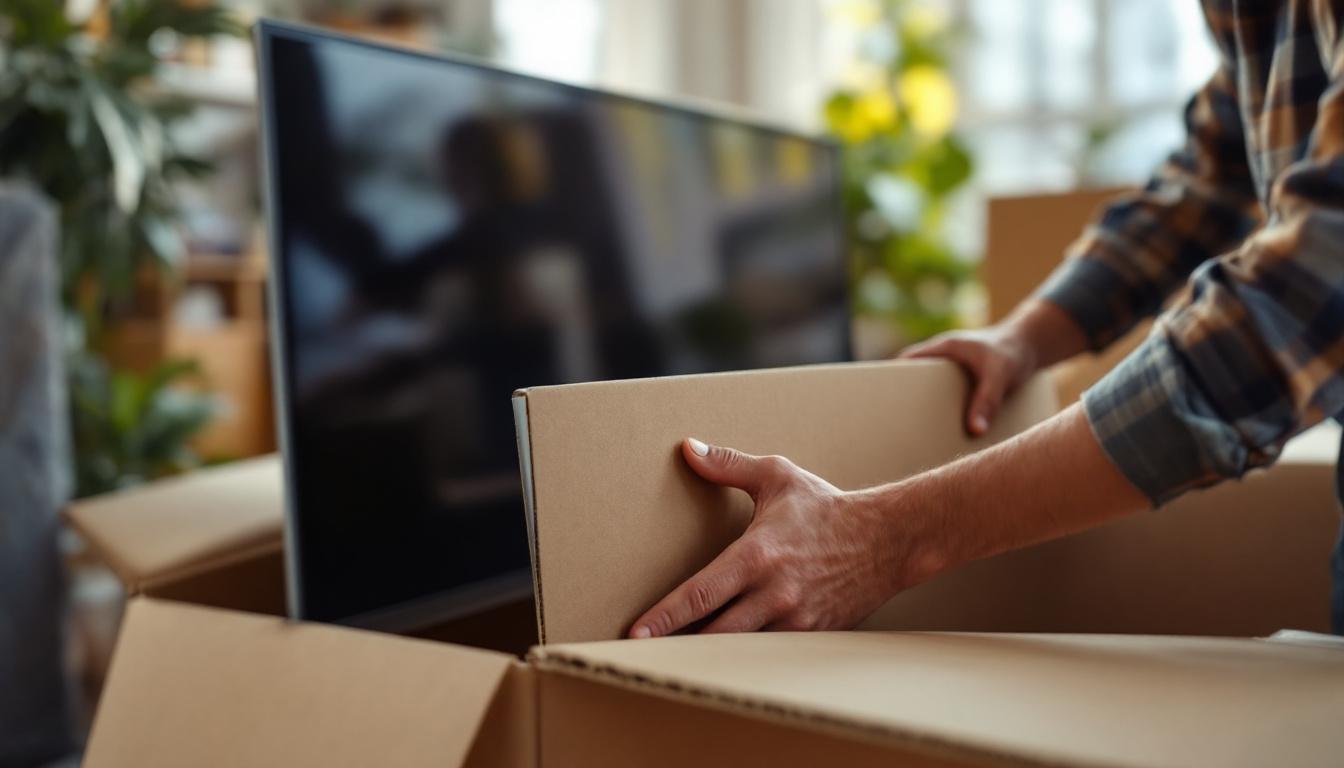
If you have the original box with foam inserts, place the wrapped TV inside, ensuring it fits snugly without excessive movement. If the original packaging is unavailable, use a sturdy, appropriately sized box with additional padding such as foam peanuts or crumpled paper to fill gaps.
Reinforce the box with packing tape, especially along seams and edges. Label the box clearly with “Fragile” and “This Side Up” stickers to alert handlers.
Consider Custom TV Boxes for Larger Screens
For larger LED TVs (55 inches and above), investing in a custom TV moving box can be worthwhile. These boxes are designed with reinforced corners and extra padding to accommodate the size and weight of modern flat screens. They often include handles for easier carrying and reduce the risk of damage during long-distance moves or shipping.
Transporting the TV: Best Practices
Carrying the TV Safely
When moving the TV by hand, always carry it upright and avoid laying it flat. Holding the TV vertically reduces stress on the screen and internal components. Use two people for TVs larger than 32 inches to distribute weight evenly and prevent accidental drops.
Grip the TV by the edges or the frame, avoiding pressure on the screen. If the TV has a stand attached, consider removing it to reduce bulk and risk of damage.
Loading the TV into a Vehicle
Place the TV upright in the vehicle, ideally against a flat surface like a door or wall to prevent shifting. Use straps or bungee cords to secure the TV in place, ensuring it cannot slide or tip over during transit.
Keep the TV away from heavy objects that could fall or press against it. Avoid stacking items on top of the TV box, as this can cause pressure damage.
Temperature and Environmental Considerations
LED TVs are sensitive to extreme temperatures. Avoid leaving the TV in a hot or cold vehicle for extended periods. Ideally, transport the TV in a climate-controlled environment or during moderate weather conditions.
Protect the TV from moisture by using waterproof covers or placing it in a sealed box if rain or humidity is expected.
Unpacking and Setting Up After Transport
Inspect the TV for Damage
Upon arrival, carefully unpack the TV and inspect it for any signs of damage such as cracks, scratches, or loose components. Test the TV by powering it on and checking the display and sound quality.
If any issues are detected, document them immediately and contact the moving company or shipping provider if applicable.
Allow the TV to Acclimate
If the TV was transported in cold conditions, allow it to sit at room temperature for a few hours before powering it on. Sudden temperature changes can cause condensation inside the TV, potentially damaging internal circuits.
Reconnect Cables and Accessories
Reconnect all cables and devices according to your labels. Ensure connections are secure but avoid forcing plugs into ports. Position the TV on a stable, flat surface away from direct sunlight and heat sources.
Additional Tips and Considerations
Insurance and Professional Movers
For valuable or large LED TVs, consider purchasing insurance for transport. Professional movers experienced in handling electronics can provide additional peace of mind and reduce the risk of damage.
Shipping LED TVs
If shipping via courier or freight, use double-boxing techniques and clearly mark the package as fragile. Choose carriers with experience in handling electronics and track the shipment closely.
Handling Screen Repairs
In the unfortunate event of screen damage, consult authorized repair centers rather than attempting DIY fixes. LED screens are complex and require specialized tools and expertise.
Conclusion
Transporting a flat screen LED TV safely involves understanding the device’s delicate nature, preparing it with appropriate materials, and using careful handling techniques. By following the outlined steps—from cleaning and wrapping to secure loading and unpacking—you can minimize the risk of damage and ensure your TV arrives in perfect condition.
As LED TVs continue to dominate the market with their sleek designs and superior display quality, proper transport methods become increasingly important. Whether moving locally or shipping across the country, investing time and effort into protecting your flat screen TV will preserve its longevity and performance.
Explore Cutting-Edge LED Display Solutions
Now that you’re equipped with the knowledge to transport your flat screen LED TV safely, why not elevate your visual experience with the latest in LED display technology? LumenMatrix, a leader in innovative LED display solutions, offers a wide range of products designed to enhance brand visibility and captivate your audience. From Indoor and Outdoor LED Wall Displays to specialized solutions like Vehicle LED Displays and Custom LED Displays, LumenMatrix is committed to revolutionizing visual communication. Enhance engagement and share your message with impact by exploring LumenMatrix LED Display Solutions today.