In the world of woodworking, precision and efficiency are paramount. A 12 inch planer is a popular tool among professionals and hobbyists alike, offering the ability to smooth and dimension lumber with ease. Modern planers often come equipped with LED displays, which provide users with valuable information at a glance. However, understanding what these LED displays indicate and how to utilize them effectively can sometimes be confusing. This article delves into the features and functions of LED displays on 12 inch planers, helping users maximize their tool’s potential.
Understanding the Basics of a 12 Inch Planer
A 12 inch planer is designed to handle wider boards than smaller models, making it ideal for larger woodworking projects. The “12 inch” refers to the maximum width of the material that can pass through the planer. These machines are commonly used to flatten rough lumber, ensuring consistent thickness and a smooth surface.
Typically, a 12 inch planer consists of a cutter head with rotating blades, an adjustable table, and a feed mechanism that moves the wood through the blades. The goal is to remove thin layers of wood to achieve the desired thickness while maintaining surface quality.
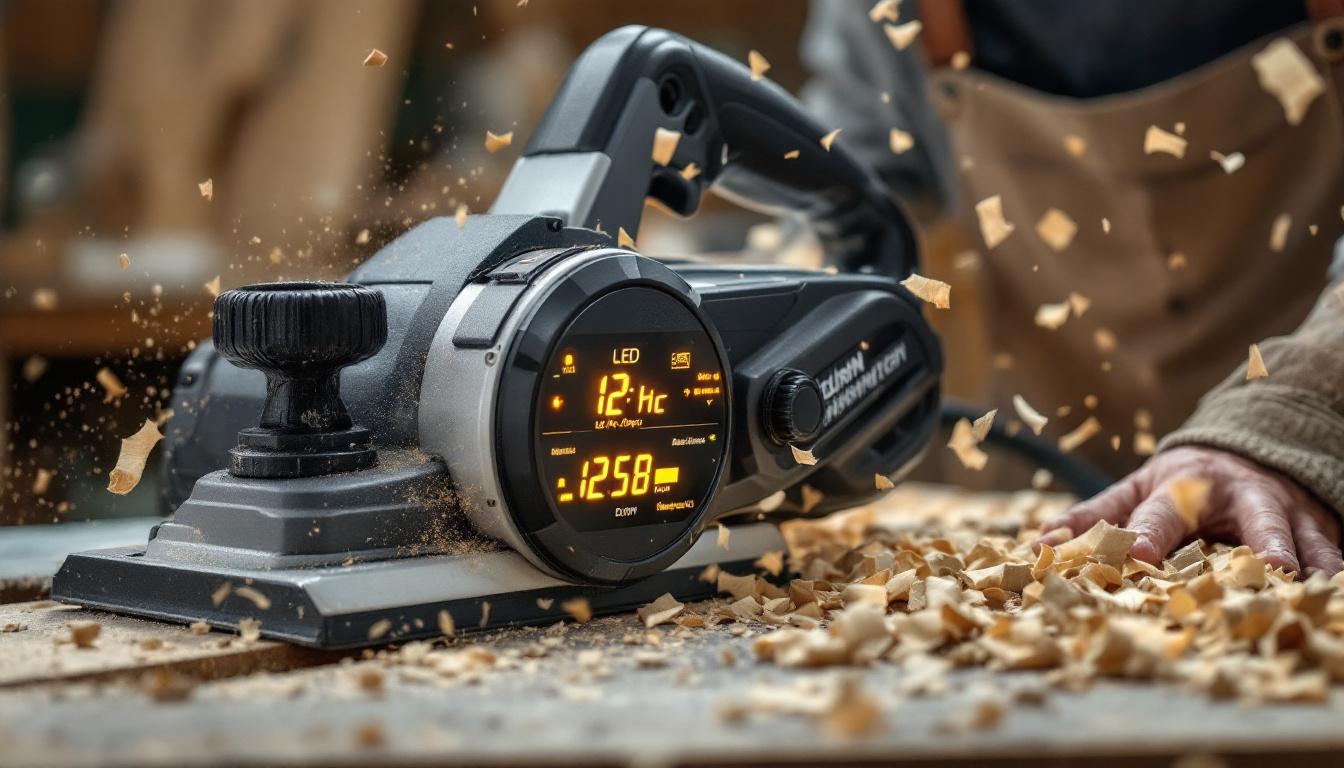
With advancements in technology, many planers now include digital components such as LED displays, which provide real-time data about the machine’s settings and operation. This integration enhances user experience by offering precision and ease of use.
In addition to the basic functionalities, many modern 12 inch planers come equipped with features that improve efficiency and safety. For instance, some models include automatic feed rates that adjust based on the density of the wood being processed. This ensures that the planer operates optimally, reducing the risk of blade dulling or damage to the material. Furthermore, safety features such as blade guards and emergency shut-off switches are essential, especially in a busy workshop environment, providing peace of mind while operating the machine.
Another important aspect of using a 12 inch planer is the maintenance required to keep it in top condition. Regularly checking and replacing the blades is crucial, as dull blades can lead to tear-out and an uneven finish. Additionally, keeping the machine clean and free of wood shavings and dust not only prolongs its lifespan but also ensures that it operates efficiently. Many woodworkers find that investing time in maintenance pays off significantly in the quality of their finished projects, making the 12 inch planer a reliable tool in their woodworking arsenal.
The Role of LED Displays on 12 Inch Planers
LED displays on planers serve as an interface between the user and the machine’s mechanical functions. Instead of relying solely on manual gauges or dials, the LED display offers clear, immediate feedback. This can include measurements of thickness, speed settings, and error notifications.
For example, a digital thickness readout allows woodworkers to set the planer to remove a precise amount of material, reducing the risk of over-planing or under-planing. This is particularly useful when working with expensive or delicate wood species where accuracy is critical.
Furthermore, LED displays often enhance safety by alerting users to potential issues such as blade wear, motor overload, or feed jams. This proactive information helps prevent damage to both the machine and the workpiece.
Common Information Displayed
The exact data shown on an LED display can vary by model and manufacturer, but typically includes:
- Thickness Measurement: Displays the current thickness setting or the thickness of the board being planed.
- Depth of Cut: Indicates how much material will be removed in a single pass.
- Feed Speed: Shows the rate at which the wood is fed through the planer, which can affect finish quality.
- Error Codes or Alerts: Provides warnings for maintenance or operational issues.
How to Interpret and Use LED Display Readings
Understanding the information on the LED display is essential for achieving optimal results. Here is a breakdown of how to interpret the most common readings and use them effectively during operation.
Thickness Measurement
The thickness measurement is usually the primary feature of the LED display. It allows the operator to set the planer to a specific thickness before starting the cut. This eliminates guesswork and ensures uniformity across multiple boards.
For instance, if a project requires boards to be exactly 3/4 inch thick, the user can adjust the planer until the LED shows this measurement. The machine will then remove material until the board reaches this thickness. This precision is invaluable in cabinetry, furniture making, and other fine woodworking tasks.
Depth of Cut
The depth of cut indicates how much wood will be removed in each pass. While it might be tempting to set a deep cut to save time, this can strain the motor, dull blades faster, and produce a rougher surface.
Most manufacturers recommend removing no more than 1/16 inch per pass for optimal finish quality and tool longevity. The LED display helps users monitor and adjust this setting, balancing efficiency with quality.
Feed Speed
Feed speed controls how quickly the wood passes through the planer. A slower feed speed generally results in a smoother finish, as the blades have more time to cut each section of wood cleanly. Conversely, a faster feed speed increases productivity but may sacrifice surface quality.
Some advanced 12 inch planers allow users to adjust feed speed via the LED display. Understanding this setting enables woodworkers to tailor the operation to the specific type of wood and desired finish.
Error Codes and Alerts
Modern planers with LED displays often include diagnostic features that alert users to issues such as blade wear, motor overload, or feed jams. These alerts are typically shown as codes or symbols on the display.
For example, an error code might indicate that the blades need sharpening or replacement, preventing damage to the wood or machine. Another alert could warn of an overheated motor, prompting the user to pause and allow cooling.
Consulting the user manual for the specific error codes is essential. Understanding these alerts helps maintain the planer in good working condition and avoid costly repairs.
Benefits of LED Displays for Woodworkers
The integration of LED displays into 12 inch planers offers several advantages that enhance the woodworking experience.
Improved Accuracy and Consistency
Digital readouts provide precise measurements, reducing human error associated with manual adjustments. This results in boards that are consistently the correct thickness, improving the quality of finished projects.
Time Efficiency
By quickly displaying key information, LED displays allow users to make faster adjustments without stopping to measure manually. This streamlines workflow and increases productivity.
Enhanced Safety
Real-time alerts and error codes help prevent accidents and equipment damage. Early warnings about blade condition or motor status enable timely maintenance and safer operation.
User-Friendly Operation
LED displays simplify the use of planers, making them more accessible to beginners while providing advanced features appreciated by professionals. The clear interface reduces the learning curve and encourages proper machine use.
Tips for Maximizing the Use of Your Planer’s LED Display
To get the most out of the LED display on a 12 inch planer, consider the following best practices:
Regular Calibration
Ensure the thickness measurement is accurate by periodically calibrating the planer according to the manufacturer’s instructions. This maintains reliability in the digital readout.
Monitor Blade Condition
Pay attention to alerts related to blade sharpness and replace or sharpen blades promptly. Dull blades can affect the accuracy of thickness readings and surface finish.
Adjust Settings Based on Wood Type
Different wood species respond differently to feed speed and depth of cut. Use the LED display to fine-tune these settings for each project to optimize results.
Consult the Manual
Familiarize yourself with the specific functions and error codes of your planer’s LED display. Manufacturer manuals often provide detailed explanations and troubleshooting tips.
Common Challenges and How LED Displays Help Overcome Them
Woodworking with a planer can present challenges such as inconsistent thickness, snipe (depressions at the beginning or end of a board), and machine wear. LED displays contribute to addressing these issues effectively.
Reducing Thickness Variations
Manual thickness adjustments can lead to uneven boards. The digital readout allows precise setting and monitoring, minimizing variations and improving project quality.
Minimizing Snipe
Snipe occurs when the planer removes more material at the start or end of a board. Some LED displays include settings or alerts that help users adjust feed rates and table height to reduce this problem.
Preventing Equipment Damage
By providing real-time feedback on motor load and blade condition, LED displays help users avoid operating the planer under damaging conditions, extending the machine’s lifespan.
Future Trends in Planer Technology and LED Displays
As woodworking technology advances, LED displays on planers are becoming more sophisticated. Integration with smart technology and IoT (Internet of Things) capabilities is on the horizon, promising even greater precision and convenience.
Upcoming models may feature touchscreen interfaces, customizable settings profiles, and wireless connectivity for remote monitoring and diagnostics. These innovations will further enhance user control and maintenance efficiency.
Moreover, advances in sensor technology could allow planers to automatically adjust feed speed and depth of cut based on wood hardness and grain, all displayed and controlled via the LED interface.
Conclusion
The LED display on a 12 inch planer is more than just a modern convenience; it is a powerful tool that enhances accuracy, safety, and efficiency. By understanding the information presented and how to use it effectively, woodworkers can achieve superior results with less effort.
Whether you are a seasoned professional or a woodworking enthusiast, mastering the LED display functions on your planer will improve your workflow and the quality of your projects. As technology continues to evolve, these digital interfaces will play an increasingly important role in woodworking precision and productivity.
Discover the Future of Woodworking Precision with LumenMatrix
As you embrace the advanced features of your 12 inch planer’s LED display, take your woodworking projects to the next level with LumenMatrix’s innovative LED display technology. LumenMatrix is at the forefront of creating immersive visual experiences that can transform your workspace and showcase your craftsmanship. From Indoor and Outdoor LED Wall Displays to Custom and All-in-One LED solutions, LumenMatrix offers a wide array of options to meet your creative and professional needs. Elevate your brand’s visibility and captivate your audience with our cutting-edge displays. Check out LumenMatrix LED Display Solutions today and revolutionize the way you communicate your craft.