In today’s fast-paced digital environment, maximizing screen real estate has become essential for professionals, gamers, and creatives alike. The triple monitor setup has emerged as a popular solution, offering enhanced productivity, immersive experiences, and seamless multitasking. However, to fully harness the potential of three LED displays, understanding the role and benefits of a triple monitor stand mount is crucial. This article delves into the intricacies of triple monitor stands, LED display technology, and how combining the two can transform your workspace.
Understanding Triple Monitor Stands: Design and Functionality
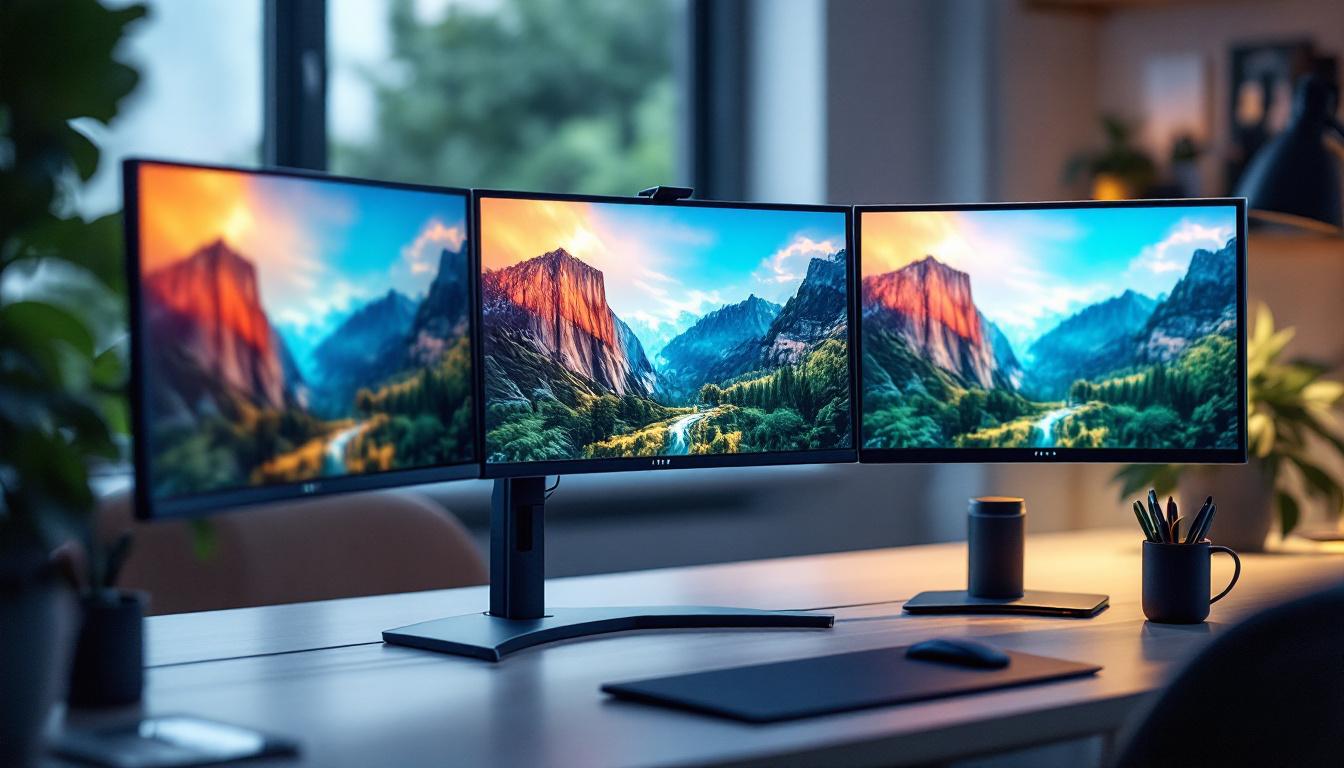
Triple monitor stands are specialized mounting solutions designed to hold three monitors simultaneously, providing a clean, ergonomic, and organized workstation. Unlike traditional monitor setups that rely on individual bases, these stands consolidate support, freeing up desk space and enabling precise alignment.
Typically, triple monitor stands consist of a sturdy base or clamp, adjustable arms, and mounting brackets compatible with VESA standards. Their design allows users to customize the height, tilt, swivel, and rotation of each display, promoting ergonomic comfort and reducing strain during extended use.
Types of Triple Monitor Stands
There are several types of triple monitor stands, each catering to different needs and setups:
- Desk Clamp Stands: These attach securely to the edge of the desk, providing a stable mount without consuming desk surface area. Ideal for smaller desks or those seeking a minimalist look.
- Freestanding Stands: Featuring a weighted base, these stands can be placed anywhere on the desk without the need for clamping. They offer flexibility but require more desk space.
- Wall Mounts: For those looking to completely free up desk space, wall-mounted triple stands are an excellent option, though they require compatible wall surfaces and installation.
Ergonomic Benefits
Proper monitor positioning is vital for reducing neck, back, and eye strain. Triple monitor stands enable users to align screens at eye level and adjust angles for optimal viewing. Studies indicate that ergonomic setups can reduce musculoskeletal discomfort by up to 60%, improving overall well-being and productivity.
LED Displays: Technology and Advantages
Light Emitting Diode (LED) displays have become the standard in modern monitors due to their superior image quality, energy efficiency, and slim profiles. Understanding LED technology is key to appreciating why it pairs well with triple monitor setups.
How LED Displays Work
LED monitors use light-emitting diodes to illuminate the screen, either as backlighting for LCD panels or as individual pixels in OLED displays. This technology offers several advantages over older display types like CCFL-backlit LCDs or CRTs.
Key Advantages of LED Displays
- Improved Brightness and Contrast: LED backlighting provides brighter images and deeper blacks, enhancing clarity and color vibrancy.
- Energy Efficiency: LEDs consume less power than traditional backlights, reducing energy bills and environmental impact.
- Thin and Lightweight Designs: LED technology allows for slimmer monitors, which are easier to mount and adjust on triple stands.
- Longer Lifespan: LEDs typically last longer than other backlighting methods, offering durability for demanding users.
LED Display Types Relevant to Triple Monitor Setups
When selecting LED monitors for a triple setup, it’s important to consider the type of LED technology:
- Edge-Lit LED: LEDs are positioned around the screen edges, allowing for ultra-thin designs but sometimes causing uneven brightness.
- Full-Array LED: LEDs are distributed evenly behind the screen for better uniformity and local dimming capabilities.
- OLED: Each pixel emits its own light, offering perfect blacks and exceptional color accuracy, though typically at a higher cost.
Why Use a Triple Monitor Stand Mount with LED Displays?
Combining triple monitor stands with LED displays is not just about aesthetics; it’s a strategic choice that enhances functionality and user experience. Here are the key reasons why this combination is advantageous.
Optimized Workspace Organization
Triple monitor stands significantly declutter desk space by eliminating bulky monitor bases. This creates a cleaner, more organized workspace that can improve focus and efficiency. LED monitors, being thinner and lighter, complement this setup by making adjustments easier and the overall arrangement sleeker.
Enhanced Viewing Experience
Aligning three LED monitors on a single stand ensures consistent viewing angles and reduces glare. This uniformity is crucial for tasks such as video editing, financial trading, or software development where color accuracy and screen real estate are paramount.
Ergonomic Customization
Adjustable arms on triple stands allow users to tailor monitor height and angle to their specific needs, reducing physical strain. LED monitors’ lightweight design makes these adjustments smoother and more stable, supporting healthier posture during long hours.
Improved Productivity and Multitasking
Research shows that multi-monitor setups can increase productivity by up to 42% by facilitating multitasking and reducing the time spent switching between windows. Using a triple monitor stand with LED displays maximizes this benefit by providing a seamless, immersive workspace.
Choosing the Right Triple Monitor Stand for Your LED Displays
Selecting the perfect triple monitor stand involves considering compatibility, build quality, adjustability, and your specific use case. Here are key factors to guide your decision.
VESA Compatibility and Monitor Size
Ensure that the stand supports the VESA mount pattern of your LED monitors, typically 75x75mm or 100x100mm. Additionally, check the supported monitor size and weight; most triple stands accommodate screens between 17 and 32 inches, with weight limits varying by model.
Adjustability Features
Look for stands offering height adjustment, tilt (usually between -15° to +15°), swivel, and rotation. These features provide flexibility to create an ergonomic setup tailored to your needs.
Build Quality and Stability
Stands made from high-grade steel or aluminum offer better durability and stability. A heavy base or secure desk clamp ensures your monitors remain steady, preventing wobble during use.
Cable Management
Integrated cable management systems help keep cords organized and out of sight, maintaining a tidy workspace and reducing the risk of damage or disconnection.
Installation and Compatibility with Desk Space
Consider your desk’s thickness and shape when choosing between clamp or freestanding mounts. Some stands require desks at least 1.5 inches thick, while others offer more versatile mounting options.
Setting Up Your Triple Monitor Stand with LED Displays
Proper installation is essential to maximize the benefits of your triple monitor setup. Follow these best practices for a smooth setup process.
Step 1: Prepare Your Workspace
Clear your desk and measure available space. Verify that your desk can support the weight and size of the triple stand and monitors. Gather necessary tools such as screwdrivers and ensure you have the VESA mounting screws that came with your monitors or stand.
Step 2: Assemble the Stand
Follow the manufacturer’s instructions carefully. Attach the arms to the base or clamp, ensuring all screws are tightened securely. If using a clamp, attach it firmly to the desk edge.
Step 3: Mount the Monitors
Attach the VESA plates to the back of each LED monitor. Lift each monitor and secure it to the stand’s arms. It’s advisable to have a second person assist with this step to prevent damage or injury.
Step 4: Adjust and Align
Position the monitors at eye level and adjust tilt, swivel, and rotation to create a seamless visual flow. Aim for minimal bezel gaps to enhance immersion, especially important for gaming or design work.
Step 5: Manage Cables
Route power and data cables through the stand’s cable management channels. Use cable ties if necessary to keep everything neat and prevent tangling.
Applications and Use Cases for Triple LED Monitor Setups
Triple monitor setups with LED displays are versatile and cater to a wide range of professional and personal applications.
Professional Environments
- Financial Trading: Traders benefit from multiple screens to monitor markets, news feeds, and trading platforms simultaneously.
- Software Development: Developers can code on one screen, debug on another, and reference documentation on a third.
- Graphic Design and Video Editing: Larger, color-accurate LED displays provide ample workspace for editing timelines, palettes, and previews.
- Engineering and CAD: Multiple monitors allow detailed views of designs, schematics, and simulations concurrently.
Gaming and Entertainment
Gamers enjoy immersive experiences with panoramic views across three LED screens, enhancing gameplay and situational awareness. Streaming enthusiasts can dedicate one screen to gameplay, another to chat and controls, and a third to monitoring system performance.
Remote Work and Productivity
With the rise of remote work, triple monitor setups facilitate multitasking, video conferencing, and document management, helping professionals stay organized and efficient.
Maintenance and Troubleshooting Tips
To keep your triple monitor stand and LED displays in optimal condition, regular maintenance and awareness of common issues are important.
Cleaning and Care
Use microfiber cloths and screen-safe cleaning solutions to remove dust and fingerprints. Avoid harsh chemicals that can damage LED screens. Periodically check and tighten mounting screws to maintain stability.
Addressing Monitor Alignment Issues
If monitors become misaligned or loose, readjust the arms and tighten joints. If the stand’s joints wear out over time, consider replacement parts or upgrading to a more robust model.
Dealing with Flickering or Display Issues
Ensure cables are securely connected and undamaged. Update graphics drivers and check monitor settings if flickering occurs. Faulty cables or power supplies can also cause display problems.
Conclusion: Enhancing Your Workspace with Triple Monitor Stand Mounts and LED Displays
Integrating a triple monitor stand mount with LED displays offers a compelling solution for anyone seeking to elevate their digital workspace. From ergonomic benefits and improved productivity to enhanced visual experiences, this combination addresses the needs of diverse users across industries and interests.
By carefully selecting compatible equipment, understanding the technology, and following best practices for setup and maintenance, users can create a versatile, comfortable, and efficient multi-monitor environment. Whether for professional tasks, gaming, or creative pursuits, the triple monitor stand and LED display duo is a powerful investment in modern computing.
Discover the Future of Visual Displays with LumenMatrix
Ready to take your digital workspace to the next level? LumenMatrix is at the forefront of LED display innovation, offering a wide array of solutions that cater to your every need. Whether you’re looking to create an immersive gaming setup, enhance your professional environment, or captivate an audience with dynamic visual content, our cutting-edge LED display modules are designed to deliver unparalleled brand visibility and engaging experiences. Elevate your space with our Indoor and Outdoor LED Wall Displays, Vehicle LED Displays, and more. Check out LumenMatrix LED Display Solutions today and transform your visual communication with clarity and impact.