In today’s fast-paced digital world, the way we set up our workstations can significantly impact productivity, comfort, and even health. Dual adjustable monitor stands have become a staple for professionals who rely on multiple screens, especially when paired with LED displays. This article dives deep into the benefits, features, and technical aspects of dual adjustable monitor stands designed specifically for LED displays, helping you make an informed choice for your workspace.
Understanding Dual Adjustable Monitor Stands
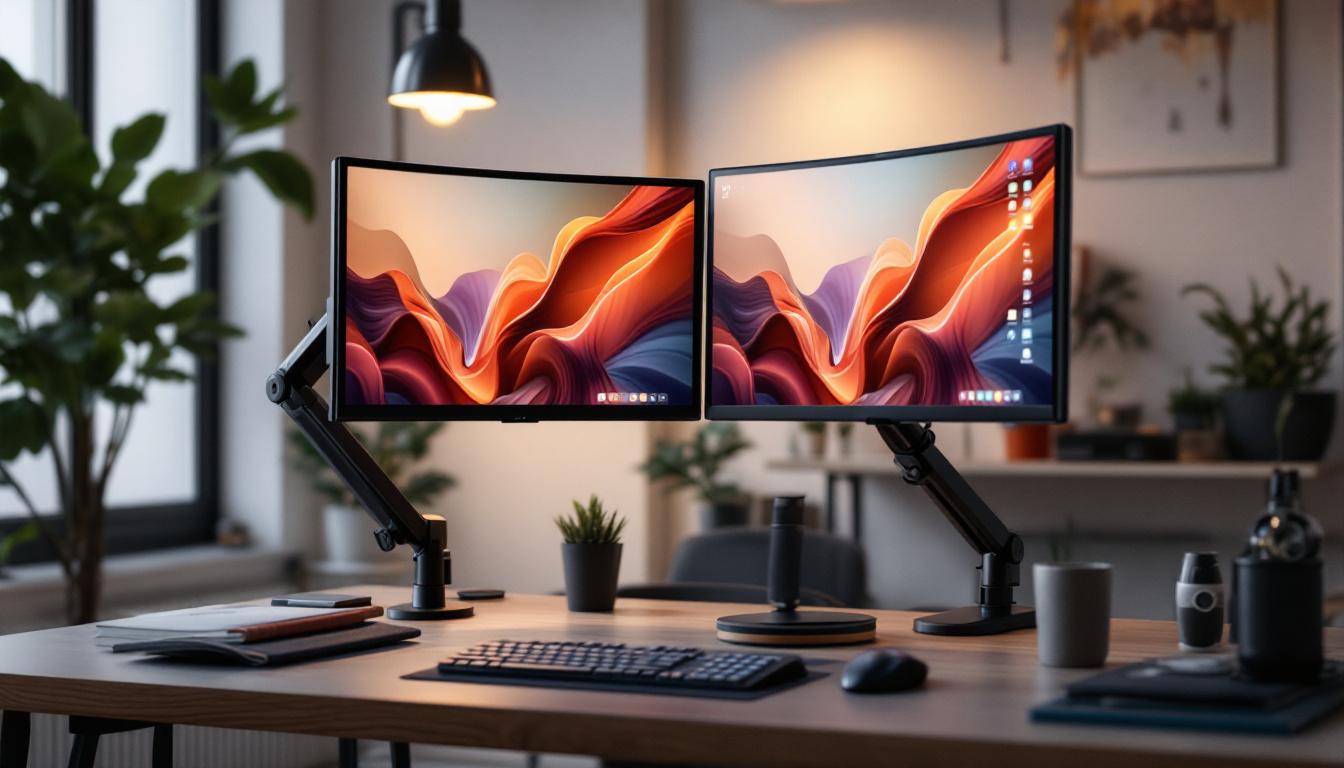
Dual adjustable monitor stands are ergonomic accessories designed to hold two monitors simultaneously, allowing users to customize the position of each screen independently. Unlike fixed stands, these adjustable models provide flexibility in height, tilt, swivel, and rotation, enabling users to create an optimal viewing angle tailored to their needs. This adaptability is particularly beneficial for professionals who spend long hours in front of screens, as it promotes a more comfortable and productive work environment.
The rise of remote work and multi-tasking has fueled demand for dual monitor setups. According to a 2023 survey by TechWork Insights, over 68% of professionals who use more than one screen reported increased productivity and reduced eye strain when using adjustable monitor stands. This statistic underscores the importance of ergonomic design in modern work environments. Furthermore, the ability to seamlessly switch between tasks on different screens can enhance workflow efficiency, allowing users to manage emails, documents, and video calls simultaneously without the need for constant window switching.
Why Choose Adjustable Over Fixed Monitor Stands?
Fixed stands limit your ability to adjust the monitors, often leading to poor posture, neck strain, and discomfort during extended use. Adjustable stands allow for:
- Height Customization: Align screens at eye level to reduce neck strain.
- Swivel and Tilt: Adjust angles for glare reduction and better viewing comfort.
- Rotation: Switch between landscape and portrait modes effortlessly.
These features contribute to a healthier workspace and can significantly improve focus and efficiency. Moreover, many adjustable stands come with built-in cable management systems, helping to keep your desk organized and free from clutter. This not only enhances the aesthetic appeal of your workspace but also minimizes distractions, allowing for a more streamlined and efficient working experience. Additionally, some models are designed with portability in mind, making it easy to transport them between different workspaces, whether at home or in the office, ensuring that you can maintain ergonomic benefits wherever you go.
The Role of LED Displays in Dual Monitor Setups
LED (Light Emitting Diode) displays have become the standard in modern monitors due to their superior brightness, energy efficiency, and color accuracy compared to older LCD or CRT screens. When used in dual monitor setups, LED displays offer several advantages that complement the functionality of adjustable stands.
Key Benefits of LED Displays
LED technology provides:
- Enhanced Visual Clarity: High contrast ratios and vibrant colors make text and images sharper and easier to read.
- Energy Efficiency: LED monitors consume less power, reducing electricity costs and environmental impact.
- Thin and Lightweight Designs: LED displays are slimmer and lighter, making them easier to mount on adjustable stands without compromising stability.
These features make LED displays ideal companions for dual adjustable monitor stands, especially in professional settings where screen quality and ergonomics matter. The ability to adjust the height and angle of each monitor allows users to create a personalized workspace that can help improve posture and reduce strain during long hours of work or gaming. This adaptability is particularly beneficial for those who frequently switch between tasks, as it allows for quick adjustments to optimize visibility and comfort.
LED Display Sizes and Resolutions for Dual Monitor Use
Choosing the right size and resolution is crucial for maximizing the benefits of a dual monitor setup. Common sizes for LED displays range from 24 inches to 32 inches, with resolutions spanning from Full HD (1920×1080) to 4K UHD (3840×2160).
For dual monitor configurations, matching screen sizes and resolutions can provide a seamless visual experience, reducing eye fatigue caused by constant refocusing. For example, pairing two 27-inch 1440p LED monitors is a popular choice among graphic designers and programmers for its balance between screen real estate and clarity. Additionally, the increased pixel density of higher resolutions means that users can fit more content on the screen without sacrificing detail, making it easier to multitask effectively.
Moreover, LED displays often come equipped with advanced features such as adaptive sync technology, which helps eliminate screen tearing and stuttering during fast-paced activities like gaming or video editing. This capability enhances the overall experience, ensuring that transitions between monitors are smooth and visually coherent. Furthermore, many LED monitors support a variety of connectivity options, including HDMI, DisplayPort, and USB-C, allowing users to easily connect multiple devices and switch between them with minimal hassle.
Features to Look for in Dual Adjustable Monitor Stands for LED Displays
Not all dual adjustable monitor stands are created equal. When selecting a stand for LED displays, several features should be prioritized to ensure compatibility, durability, and ergonomic benefit.
Weight Capacity and Compatibility
LED monitors vary in weight depending on their size and build. A high-quality dual adjustable stand should support at least 17 to 20 pounds per arm to accommodate most LED monitors safely. Checking the stand’s VESA compatibility is equally important; most LED displays use VESA mounting patterns of 75×75 mm or 100×100 mm.
Range of Motion and Adjustability
The hallmark of a good dual monitor stand is its flexibility. Look for stands offering:
- Height Adjustment: At least 10 to 15 inches of vertical movement.
- Swivel Range: 180 degrees or more for easy screen sharing.
- Tilt Range: Typically between -45 to +45 degrees to reduce glare and improve viewing angles.
- Rotation: 360-degree rotation to switch between landscape and portrait modes.
These features allow users to tailor their workspace to their unique needs, enhancing comfort and productivity.
Build Quality and Materials
Durability is essential, especially for heavier LED displays. Stands constructed from robust materials such as aluminum or steel provide better stability and longevity. Additionally, quality stands often include cable management systems to keep cords organized and reduce clutter.
Mounting Options and Desk Compatibility
Dual adjustable monitor stands typically offer two mounting styles: clamp mount and grommet mount. Clamp mounts attach to the edge of the desk, making them easy to install and remove without damaging the surface. Grommet mounts require a hole in the desk but offer a more permanent and stable installation.
Ensuring that the stand is compatible with your desk thickness and shape is crucial to avoid installation issues.
Ergonomic Benefits of Using Dual Adjustable Monitor Stands with LED Displays
Ergonomics plays a pivotal role in workplace health and productivity. Dual adjustable monitor stands paired with LED displays can significantly improve ergonomic outcomes by promoting better posture and reducing physical strain.
Reducing Neck and Eye Strain
Improper monitor height and angle are common causes of neck pain and eye fatigue. Adjustable stands allow users to position screens at eye level and adjust tilt to minimize glare, which can reduce the need for awkward head movements and squinting.
Encouraging Proper Posture
By aligning monitors correctly, users are less likely to slouch or lean forward, which can lead to back and shoulder discomfort. Studies have shown that ergonomic workstations can reduce musculoskeletal disorders by up to 60%, highlighting the importance of adjustable monitor setups.
Enhancing Productivity and Focus
Dual monitor setups enable multitasking without constantly switching windows, which can improve workflow efficiency. The ability to customize monitor positions further enhances this benefit by creating a comfortable and distraction-free environment.
Popular Use Cases for Dual Adjustable Monitor Stands with LED Displays
Various professional and personal scenarios benefit from the combination of dual adjustable monitor stands and LED displays. Understanding these use cases can help determine if this setup is right for you.
Corporate and Remote Work Environments
In offices and home workspaces alike, dual monitors help employees manage emails, documents, and video conferencing simultaneously. Adjustable stands ensure that these setups remain ergonomic despite varying desk sizes and user preferences.
Creative Professionals
Graphic designers, video editors, and photographers often require multiple screens to view tools and content side by side. High-resolution LED displays mounted on adjustable stands provide the clarity and flexibility needed for detailed work.
Financial and Data Analysis
Traders and analysts benefit from multiple screens displaying real-time data, charts, and reports. Adjustable stands allow quick repositioning to accommodate changing workflows and collaboration.
Gaming and Streaming
Gamers and content creators use dual monitors to play games on one screen while managing streaming software or chat on the other. Adjustable stands help maintain an immersive and comfortable setup for long sessions.
Installation and Maintenance Tips for Dual Adjustable Monitor Stands
Proper installation and upkeep ensure that your dual adjustable monitor stand performs optimally and lasts longer.
Installation Best Practices
Before mounting, verify that your desk can support the combined weight of the stand and monitors. Follow manufacturer instructions carefully, ensuring all screws and clamps are securely fastened. Use a level to align monitors evenly and avoid strain.
Regular Maintenance
Periodically check the tightness of joints and screws to maintain stability. Clean the stand and monitors with appropriate materials to prevent dust buildup, which can affect movement and screen clarity. Additionally, inspect cables and use cable management features to prevent tangling and damage.
Conclusion: Maximizing Your Workspace with Dual Adjustable Monitor Stands and LED Displays
Integrating dual adjustable monitor stands with LED displays offers a powerful combination for enhancing productivity, comfort, and visual experience in any workspace. By understanding the technical specifications, ergonomic benefits, and practical applications, users can create a tailored setup that meets their unique needs.
As technology continues to evolve, investing in quality ergonomic accessories like adjustable monitor stands becomes increasingly important. Whether you are a professional seeking efficiency or a gamer aiming for immersion, the right dual monitor setup can transform your daily routine and safeguard your well-being.
Enhance Your Dual Monitor Setup with LumenMatrix
Ready to elevate your workspace with the ultimate dual monitor configuration? LumenMatrix is at the forefront of LED display technology, offering a wide array of solutions that bring unparalleled clarity and vibrancy to your professional or gaming environment. From sleek Indoor LED Wall Displays to dynamic Outdoor LED Wall Displays, our products are designed to integrate seamlessly with adjustable monitor stands, ensuring you achieve the perfect balance of comfort and visual excellence. Discover how LumenMatrix can transform your workspace and help you communicate with impact. Check out LumenMatrix LED Display Solutions today and experience the future of visual display technology.