In the evolving world of display technology, connecting modern devices to legacy displays remains a common challenge. One such scenario involves converting a DisplayPort 1.4a output to a VGA input, especially when dealing with LED displays or monitors that only support VGA. This article explores the technical aspects, practical considerations, and best practices for using DisplayPort 1.4a to VGA adapters, with a focus on LED displays.
Understanding DisplayPort 1.4a and VGA: A Technical Overview
What is DisplayPort 1.4a?
DisplayPort 1.4a is a digital display interface standard developed by the Video Electronics Standards Association (VESA). Released in 2018, it supports high resolutions and refresh rates, including 8K at 60Hz and 4K at 120Hz, along with HDR10 metadata transport. DisplayPort 1.4a is widely used in modern laptops, desktops, and graphics cards due to its versatility and high bandwidth capabilities, offering up to 32.4 Gbps of raw data throughput.
This standard supports multiple data streams, audio transmission, and adaptive sync technologies, making it a preferred choice for gaming, professional graphics, and multimedia applications. However, DisplayPort is inherently a digital interface, which means it transmits video signals in a digital format. One of the standout features of DisplayPort 1.4a is its ability to support Display Stream Compression (DSC), which allows for the transmission of high-resolution video without a noticeable loss in quality. This is particularly beneficial for users who require ultra-high-definition displays for tasks such as video editing or gaming, where every pixel counts. Furthermore, the inclusion of Multi-Stream Transport (MST) enables users to connect multiple displays through a single DisplayPort output, enhancing productivity in multi-monitor setups.
What is VGA?
Video Graphics Array (VGA) is an older analog video interface standard introduced by IBM in 1987. It transmits video signals as analog RGB (red, green, blue) signals along with separate horizontal and vertical sync signals. VGA supports resolutions up to 2048×1536 at 85Hz, but it is limited compared to modern digital interfaces.
Despite its age, VGA remains prevalent in many legacy systems, projectors, and LED displays, especially in corporate or educational environments where upgrading hardware is costly or impractical. VGA connectors are characterized by their 15-pin D-subminiature design and are purely analog, which presents unique challenges when interfacing with digital sources like DisplayPort 1.4a. The analog nature of VGA can lead to signal degradation over longer cable runs, resulting in a loss of image quality, such as blurriness or ghosting effects. Additionally, VGA does not support advanced features like audio transmission or high dynamic range, which are critical for modern multimedia applications. Nevertheless, its simplicity and widespread compatibility with older devices ensure that VGA continues to have a place in the technology landscape, especially in scenarios where high-definition output is not a priority.
Why Convert DisplayPort 1.4a to VGA?
Legacy Compatibility
Many organizations and users still rely on VGA-compatible LED displays or projectors due to budget constraints or existing infrastructure. Modern laptops and desktops, however, increasingly omit VGA ports in favor of digital interfaces like DisplayPort, HDMI, or USB-C. To bridge this gap, DisplayPort-to-VGA adapters are essential. These adapters not only facilitate the connection of modern devices to older displays but also ensure that users can continue to utilize their existing technology without the need for immediate upgrades.
Use Cases in Education and Business
In educational institutions, classrooms often use VGA projectors or LED displays that have not been upgraded to digital connections. Similarly, many corporate meeting rooms feature VGA-based display systems. Users with modern devices need reliable adapters to connect their equipment without investing in new displays. This is particularly relevant in environments where budgets are tight, and the focus is on maximizing the utility of existing resources. Additionally, many training sessions and workshops still rely on VGA technology, making these adapters indispensable for seamless presentations and collaborative work.
Cost-Effective Solution
Upgrading entire display systems can be costly and time-consuming. Using a DisplayPort 1.4a to VGA adapter allows users to extend the life of existing LED displays while maintaining compatibility with newer hardware. This approach is practical for environments where displays are still functional and meet user needs. Moreover, the adaptability of these adapters can significantly reduce electronic waste, contributing to more sustainable practices in both corporate and educational settings. By choosing to utilize adapters, organizations can allocate their budgets toward other critical areas, such as software upgrades or employee training, rather than investing in new hardware that may not be necessary.
Technical Considerations
When selecting a DisplayPort to VGA adapter, it’s essential to consider the specifications and capabilities of both the adapter and the devices involved. Not all adapters are created equal; some may only support lower resolutions, while others can handle higher resolutions up to 1080p or beyond. Users should also be aware of potential limitations in refresh rates and color depth, which can affect the overall viewing experience. Additionally, ensuring that the adapter is compatible with DisplayPort 1.4a is crucial, as this version supports features like HDR and higher bandwidth, which can enhance the quality of the output when connected to a compatible display.
Future-Proofing Your Setup
While VGA may be considered a legacy technology, the reality is that many users will continue to encounter it for years to come. By investing in a quality DisplayPort to VGA adapter, users can not only maintain their current setups but also prepare for future transitions. As technology continues to evolve, having versatile adapters on hand can provide flexibility for various scenarios, whether it’s connecting to older projectors for a presentation or integrating with a new display that still supports VGA inputs. This foresight can save time and resources, allowing users to adapt quickly to changing technological landscapes without the stress of scrambling for compatible connections.
Technical Challenges in DisplayPort 1.4a to VGA Conversion
Digital to Analog Signal Conversion
The primary technical challenge in converting DisplayPort 1.4a to VGA is the fundamental difference between digital and analog signaling. DisplayPort outputs a digital signal, while VGA requires an analog input. This necessitates an active converter that can decode the digital signal and re-encode it into analog form.
Passive adapters, which simply change connector types without signal conversion, do not work for DisplayPort to VGA because of this digital-analog mismatch. Active adapters contain integrated circuits that perform the necessary signal processing.
Resolution and Refresh Rate Limitations
While DisplayPort 1.4a supports very high resolutions and refresh rates, VGA is limited by analog signal quality and cable length. Most DisplayPort to VGA adapters support resolutions up to 1920×1200 at 60Hz reliably, with some capable of 2048×1536. However, pushing beyond these limits may result in signal degradation, flickering, or loss of image quality.
Color Accuracy and Signal Integrity
Analog signals are more susceptible to interference and degradation over longer cable runs compared to digital signals. This can affect color accuracy and sharpness on VGA LED displays. Using high-quality shielded VGA cables and maintaining short cable lengths helps mitigate these issues.
Choosing the Right DisplayPort 1.4a to VGA Adapter
Active vs Passive Adapters
As mentioned, an active adapter is required for DisplayPort 1.4a to VGA conversion. When selecting an adapter, ensure it explicitly states support for DisplayPort 1.4 or at least 1.2, as earlier versions may not handle the signal correctly. Active adapters often include additional features such as EDID (Extended Display Identification Data) management to optimize compatibility with various displays.
Compatibility with LED Displays
Not all adapters perform equally with LED displays, which can have different timing and signal requirements compared to CRT or LCD screens. Look for adapters that specify compatibility with LED monitors or projectors, and check user reviews or manufacturer specifications for confirmation.
Build Quality and Cable Length
Investing in a well-built adapter with quality components ensures better signal conversion and durability. Additionally, keep VGA cable length as short as possible—ideally under 5 meters—to maintain signal integrity. Some adapters come with integrated cables or offer bundled VGA cables designed for optimal performance.
Setting Up and Troubleshooting DisplayPort 1.4a to VGA Connections
Step-by-Step Setup
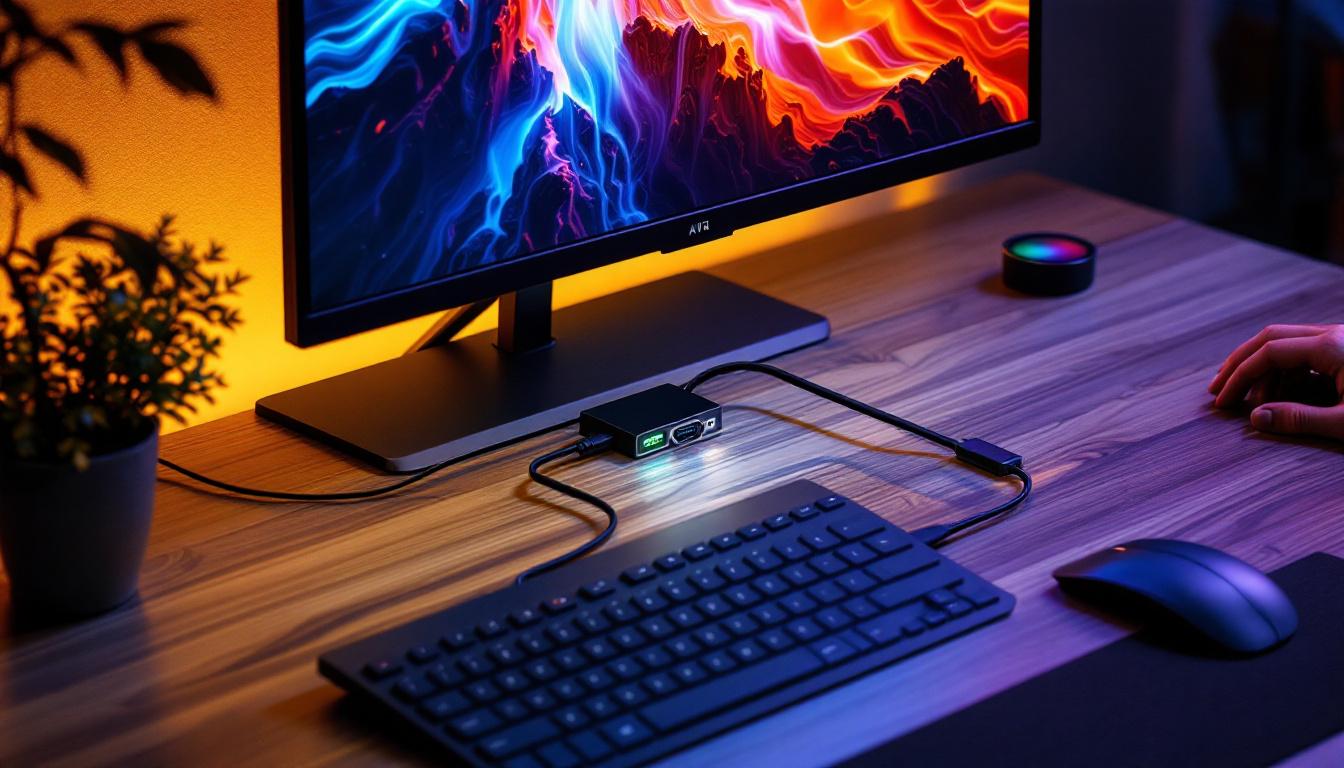
- Connect the DisplayPort end of the active adapter to the source device (e.g., laptop or desktop).
- Attach a VGA cable from the adapter to the VGA input on the LED display or projector.
- Power on the display and source device.
- Use the source device’s display settings to detect and configure the external display, adjusting resolution and refresh rate as needed.
Many modern operating systems automatically detect the external display and apply optimal settings, but manual adjustments may be necessary for the best image quality.
Common Issues and Solutions
No Signal or Display
Ensure the adapter is active and compatible with DisplayPort 1.4a. Verify that cables are securely connected. Try a different VGA cable or test the adapter with another display to isolate the issue.
Poor Image Quality or Flickering
Check cable length and quality; replace with a shorter or better-shielded VGA cable if necessary. Adjust resolution and refresh rate to supported levels (e.g., 1920×1080 at 60Hz). Ensure the adapter firmware is up to date if applicable.
Color Distortion or Signal Noise
Analog signals are prone to interference. Use ferrite cores or cable shielding to reduce electromagnetic interference. Avoid running VGA cables near power cables or other sources of noise.
Future Outlook: Transitioning Beyond VGA
The Decline of VGA
While VGA remains in use, its analog nature and limited capabilities make it increasingly obsolete. DisplayPort, HDMI, and USB-C are rapidly becoming the standards for video output, offering superior image quality, audio support, and advanced features like HDR and variable refresh rates.
Upgrading LED Displays
For organizations and users relying heavily on VGA, planning for gradual upgrades to digital displays is advisable. Modern LED monitors and projectors with native DisplayPort or HDMI inputs provide better performance, easier connectivity, and future-proofing.
Adapters as a Transitional Solution
DisplayPort 1.4a to VGA adapters serve as an effective transitional tool, enabling compatibility while new hardware is phased in. Understanding their limitations and proper usage ensures a smooth user experience during this transition.
Conclusion
Connecting a DisplayPort 1.4a source to a VGA input on an LED display involves overcoming the challenges of digital-to-analog signal conversion. Active adapters designed for this purpose enable users to bridge the gap between modern devices and legacy displays effectively. While VGA’s limitations in resolution, refresh rate, and signal integrity are inherent, careful selection of adapters and cables can mitigate many issues.
As display technology continues to advance, transitioning to fully digital display solutions will ultimately provide the best performance and compatibility. Until then, understanding the nuances of DisplayPort 1.4a to VGA conversion is essential for maintaining productivity and visual quality in mixed-technology environments.
Explore Cutting-Edge LED Display Solutions with LumenMatrix
If you’re navigating the complexities of connecting modern devices with legacy VGA interfaces, LumenMatrix can help streamline your visual setup. As a pioneer in LED display technology, LumenMatrix offers a wide array of innovative solutions, from Indoor and Outdoor LED Wall Displays to specialized options like Vehicle LED Displays and Custom LED Solutions. Embrace the future of visual communication with our LED displays that promise to enhance engagement and transform your space. Check out LumenMatrix LED Display Solutions today and experience the power of advanced digital signage.