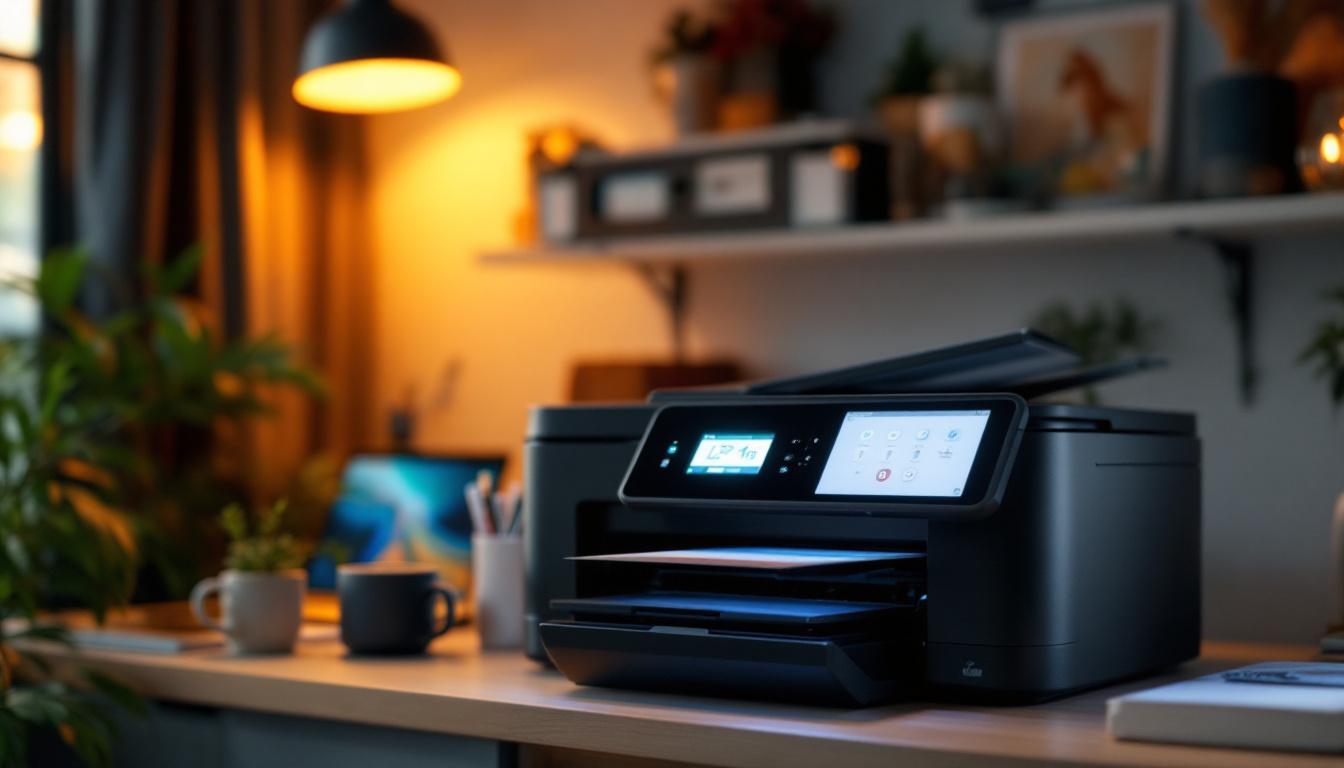
In today’s fast-paced digital world, having a reliable all-in-one printer at home is more important than ever. Whether you’re printing important documents, scanning receipts, or copying school assignments, a multifunction printer is a versatile tool that can streamline your daily tasks. One feature that often goes overlooked but plays a crucial role in user experience is the LED display. This article dives deep into what an LED display is, why it matters in an all-in-one printer, and how it enhances home use functionality.
Understanding All-In-One Printers: What Makes Them Ideal for Home Use?
Before exploring LED displays, it’s essential to understand what an all-in-one printer entails. Unlike traditional printers that only print, all-in-one printers combine printing, scanning, copying, and sometimes faxing into a single compact device. This multifunctionality makes them particularly appealing for home environments where space and budget constraints exist.
According to a 2023 survey by Statista, over 65% of households with printers prefer all-in-one models due to their convenience and cost-effectiveness. These devices eliminate the need to buy multiple machines, reducing clutter and simplifying maintenance. Additionally, many all-in-one printers come equipped with advanced features such as automatic document feeders and duplex printing, which further enhance their utility by allowing users to handle larger printing tasks with ease.
Key Features of All-In-One Printers for Home Use
All-in-one printers designed for home use typically offer:
- Compact Design: Space-saving form factors that fit comfortably on desks or shelves.
- Wireless Connectivity: Wi-Fi and Bluetooth options for easy printing from smartphones, tablets, and laptops.
- Cost Efficiency: Affordable ink or toner refills and energy-saving modes.
- User-Friendly Interfaces: Intuitive controls, often supported by LED or touchscreen displays.
Among these, the user interface—especially the LED display—plays a pivotal role in making the device accessible and efficient. A well-designed LED display not only enhances usability but also provides users with real-time information about ink levels, print status, and troubleshooting tips. This can significantly reduce downtime and frustration, allowing users to focus on their tasks rather than dealing with technical issues.
Furthermore, many modern all-in-one printers are equipped with mobile printing capabilities, enabling users to print directly from their smartphones or tablets using apps like Apple AirPrint or Google Cloud Print. This feature is particularly beneficial for families, as it allows multiple users to send documents to the printer without needing to be physically connected to a computer. The convenience of mobile printing, combined with the multifunctionality of all-in-one devices, makes them an indispensable tool for managing everyday tasks, from printing school assignments to scanning important documents for work.
What is an LED Display on a Printer?
LED stands for Light Emitting Diode, a semiconductor light source that emits light when current flows through it. In printers, LED displays serve as the primary interface between the user and the device. Unlike traditional LCD screens that rely on liquid crystals, LED displays use tiny diodes that light up to form characters or icons.
Modern all-in-one printers often use LED displays to show status information, error messages, ink levels, and menu options. These displays can range from simple one-line text panels to more sophisticated multi-line or graphical displays.
Types of LED Displays in Printers
There are several types of LED displays used in home printers:
- Segmented LED Displays: These are basic numeric or alphanumeric displays, similar to those on calculators, showing limited information.
- Dot Matrix LED Displays: Composed of a grid of LEDs that can form letters, numbers, and simple graphics, offering more versatility.
- OLED Displays: Though technically different from traditional LEDs, OLEDs (Organic LEDs) are increasingly used in printers for their bright, high-contrast screens and energy efficiency.
Each type has its advantages and trade-offs in terms of clarity, power consumption, and cost.
Why LED Displays Matter in All-In-One Printers for Home Use
While it might seem like a minor detail, the LED display can significantly impact the overall user experience with an all-in-one printer. Here are some reasons why:
1. Enhanced User Interaction and Ease of Use
Home users often include individuals who are not tech-savvy, such as children or elderly family members. A clear LED display simplifies the interaction by providing straightforward menus and clear status updates. For example, an LED display can show messages like “Replace Ink Cartridge” or “Paper Jam Detected,” guiding users through troubleshooting without needing to consult manuals.
In addition, LED displays support quick navigation through functions such as scanning or copying, making it easier to select options without connecting to a computer.
2. Real-Time Status Updates
LED displays provide real-time feedback on the printer’s status, including ink or toner levels, print job progress, and connectivity status. This transparency helps users avoid surprises like running out of ink mid-print or sending a job when the printer is offline.
For instance, many all-in-one printers now feature LED indicators that alert users when the printer is low on supplies or requires maintenance, reducing downtime and frustration.
3. Energy Efficiency and Longevity
LED technology is known for its energy efficiency compared to older display technologies. This means printers with LED displays often consume less power, which is an important consideration for environmentally conscious households. Additionally, LEDs tend to have longer lifespans, reducing the likelihood of display failures over the printer’s lifetime.
How to Choose an All-In-One Printer with the Right LED Display for Your Home
Selecting the right all-in-one printer involves considering how the LED display fits into your daily usage. Here are some factors to keep in mind:
Display Size and Readability
A larger or multi-line LED display can show more information at once, reducing the need to scroll through menus. This is particularly useful for users who frequently scan or copy documents and need to adjust settings regularly. Look for displays with good contrast and backlighting for easy reading in various lighting conditions.
Interface Complexity
Some LED displays are paired with physical buttons, while others integrate touch-sensitive controls. For home use, a simple interface with clearly labeled buttons and straightforward menu navigation is often preferable. Avoid overly complex systems that may confuse users or require extensive setup.
Connectivity Indicators
Printers with wireless capabilities benefit from LED displays that clearly indicate connection status, such as Wi-Fi signal strength or Bluetooth pairing. This helps users quickly troubleshoot connectivity issues without needing to access the printer’s software on a computer or mobile device.
Additional Features Supported by the Display
Some LED displays support additional functionalities like previewing scanned images, selecting print quality settings, or configuring duplex printing. These features can enhance convenience and reduce the need to interact with external devices.
Popular All-In-One Printers with Notable LED Displays
To illustrate how LED displays enhance home printers, here are a few popular models known for their user-friendly interfaces:
HP Envy Inspire 7955e All-in-One Printer
The HP Envy Inspire 7955e features a bright, color touchscreen OLED display that provides intuitive navigation for printing, scanning, and copying. Its display supports direct access to cloud printing services and wireless setup, making it ideal for tech-savvy households.
Canon PIXMA TR8620a
Canon’s PIXMA TR8620a offers a 4.3-inch LCD touchscreen with clear icons and responsive controls. The display guides users through tasks such as duplex printing and photo scanning, while also displaying ink levels and error messages prominently.
Epson EcoTank ET-2850
The Epson EcoTank ET-2850 includes a simple but effective LED display with physical buttons, perfect for users who prefer tactile feedback. Its interface clearly shows ink refill alerts and supports wireless printing setup without requiring a computer.
Maintaining Your Printer’s LED Display for Optimal Performance
To ensure the LED display remains functional and clear, regular maintenance is essential. Here are some tips:
- Keep the Display Clean: Use a soft, lint-free cloth to gently wipe the screen. Avoid harsh chemicals that can damage the LEDs or screen coating.
- Protect from Direct Sunlight: Prolonged exposure to direct sunlight can fade or damage the display. Position your printer in a shaded area.
- Update Firmware: Manufacturers often release firmware updates that improve display responsiveness and add new features. Check for updates regularly.
- Avoid Physical Damage: Be cautious when moving the printer to prevent cracks or pixel damage to the LED display.
The Future of LED Displays in Home Printers
As technology advances, LED displays in all-in-one printers are becoming more sophisticated. Emerging trends include:
- Higher Resolution Displays: Offering sharper text and richer graphics for better user interaction.
- Touch and Gesture Controls: Enhancing ease of use with more natural input methods.
- Integration with Smart Home Devices: LED displays may soon show notifications from smart assistants or allow voice commands directly.
- Energy-Saving Innovations: Further reducing power consumption while maintaining brightness and clarity.
These innovations will continue to make all-in-one printers more user-friendly and efficient for home users.
Conclusion
Choosing the right all-in-one printer for home use involves more than just print speed and ink costs. The LED display is a vital component that enhances usability, provides real-time feedback, and supports efficient operation. Whether you opt for a basic segmented LED panel or a vibrant OLED touchscreen, understanding how these displays work and what to look for can help you select a printer that fits seamlessly into your home environment.
As multifunction printers evolve, the LED display will remain a key interface element, bridging the gap between complex technology and everyday convenience. Investing in a printer with a well-designed LED display ensures that printing, scanning, and copying tasks are as effortless as possible, making it a valuable addition to any home office or household.
Enhance Your Home Printing Experience with LumenMatrix
Ready to take your home printing to the next level? Discover the unparalleled clarity and user-friendly interfaces of LumenMatrix’s advanced LED display modules. As a pioneer in LED technology, LumenMatrix offers a wide array of solutions, from Indoor and Outdoor LED Wall Displays to innovative All-in-One LED Displays, designed to bring your visual communication into the modern age. Elevate your home office with displays that promise to enhance engagement and bring your digital experiences to life. Check out LumenMatrix LED Display Solutions today and experience the revolution in visual communication.