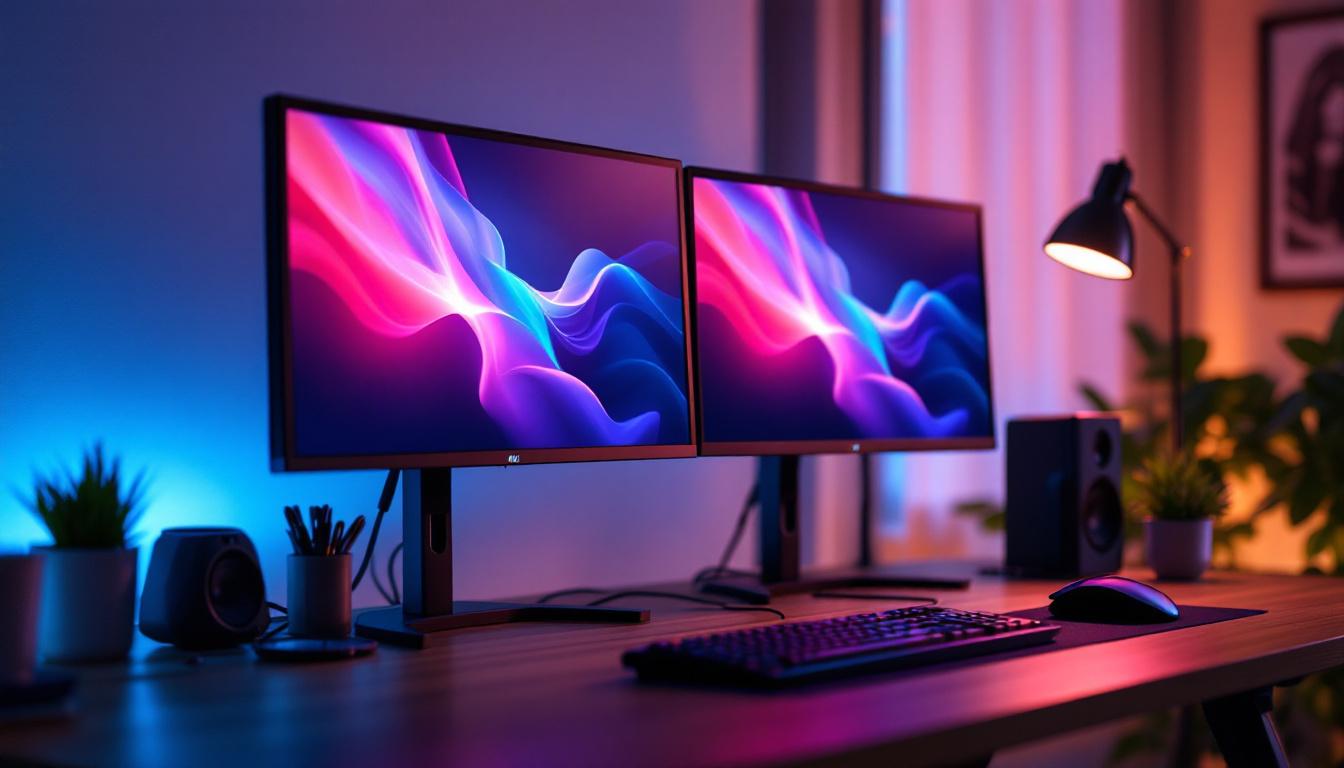
In today’s fast-paced digital environment, maximizing workspace efficiency is more important than ever. Dual monitor setups have become a staple for professionals, gamers, and creatives alike, offering enhanced productivity and immersive experiences. Central to this setup is the dual monitor table mount, a versatile accessory that not only supports multiple screens but also optimizes desk space and ergonomics. When paired with LED displays, these mounts unlock new levels of visual clarity and workspace organization.
This article delves into the intricacies of dual monitor table mounts, focusing on their compatibility with LED displays. It explores design considerations, ergonomic benefits, installation tips, and the latest technological advancements that make these setups indispensable in modern work and entertainment environments.
Understanding Dual Monitor Table Mounts
What Is a Dual Monitor Table Mount?
A dual monitor table mount is a hardware accessory designed to hold two monitors simultaneously, attaching directly to a desk or table. Unlike traditional monitor stands, which occupy valuable desk space, table mounts clamp to the edge or bolt through the desk surface, freeing up the workspace beneath the screens. This is particularly beneficial for those who work in small offices or have limited desk real estate, as it allows for a more organized and efficient workspace.
These mounts typically feature adjustable arms that allow users to tilt, swivel, rotate, and height-adjust each monitor independently. This flexibility ensures optimal viewing angles and reduces strain on the neck and eyes, which is crucial for users who spend extended hours in front of screens. Moreover, the ability to customize the position of each monitor can enhance productivity, enabling users to multitask more effectively by keeping essential applications within easy reach.
Types of Dual Monitor Table Mounts
There are several types of dual monitor mounts, each catering to different needs and desk configurations:
- Clamp Mounts: These attach to the edge of the desk using a clamp mechanism. They are easy to install and remove without damaging the desk surface, making them ideal for temporary setups or for users who frequently rearrange their workspace.
- Grommet Mounts: These require a hole in the desk surface through which the mount is secured. They provide a more permanent and stable setup, often preferred by users who desire a sleek, minimalist look and are willing to make a more significant modification to their desk.
- Freestanding Mounts: These do not require desk attachment and stand independently. However, they typically take up more desk space, which can be a disadvantage in cramped work environments.
Choosing the right mount depends on factors like desk thickness, available space, and whether the setup needs to be portable or fixed. Additionally, users should consider the weight and size of their monitors, as some mounts have specific weight limits and compatibility requirements. It’s also worth noting that many modern dual monitor mounts come equipped with cable management features, helping to keep cords organized and out of sight, further contributing to a tidy workspace.
Furthermore, the ergonomic benefits of dual monitor table mounts cannot be overstated. By allowing users to position their monitors at eye level and at a comfortable distance, these mounts can significantly reduce the risk of developing musculoskeletal disorders associated with poor posture. This is particularly important in today’s work culture, where remote work and long hours at a desk have become the norm. Investing in a quality dual monitor mount not only enhances the aesthetics of a workspace but also promotes better health and productivity for users across various professions.
The Role of LED Displays in Dual Monitor Setups
Why LED Displays Are Preferred
LED (Light Emitting Diode) technology has become the standard for modern computer monitors due to its superior image quality, energy efficiency, and slim design. Unlike older LCDs that use CCFL backlighting, LED displays offer better brightness, contrast, and color accuracy, which are essential for tasks ranging from graphic design to video editing.
Moreover, LED monitors tend to be thinner and lighter, making them ideal candidates for dual monitor mounts. Their reduced weight places less stress on mounting arms, enhancing stability and durability.
Types of LED Displays Suitable for Dual Monitor Mounts
When selecting LED displays to pair with a dual monitor mount, consider the following types:
- IPS Panels: Known for wide viewing angles and accurate colors, IPS (In-Plane Switching) LED displays are excellent for professionals who require color precision.
- VA Panels: Vertical Alignment panels offer better contrast ratios and deeper blacks, making them suitable for multimedia consumption.
- TN Panels: Twisted Nematic panels provide faster response times, favored by gamers, though with narrower viewing angles and less color accuracy.
Each panel type can be mounted effectively using a dual monitor table mount, but the choice depends on the user’s primary application.
Ergonomic Benefits of Using Dual Monitor Table Mounts with LED Displays
Improved Posture and Reduced Strain
One of the most significant advantages of dual monitor mounts is their contribution to ergonomic workspace design. By enabling precise adjustment of monitor height, angle, and distance, these mounts help users maintain a neutral posture, reducing the risk of musculoskeletal disorders.
According to a study published by the American Journal of Industrial Medicine, improper monitor positioning is a leading cause of neck and shoulder pain among office workers. Dual monitor mounts allow users to align screens at eye level and at an appropriate viewing distance, mitigating these issues.
Enhanced Productivity and Comfort
Having two LED displays mounted side-by-side or one above the other facilitates multitasking by expanding the digital workspace. Users can reference documents on one screen while working on another, or monitor communications without interrupting their primary task.
Ergonomic setups that reduce fatigue and discomfort have been shown to increase productivity by up to 12%, according to research from the Human Factors and Ergonomics Society. Dual monitor mounts play a vital role in achieving these benefits.
Installation and Compatibility Considerations
VESA Mounting Standards
Most dual monitor table mounts adhere to the VESA (Video Electronics Standards Association) mounting interface standard. This standard defines the hole pattern on the back of monitors used for mounting purposes, typically 75x75mm or 100x100mm for most LED displays.
Before purchasing a mount, verify that your LED monitors support VESA mounting and that the mount’s specifications match the monitor’s weight and size. Many mounts specify a maximum weight capacity per arm, which should not be exceeded to maintain safety and stability.
Desk Compatibility and Space Planning
Desk thickness and shape are crucial factors when selecting a dual monitor table mount. Clamp mounts generally support desks up to 2 inches thick, while grommet mounts require pre-drilled holes, often 1.5 inches in diameter.
Additionally, consider the depth and width of your desk. Dual monitor mounts with longer arms provide greater reach and flexibility but may require more clearance behind the desk. Planning the layout ensures that cables can be managed neatly and that the setup does not interfere with other desk activities.
Cable Management Features
Modern dual monitor mounts often include integrated cable management systems that help route power and data cables along the arms, reducing clutter and preventing tangling. This feature is particularly beneficial when working with LED displays, which usually require HDMI, DisplayPort, or USB-C connections alongside power cables.
Technological Advancements in Dual Monitor Mounts and LED Displays
Gas Spring and Counterbalance Mechanisms
Contemporary dual monitor mounts frequently incorporate gas spring or counterbalance technology, allowing smooth and effortless adjustment of monitor positions. This innovation eliminates the need for manual tightening or loosening of screws, making it easier to reposition LED displays throughout the day.
Such mechanisms also enhance durability by reducing wear on joints and components, extending the lifespan of the mount.
Integration with USB Hubs and Charging Ports
Some advanced dual monitor mounts now come equipped with built-in USB hubs and charging ports. These features enable users to connect peripherals directly to the mount, streamlining cable management and improving accessibility.
For users with LED displays featuring USB-C input, mounts that support cable routing for USB-C can facilitate single-cable connections that carry video, data, and power, simplifying the desktop setup.
Compatibility with Ultra-Wide and Curved LED Displays
As ultra-wide and curved LED monitors gain popularity, dual monitor mounts have evolved to accommodate these form factors. Specialized mounts offer wider arms and adjustable brackets to securely hold larger, heavier displays without compromising stability.
These mounts also support ergonomic positioning of curved screens, which can enhance immersion and reduce eye strain by matching the natural curvature of human vision.
Practical Tips for Optimizing Your Dual Monitor Table Mount Setup
Positioning for Maximum Comfort
Experts recommend placing monitors at a distance of about an arm’s length (20-30 inches) from the eyes, with the top of the screen at or slightly below eye level. This positioning minimizes eye fatigue and encourages proper neck alignment.
When using dual monitors, angle them inward slightly to create a semi-circle around the user. This setup reduces the need for excessive head turning and maintains a consistent focal distance.
Choosing the Right LED Display Size and Resolution
Monitor size and resolution impact both the visual experience and the feasibility of mounting. Common dual monitor setups use 24-inch to 27-inch LED displays with Full HD (1920×1080) or QHD (2560×1440) resolution. Larger monitors may require mounts with higher weight capacities and more robust arms.
Higher resolution displays provide sharper images and more screen real estate, which can be advantageous for multitasking and detailed work.
Maintaining Your Dual Monitor Mount and LED Displays
Regular maintenance ensures longevity and optimal performance. Periodically check the mount’s screws and joints for tightness, clean the LED screens with appropriate microfiber cloths, and inspect cables for wear.
Proper care prevents accidental damage and maintains the ergonomic benefits of the setup.
Conclusion
The dual monitor table mount combined with LED displays represents a powerful solution for enhancing workspace productivity, ergonomics, and aesthetics. By understanding the types of mounts available, the benefits of LED technology, and the ergonomic principles behind monitor positioning, users can create a customized setup that meets their specific needs.
Technological advancements continue to improve the functionality and ease of use of these mounts, making them an essential component in modern office and home environments. Whether for professional work, creative projects, or immersive gaming, investing in a quality dual monitor table mount and compatible LED displays can transform the way users interact with their digital world.
Upgrade Your Workspace with LumenMatrix
Ready to elevate your workspace and experience the full potential of dual monitor setups? LumenMatrix is at the forefront of LED display innovation, offering a wide array of solutions that bring your content to life. From immersive Indoor LED Wall Displays to dynamic Outdoor LED Wall Displays, our technology is designed to enhance engagement and captivate your audience. Embrace the future of visual communication with our cutting-edge LED displays. Check out LumenMatrix LED Display Solutions today and transform your digital interaction.