In today’s fast-paced digital environment, the way we set up our workstations can significantly impact productivity, comfort, and even health. Multiple monitor setups have become increasingly popular among professionals, gamers, and creatives alike. Central to these setups is the multiple monitor arm mount, a versatile tool that supports LED displays and other types of monitors. This article delves into the essentials of multiple monitor arm mounts, focusing on their compatibility with LED displays, benefits, and key considerations for choosing the right mount.
Understanding Multiple Monitor Arm Mounts
Multiple monitor arm mounts are mechanical devices designed to hold two or more monitors on adjustable arms, freeing up desk space and allowing for ergonomic positioning. Unlike traditional monitor stands, these mounts offer flexibility in height, tilt, swivel, and rotation, enabling users to customize their viewing angles according to their needs.
With the rise of LED displays, which are thinner and lighter than older LCD or CRT monitors, multiple monitor arm mounts have become even more practical and popular. LED monitors typically weigh less, making it easier for mounts to support multiple screens without requiring heavy-duty construction.
Types of Multiple Monitor Arm Mounts
There are several types of multiple monitor arm mounts, each suited to different setups and preferences:
- Desk Clamp Mounts: These attach to the edge of a desk, offering stability without drilling holes. They are ideal for users who want to preserve their desk surface.
- Grommet Mounts: These require a hole in the desk surface, providing a very secure attachment and often better cable management options.
- Wall Mounts: Suitable for permanent installations, wall mounts free up desk space entirely but require sturdy walls and professional installation.
- Freestanding Mounts: These come with a weighted base and don’t require desk attachment, offering portability and ease of setup.
Choosing the right type depends on desk setup, workspace constraints, and personal preferences.
LED Displays and Their Advantages in Multi-Monitor Setups
LED (Light Emitting Diode) displays have become the standard in modern monitors due to their superior image quality, energy efficiency, and slim profiles. Understanding why LED displays are preferred in multi-monitor configurations helps clarify the importance of compatible monitor arm mounts.
Why LED Displays Are Ideal for Multiple Monitor Mounts
LED monitors offer several advantages that make them especially suitable for multi-monitor setups:
- Lightweight and Slim Design: LED technology allows for thinner panels and lighter weight, reducing the strain on monitor arms and mounts.
- Energy Efficiency: LED displays consume less power compared to older technologies, which is beneficial when running multiple monitors simultaneously.
- Better Color Accuracy and Brightness: LED backlighting provides consistent brightness and vibrant colors, enhancing visual clarity across multiple screens.
- Reduced Eye Strain: Many LED monitors come with flicker-free technology and blue light filters, which are essential for prolonged use in multi-monitor setups.
These factors contribute to a more comfortable and productive workspace, especially for professionals who rely on multiple screens for detailed work such as graphic design, video editing, or financial trading.
Compatibility Considerations Between LED Displays and Monitor Arms
Not all monitor arms are created equal, and ensuring compatibility with LED displays is crucial for safety and functionality. Key factors to consider include:
- Weight Capacity: Even though LED monitors are lighter, the combined weight of multiple screens can add up. Monitor arms should specify their maximum weight capacity per arm.
- VESA Mounting Standards: Most LED monitors support VESA (Video Electronics Standards Association) mounting patterns, typically 75x75mm or 100x100mm. Confirming that the monitor arm supports these standards ensures a secure fit.
- Adjustability: LED displays often have ultra-thin bezels, which can affect how closely monitors can be positioned side-by-side. Adjustable arms that allow for tilt, swivel, and rotation help optimize the viewing experience.
- Cable Management: LED monitors usually have multiple input ports (HDMI, DisplayPort, USB-C), and monitor arms with integrated cable management help maintain a tidy workspace.
Benefits of Using Multiple Monitor Arm Mounts with LED Displays
Integrating multiple monitor arm mounts with LED displays offers a range of benefits that enhance both workspace ergonomics and productivity.
Enhanced Ergonomics and Comfort
One of the primary advantages of multiple monitor arms is the ability to position screens at eye level, reducing neck and eye strain. According to the Occupational Safety and Health Administration (OSHA), improper monitor height and distance can lead to musculoskeletal disorders and visual fatigue.
Monitor arms allow users to adjust the height, tilt, and angle of each LED display independently. This customization supports a natural posture, promoting comfort during long hours of work. For example, a trader monitoring multiple financial dashboards can arrange screens in a semi-circle to minimize head movement.
Improved Desk Organization and Space Utilization
By elevating monitors off the desk surface, multiple monitor arms free up valuable workspace for other tasks or accessories. This is particularly beneficial in smaller offices or home workstations where desk space is limited.
Additionally, many monitor arms feature built-in cable management systems that keep cords organized and out of sight. This not only improves aesthetics but also reduces the risk of cable damage and accidental disconnections.
Boosted Productivity and Workflow Efficiency
Studies have shown that multi-monitor setups can increase productivity by up to 42%, as users can view more information simultaneously without switching between tabs or windows. Multiple monitor arms enable seamless integration of LED displays into these setups, allowing for smooth transitions and optimal screen arrangements.
For creative professionals, having multiple screens arranged ergonomically can facilitate multitasking, such as referencing source material on one screen while editing on another. Similarly, programmers benefit from having coding environments and debugging tools visible at the same time.
Key Features to Look for in Multiple Monitor Arm Mounts for LED Displays
When selecting a multiple monitor arm mount for LED displays, several features should be prioritized to ensure compatibility, durability, and user satisfaction.
Weight and Size Capacity
Verify the maximum weight each arm can support and the size range of compatible monitors. Most LED displays fall within 13 to 32 inches, but some setups may require larger screens. Choosing a mount that accommodates the heaviest and largest monitor ensures stability and safety.
Range of Motion and Adjustability
Look for mounts that offer:
- Height Adjustment: Allows for vertical positioning to align with eye level.
- Tilt and Swivel: Enables angle adjustments for glare reduction and optimal viewing.
- Rotation: Supports landscape and portrait orientations, useful for coding or document review.
Greater flexibility means the mount can adapt to changing needs or different users sharing the same workstation.
Build Quality and Materials
Durability is critical for mounts supporting multiple screens. High-quality aluminum or steel construction ensures strength without excessive weight. Additionally, smooth joints and gas spring mechanisms provide effortless adjustments and long-lasting performance.
Installation and Compatibility
Consider how the mount attaches to the desk or wall and whether it fits your workspace. Easy installation with clear instructions reduces setup time and frustration. Also, confirm that the mount supports the VESA patterns and monitor sizes of your LED displays.
Cable Management Features
Integrated cable channels or clips help maintain a clean and organized workspace, preventing tangles and damage. This is especially important in multi-monitor setups where multiple cables converge.
Popular Use Cases for Multiple Monitor Arm Mounts with LED Displays
Understanding real-world applications helps illustrate the value of multiple monitor arm mounts paired with LED displays.
Professional Workstations
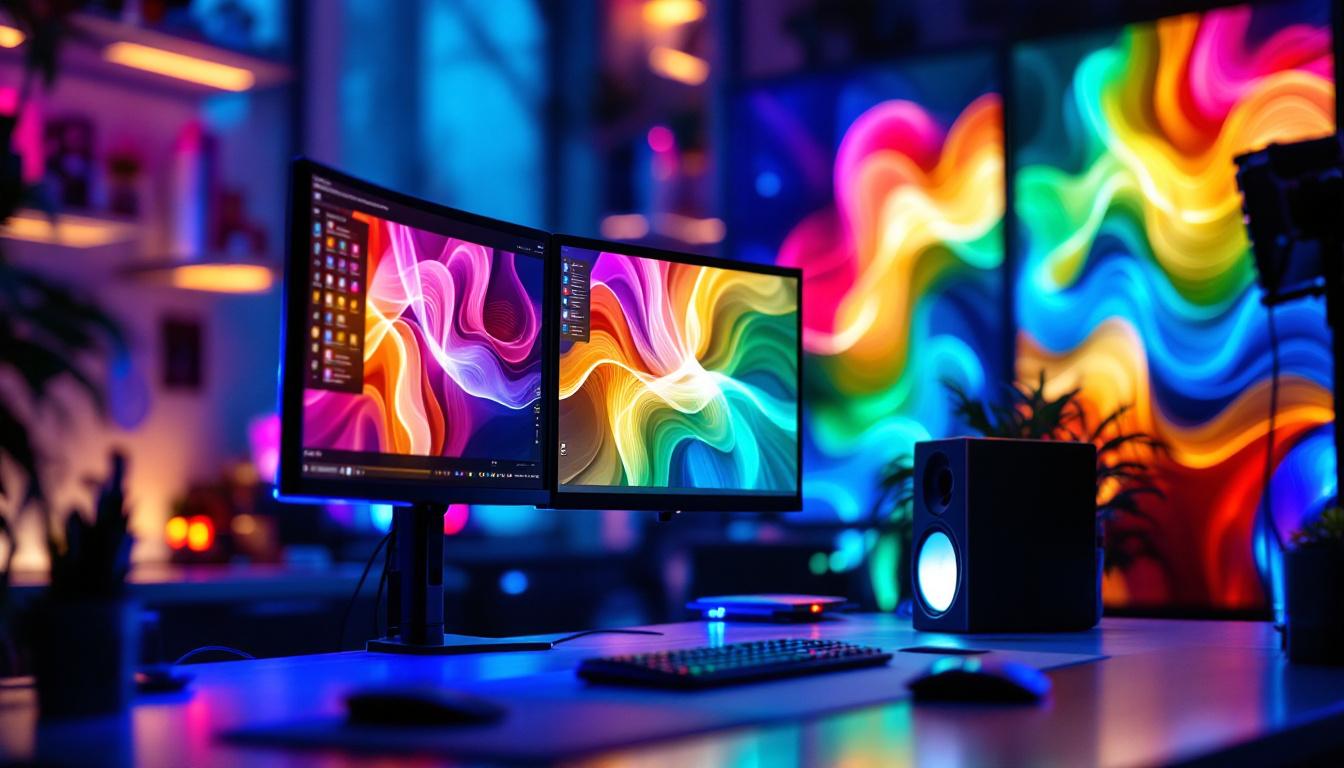
In fields such as finance, software development, and graphic design, professionals often rely on multiple monitors to manage complex workflows. For instance, financial analysts use multi-monitor setups to track live market data, news feeds, and trading platforms simultaneously. Ergonomic monitor arms enable them to arrange screens for quick reference and minimal physical strain.
Gaming and Streaming Setups
Gamers and streamers benefit from multiple LED displays to separate gaming content, chat windows, and streaming controls. Adjustable monitor arms allow for dynamic positioning to enhance immersion and accessibility during gameplay and live broadcasts.
Home Offices and Remote Work
The shift to remote work has increased demand for efficient home office setups. Multiple monitor arms help maximize limited space and create ergonomic environments that support productivity and well-being.
Installation Tips and Best Practices
Proper installation ensures safety and maximizes the benefits of multiple monitor arm mounts.
Assess Desk Strength and Space
Before installation, verify that your desk can support the weight and mounting method of the monitor arms. Desks made of solid wood or metal frames are preferable. Measure available space to ensure the arms can extend and swivel without obstruction.
Follow Manufacturer Instructions
Carefully follow setup guidelines provided by the manufacturer. Use appropriate tools and hardware to secure the mount firmly. Double-check VESA compatibility and weight limits before attaching monitors.
Arrange Cables Neatly
Utilize built-in cable management features to route power and data cables cleanly. Avoid tight bends or excessive tension on cables to prolong their lifespan.
Adjust for Comfort
Once installed, spend time adjusting monitor positions to align with your natural line of sight. Consider factors such as lighting, glare, and viewing distance to optimize comfort.
Conclusion
Multiple monitor arm mounts are indispensable tools for anyone looking to create an efficient, ergonomic, and visually appealing multi-monitor setup with LED displays. Their ability to support lightweight LED panels while offering extensive adjustability makes them ideal for a wide range of professional and personal applications.
By understanding the compatibility requirements, benefits, and key features of these mounts, users can make informed decisions that enhance their workspace productivity and comfort. Whether for complex financial analysis, creative work, gaming, or remote office setups, investing in quality multiple monitor arm mounts tailored for LED displays is a smart move toward a better digital experience.
Discover LumenMatrix’s Advanced LED Display Solutions
Ready to elevate your multi-monitor setup to the next level? LumenMatrix offers a wide array of LED display solutions that seamlessly integrate with multiple monitor arm mounts, ensuring your workspace is not only productive but also visually stunning. From Indoor LED Wall Displays to Custom LED Solutions, LumenMatrix is at the forefront of creating immersive environments that captivate and communicate with unparalleled clarity. Don’t miss the opportunity to transform your professional or personal space. Check out LumenMatrix LED Display Solutions today and experience the future of visual display technology.