In today’s fast-paced digital world, maximizing productivity and enhancing visual experiences have become paramount. Whether for professional use, gaming, or creative work, dual monitor setups are increasingly popular for their ability to expand screen real estate and improve workflow. Central to an effective dual monitor configuration is the choice of a reliable and ergonomic monitor stand, especially when dealing with LED displays.
This comprehensive guide explores everything you need to know about dual monitor setup stands tailored for LED displays. From understanding the benefits and technical considerations to selecting the right stand and optimizing your workspace, this article aims to provide a thorough understanding for both novices and experienced users alike.
Why Choose a Dual Monitor Setup?
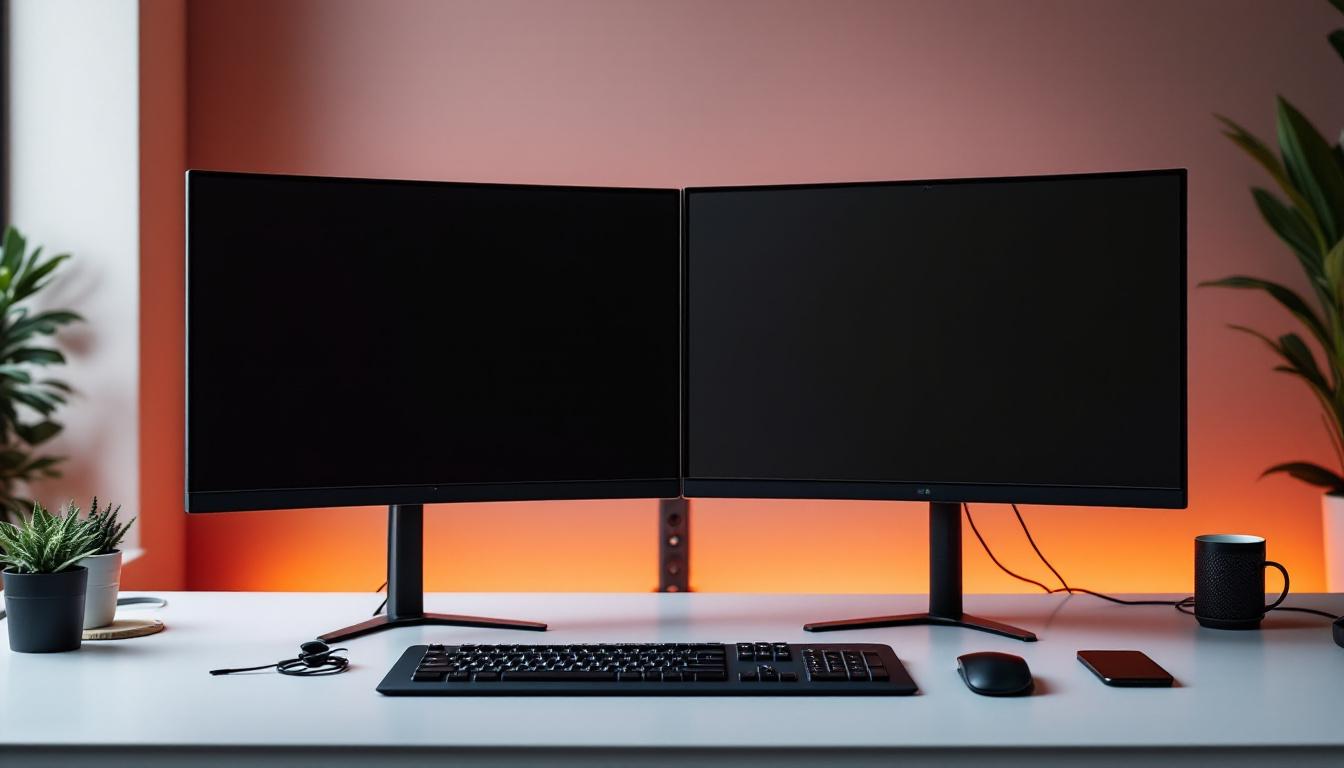
Dual monitor setups have become a staple for many professionals and enthusiasts. The ability to extend your desktop across two screens offers numerous advantages that single monitors simply cannot match.
Enhanced Productivity and Multitasking
Studies have shown that dual monitors can increase productivity by up to 42%. Having two screens allows users to run multiple applications simultaneously without constantly switching windows. For instance, a graphic designer can have design software open on one screen while referencing inspiration or tutorials on the other. Similarly, programmers can code on one monitor and test their applications on the other, streamlining the development process. This setup also benefits data analysts who can visualize large datasets on one screen while using spreadsheets or reporting tools on the other, making it easier to draw insights and conclusions efficiently. The seamless transition between tasks not only saves time but also enhances focus, as users can keep relevant information readily accessible without cluttering their workspace.
Improved Ergonomics and Comfort
Using two monitors effectively reduces the need to toggle between tabs, which can decrease eye strain and improve posture. A well-designed dual monitor stand enables users to position screens at optimal heights and angles, minimizing neck and back discomfort during long hours of work. Moreover, the increased screen real estate allows for better organization of digital workspaces, reducing clutter and promoting a more structured approach to tasks. By spreading out applications across two monitors, users can create a more visually appealing and less chaotic environment, which can lead to a more enjoyable work experience. Additionally, incorporating adjustable monitor arms can further enhance ergonomics, allowing users to easily reposition their screens based on their seating arrangement and personal comfort preferences.
Better Collaboration and Communication
Dual monitors facilitate smoother communication by allowing video calls or chat windows to remain open on one screen while working on the other. This setup is particularly beneficial for remote teams and customer support professionals who require constant interaction without sacrificing workspace. Furthermore, during collaborative projects, having the ability to share one screen while keeping notes or reference materials open on the second can significantly enhance teamwork. This dual-screen approach allows for real-time feedback and brainstorming sessions, where ideas can be quickly jotted down or illustrated without losing sight of the main project. In an age where remote work is becoming increasingly common, the dual monitor setup serves as a powerful tool for maintaining connectivity and fostering collaboration among team members, regardless of their physical locations.
Understanding LED Displays in Dual Monitor Setups
LED (Light Emitting Diode) displays have become the standard for modern monitors due to their superior brightness, energy efficiency, and color accuracy. When integrating LED monitors into a dual setup, several factors must be considered to ensure a seamless experience.
What Makes LED Displays Ideal?
LED monitors offer several advantages over traditional LCD or older display technologies. Their backlighting system provides brighter images and deeper contrast ratios, which is essential for tasks requiring color precision such as photo editing and video production.
Additionally, LED displays consume less power, generate less heat, and typically have thinner profiles, making them easier to mount on dual monitor stands without adding excessive weight or bulk.
Resolution and Screen Size Compatibility
When pairing two LED monitors, matching resolution and screen size is crucial for visual consistency. Dual monitors with differing resolutions can cause cursor jumps and uneven window scaling, disrupting workflow. For example, pairing a 24-inch 1080p monitor with a 27-inch 1440p display may lead to alignment issues.
Choosing monitors with the same resolution, refresh rate, and panel type (IPS, TN, or VA) ensures uniformity and reduces eye fatigue. This is especially important for users engaged in detailed work such as CAD design or video editing.
Choosing the Right Dual Monitor Setup Stand
The monitor stand is the backbone of a dual monitor setup. It not only supports the monitors physically but also enhances ergonomics and desk organization. Selecting the right stand depends on several key considerations.
Types of Dual Monitor Stands
There are primarily three types of dual monitor stands:
- Desktop Stands: These stands sit directly on the desk and hold both monitors side by side. They are easy to install and ideal for users who prefer a fixed setup.
- Clamp Mounts: Clamp mounts attach to the edge of the desk, freeing up desk space underneath. They offer greater flexibility in positioning and height adjustment.
- Wall Mounts: Wall-mounted stands save desk space entirely and provide a clean, minimalistic look. However, they require drilling and may not be suitable for all workspaces.
Ergonomics and Adjustability
Ergonomic design is critical for preventing strain and injury. Look for stands that offer height adjustment, tilt, swivel, and rotation capabilities. This allows users to position monitors at eye level and angle them for optimal viewing comfort.
Some advanced stands also provide independent arm movement for each monitor, enabling customized layouts such as portrait and landscape orientations. This flexibility can significantly enhance user experience, especially for professionals who work with varied content types.
Weight Capacity and VESA Compatibility
LED monitors vary in weight, so it’s essential to choose a stand that can support the combined weight of both screens. Most dual monitor stands specify a maximum weight per arm, so verify this against your monitor specifications.
Additionally, ensure the stand supports VESA mounting standards (typically 75x75mm or 100x100mm). VESA compatibility guarantees that your monitors can be securely attached to the stand without needing additional adapters.
Setting Up Your Dual Monitor Stand with LED Displays
Proper installation and configuration are key to maximizing the benefits of your dual monitor setup. The following steps outline best practices for setting up your stand and LED displays.
Step 1: Preparing Your Workspace
Clear your desk area to provide ample space for the stand and monitors. Measure your desk dimensions to ensure the stand fits comfortably without overcrowding. Consider cable management solutions such as clips or sleeves to keep cords organized and reduce clutter.
Step 2: Mounting the Monitors
Attach the VESA mounts on the back of each LED monitor. Carefully secure the monitors onto the stand arms according to the manufacturer’s instructions. Double-check that all screws and clamps are tightened to prevent wobbling.
Step 3: Adjusting Position and Angle
Adjust the height, tilt, and swivel of each monitor to align them at eye level and reduce glare. A common ergonomic recommendation is to have the top of the screen at or slightly below eye height and to position the monitors about an arm’s length away.
For dual setups, angle the monitors inward slightly to create a curved workspace that reduces neck rotation and enhances immersion.
Step 4: Calibrating Displays
Once physically set up, calibrate your LED displays for color accuracy and brightness consistency. Many operating systems offer built-in calibration tools, or you can use third-party software for more precise adjustments. This step is particularly important for creative professionals who require color fidelity.
Optimizing Your Dual Monitor Experience
Beyond physical setup, optimizing software and workflow can further enhance the dual monitor experience.
Utilizing Display Settings
Configure your operating system’s display settings to extend or duplicate screens as needed. Most users benefit from the “extend” mode, which treats the two monitors as one continuous desktop.
Adjust resolution settings to match both monitors and set the primary display according to your preference. Additionally, explore features like snapping windows to screen edges to improve multitasking efficiency.
Keyboard and Mouse Considerations
To complement a dual monitor setup, consider peripherals that support multi-device connectivity or have customizable buttons for switching between screens and applications. Ergonomic keyboards and mice can also reduce fatigue during prolonged use.
Maintaining Your Setup
Regularly clean your LED screens with appropriate microfiber cloths and avoid harsh chemicals. Periodically check the stand’s hardware to ensure stability and make adjustments as needed to maintain ergonomic alignment.
Popular Dual Monitor Stands for LED Displays
Several brands and models stand out in the market for their quality, durability, and features tailored to LED displays.
Gas Spring Dual Monitor Arms
Gas spring arms provide smooth and effortless adjustment with a sleek design. They are ideal for users who frequently change monitor positions or share workspaces. These arms typically support monitors weighing up to 19.8 pounds per arm and offer full articulation.
Heavy-Duty Steel Stands
For larger or heavier LED monitors, heavy-duty steel stands offer superior support and stability. They often feature wide bases or reinforced clamps to handle substantial weight without compromising adjustability.
Budget-Friendly Options
There are also affordable dual monitor stands that provide essential features such as tilt and swivel, suitable for casual users or those new to multi-monitor setups. While they may lack advanced ergonomics, they still improve desk organization and screen positioning significantly.
Conclusion
A dual monitor setup stand designed for LED displays is a valuable investment that can transform your workspace. By carefully selecting the right stand, ensuring compatibility with your LED monitors, and optimizing both physical and software configurations, users can enjoy enhanced productivity, comfort, and visual clarity.
Whether for professional tasks, gaming, or creative projects, understanding the nuances of dual monitor stands and LED display technology empowers users to create efficient and enjoyable multi-screen environments. With the right setup, the possibilities for improved workflow and immersive experiences are virtually limitless.
Discover LumenMatrix’s Advanced LED Display Solutions
Ready to elevate your dual monitor setup to the next level? LumenMatrix offers a wide range of innovative LED display solutions that are perfect for enhancing your workspace and visual experience. From Indoor and Outdoor LED Wall Displays to specialized options like Vehicle, Sports, and Floor LED Displays, LumenMatrix has the cutting-edge technology to meet your needs. Experience the ultimate in brand visibility and captivating visual experiences with our Custom and All-in-One LED Displays, including the sleek LED Transparent Display. Embrace the future of visual communication with LumenMatrix and make your message resonate with clarity and impact. Check out LumenMatrix LED Display Solutions today and transform your environment into a dynamic and immersive space.