In today’s fast-paced digital world, productivity and ergonomics have become paramount for professionals, gamers, and creatives alike. One of the most effective ways to enhance workflow and comfort is through the use of dual monitor setups. Central to this setup is the double monitor computer stand, especially those designed to support LED displays. This article delves into the intricacies of double monitor stands, focusing on LED displays, their benefits, and how to choose the right stand for your needs.
Understanding Double Monitor Computer Stands
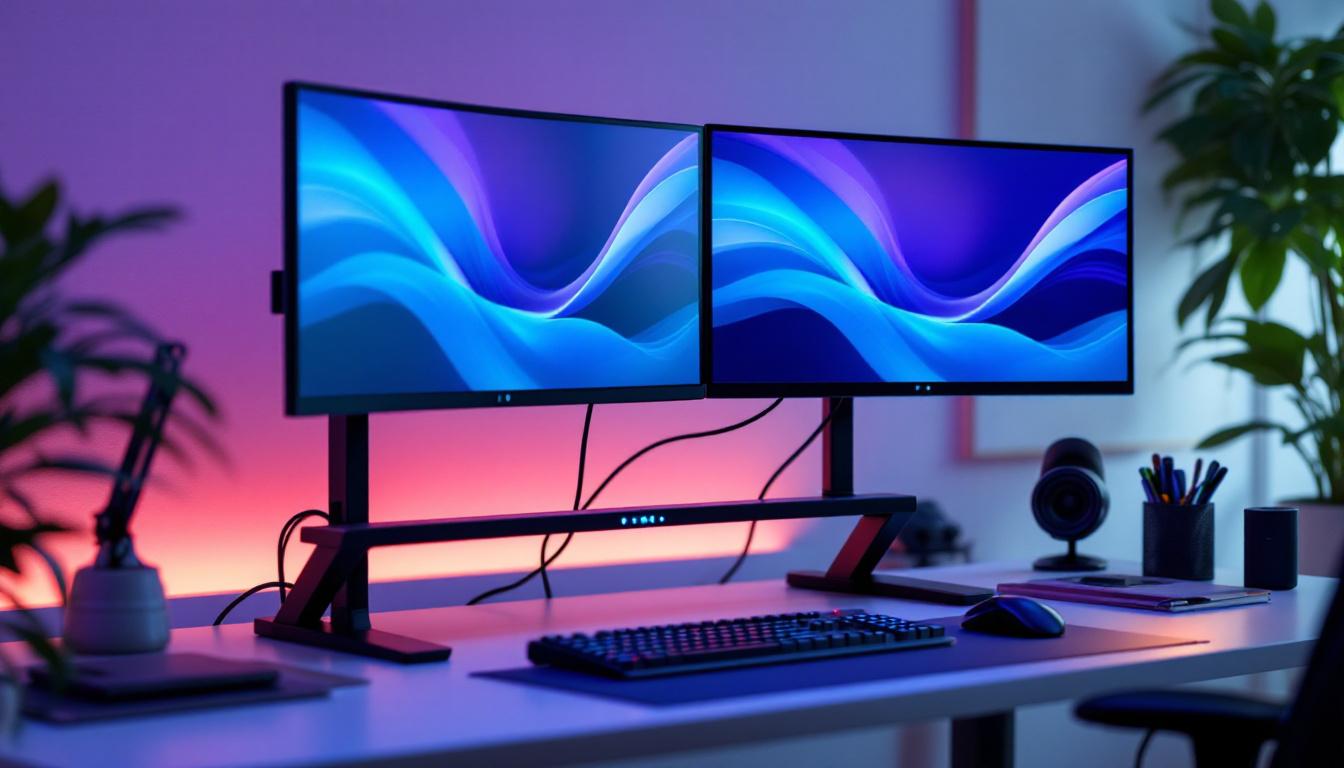
Double monitor computer stands are specialized mounts or supports designed to hold two monitors side by side. Unlike traditional single-monitor setups, these stands offer a streamlined solution to organize multiple screens, saving desk space and improving ergonomics.
There are various types of double monitor stands, including freestanding models, desk clamp mounts, and wall-mounted options. Each type offers different advantages depending on the user’s workspace, monitor size, and intended use. For instance, freestanding models are ideal for those who prefer flexibility in positioning, while wall-mounted options can free up valuable desk space, making them perfect for smaller work areas.
Why Use a Double Monitor Stand?
Using a double monitor stand is more than just a convenience; it’s a productivity booster. Studies have shown that dual monitor setups can increase productivity by up to 42%. This is because having two screens allows users to multitask more efficiently—whether it’s coding on one screen while referencing documentation on the other, or managing spreadsheets alongside communication tools. The ability to have multiple applications open simultaneously can significantly streamline workflows, making it easier to switch between tasks without losing focus.
Additionally, these stands help maintain proper posture by allowing users to position monitors at eye level, reducing neck and eye strain. This ergonomic benefit is crucial for individuals who spend long hours in front of screens. Furthermore, many double monitor stands come with adjustable height and tilt features, enabling users to customize their setup for maximum comfort. This adaptability not only enhances user experience but also promotes better health practices by encouraging regular movement and reducing the risk of repetitive strain injuries. As remote work becomes more prevalent, investing in a quality double monitor stand can be a game-changer for maintaining productivity and well-being in a home office environment.
LED Displays: The Preferred Choice for Dual Monitor Setups
LED (Light Emitting Diode) displays have become the standard for computer monitors due to their superior image quality, energy efficiency, and slim design. When paired with a double monitor stand, LED displays offer a seamless and visually appealing dual-screen experience.
Advantages of LED Displays for Dual Monitors
LED monitors provide brighter images and better contrast ratios compared to older LCD or CCFL-backlit screens. This means clearer text, more vibrant colors, and reduced eye fatigue during extended use. For professionals in graphic design, video editing, or gaming, these qualities are essential.
Moreover, LED displays consume less power, which is beneficial for both environmental impact and electricity bills. Their thinner profiles also make them easier to mount on dual stands without adding excessive weight or bulk. The reduced heat output from LED technology also contributes to a cooler workspace, enhancing comfort during long hours of work or play.
Common LED Display Sizes for Dual Monitor Stands
When selecting LED monitors for a dual setup, size compatibility is a key consideration. Popular sizes range from 24 to 27 inches, striking a balance between screen real estate and desk space. Larger monitors, such as 32 inches, can be used but require sturdier stands and more desk space.
Matching the resolution and refresh rate of both monitors is also important to ensure a consistent visual experience. For example, pairing two 1080p monitors with 60Hz refresh rates is common, but some users may opt for higher resolutions like 1440p or 4K for enhanced detail. This is particularly beneficial for multitasking, as higher resolutions allow for more windows to be open simultaneously without sacrificing clarity. Additionally, many modern LED displays come equipped with features such as adaptive sync technology, which can further enhance the gaming experience by reducing screen tearing and stuttering.
Another important factor to consider is the aspect ratio of the monitors. While the standard 16:9 ratio is widely used, ultrawide monitors with a 21:9 ratio are gaining popularity for dual setups. These monitors offer an expansive horizontal workspace, perfect for immersive gaming or multitasking across multiple applications. Users can enjoy a panoramic view that enhances productivity and creativity, making it easier to compare documents side-by-side or to keep communication tools open while working on projects.
Choosing the Right Double Monitor Computer Stand for LED Displays
Selecting the ideal double monitor stand involves evaluating several factors, including compatibility, adjustability, build quality, and ergonomics. The right stand should complement your LED monitors and workspace while enhancing comfort and productivity.
Compatibility and Weight Capacity
First and foremost, ensure the stand supports the size and weight of your LED monitors. Most stands specify maximum monitor dimensions and weight limits. For example, a standard dual monitor stand might support monitors up to 27 inches and 17.6 pounds each. Using a stand beyond its capacity can lead to instability and potential damage.
Adjustability Features
Adjustability is crucial for creating an ergonomic workstation. Look for stands that offer height adjustment, tilt, swivel, and rotation capabilities. Height adjustment allows you to align the monitors at eye level, while tilt and swivel enable optimal viewing angles. Rotation features are particularly useful if you need to switch between landscape and portrait orientations.
Some premium stands also include gas spring arms for smooth, effortless adjustments, which can be a significant advantage for users who frequently reposition their monitors.
Mounting Options and Desk Compatibility
Double monitor stands come with different mounting mechanisms: freestanding bases, desk clamps, and grommet mounts. Freestanding bases are easy to set up and move but occupy more desk space. Desk clamps attach firmly to the edge of the desk, saving space but requiring a compatible desk thickness. Grommet mounts use existing holes in the desk surface for a secure fit.
Consider your desk’s size, material, and layout when choosing the mounting style. For smaller desks, clamp or grommet mounts are often preferable to maximize workspace.
Build Quality and Materials
Durability is essential for a stable and long-lasting monitor stand. High-quality stands are typically made from steel or aluminum, providing strength without excessive weight. Pay attention to the finish as well; powder-coated or anodized surfaces resist scratches and corrosion.
Investing in a well-built stand not only ensures safety for your monitors but also contributes to a professional and clean-looking setup.
Setting Up Your Double Monitor Stand with LED Displays
Proper setup is key to maximizing the benefits of your dual monitor stand and LED displays. A well-executed installation enhances ergonomics, aesthetics, and overall user experience.
Step-by-Step Installation Guide
Begin by assembling the stand according to the manufacturer’s instructions. This usually involves attaching arms to the base or mounting bracket. Next, attach the VESA mounting plates to the back of your LED monitors. Most LED monitors support the VESA standard, typically 75x75mm or 100x100mm screw patterns.
Once the monitors are secured to the stand, position the stand on your desk and fix it using the clamp or grommet mount if applicable. Adjust the height, tilt, and angle of the monitors to align with your natural eye level and viewing preferences.
Optimizing Monitor Placement
For dual monitors, the ideal setup places the screens side by side with minimal gaps. The primary monitor should be directly in front of you, while the secondary monitor is angled slightly inward. This arrangement reduces neck strain and allows for smooth eye movement between screens.
Consider the distance from your eyes to the monitors; a range of 20 to 30 inches is generally recommended. Proper lighting and reduced glare are also important to prevent eye fatigue.
Additional Features and Accessories for Enhanced Dual Monitor Use
Beyond the basic stand and monitors, several accessories can further improve your dual monitor experience, especially when using LED displays.
Cable Management Solutions
Dual monitor setups often involve multiple cables for power, video, and peripherals. Many double monitor stands include integrated cable management systems, such as clips or channels, to keep cables organized and out of sight. This not only improves aesthetics but also prevents accidental disconnections and desk clutter.
USB Hubs and Peripheral Integration
Some advanced monitor stands come with built-in USB hubs, allowing users to connect keyboards, mice, or external drives directly to the stand. This centralizes connectivity and reduces the need to reach under the desk or behind the computer.
Lighting and Screen Enhancements
LED displays can be complemented with bias lighting—soft backlighting behind the monitors that reduces eye strain and improves perceived contrast. Additionally, monitor light bars or desk lamps with adjustable color temperature can enhance visual comfort during long working sessions.
Conclusion: Maximizing Productivity and Comfort with Double Monitor LED Setups
A double monitor computer stand paired with LED displays is a powerful combination for anyone looking to boost productivity, improve ergonomics, and create a visually appealing workspace. LED monitors provide crisp, vibrant images with energy efficiency, while the right dual monitor stand ensures stability, adjustability, and desk space optimization.
When selecting a double monitor stand, consider compatibility with your LED displays, adjustability features, mounting options, and build quality. Proper setup and additional accessories like cable management and lighting can further enhance your dual monitor experience.
Investing in a quality double monitor stand and LED displays is not just about technology—it’s about creating a workspace that supports your health, efficiency, and creativity for years to come.
Explore Cutting-Edge LED Display Solutions with LumenMatrix
Ready to elevate your workspace and experience the pinnacle of visual performance? Discover LumenMatrix’s innovative LED display technology, designed to bring your dual monitor setup to life. With a wide array of solutions ranging from Indoor and Outdoor LED Wall Displays to specialized options like Vehicle LED Displays and Custom LED Configurations, LumenMatrix is committed to transforming your visual communication and engagement. Don’t miss out on the opportunity to enhance your productivity and creative expression. Check out LumenMatrix LED Display Solutions today and step into the future of digital signage.