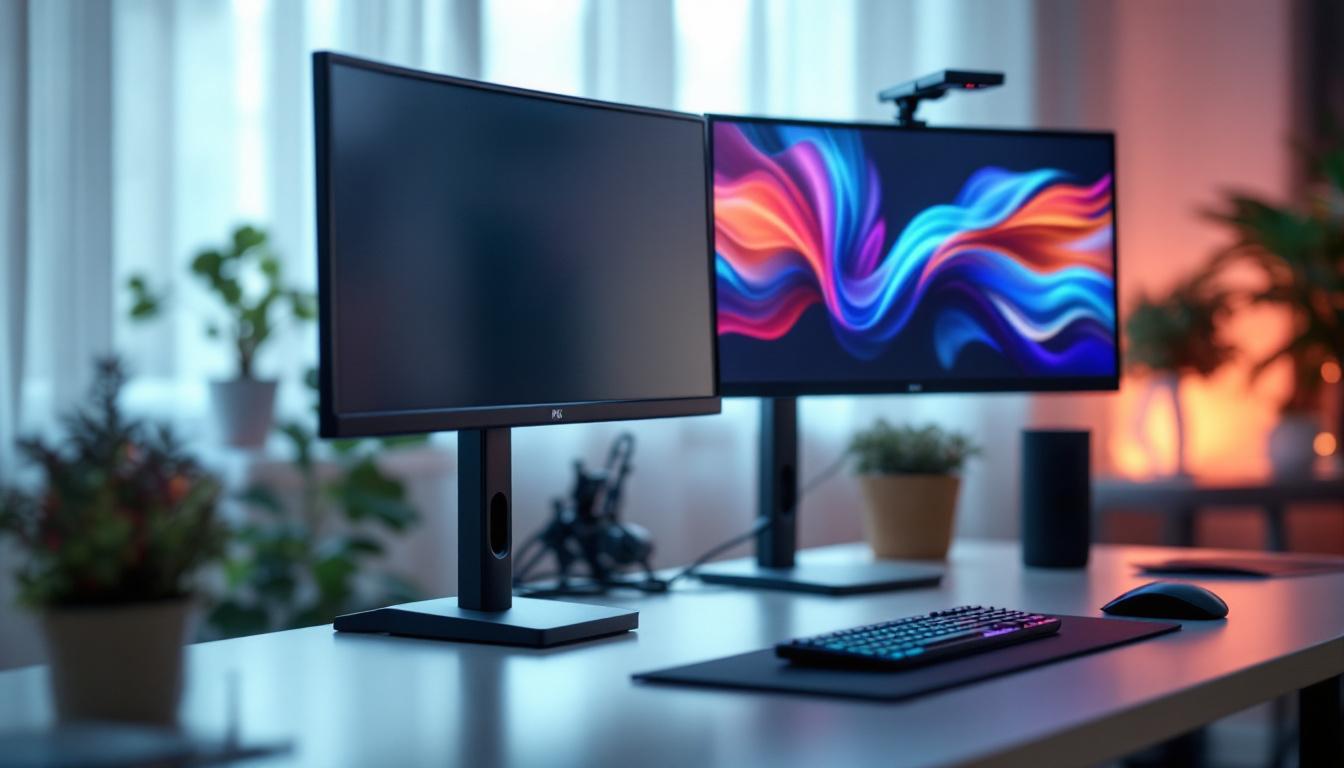
In today’s fast-paced digital world, efficient workspace setup is no longer a luxury but a necessity. Whether you’re a graphic designer, a software developer, or a financial analyst, the way your monitors are positioned can significantly impact your productivity and comfort. Among the many innovations in ergonomic office equipment, floor dual monitor stands have emerged as a popular solution for managing LED displays. This article explores the intricacies of floor dual monitor stands, their benefits, and how they complement LED displays to create an optimized working environment.
Understanding Floor Dual Monitor Stands
Floor dual monitor stands are freestanding mounts designed to hold two monitors side by side or stacked vertically without the need to attach them to a desk. Unlike traditional desk mounts or wall mounts, these stands rest on the floor, providing greater flexibility in positioning and height adjustment. This adaptability makes them particularly appealing for various settings, from home offices to corporate environments, where the layout may frequently change.
Typically constructed from durable materials such as steel or aluminum, these stands are engineered to support the weight of modern LED monitors, which can vary widely depending on size and model. The design often includes adjustable arms, cable management systems, and swivel or tilt features to enhance usability. Some models even come equipped with built-in USB hubs or power outlets, allowing for easy connectivity and charging of devices, thus streamlining the workspace further.
Why Choose a Floor Dual Monitor Stand?
One of the primary advantages of floor dual monitor stands is their ability to free up valuable desk space. In offices where desk real estate is limited or where multiple peripherals are used, having a stand that doesn’t occupy desk surface can be a game-changer. Additionally, these stands offer superior ergonomic benefits by allowing users to position monitors at eye level, reducing neck and eye strain. This is especially beneficial for individuals who spend long hours in front of screens, as proper monitor positioning can significantly enhance comfort and productivity.
Moreover, floor stands are ideal for collaborative environments. They can be easily moved or adjusted to accommodate different users or meeting setups, making them versatile for dynamic workspaces. In addition to their mobility, many floor dual monitor stands feature a sleek, modern design that can complement various office aesthetics, from minimalist to industrial styles. This not only enhances the functionality of the workspace but also contributes to a professional appearance, making them suitable for presentations or client meetings. Furthermore, with the rise of remote work and hybrid models, these stands can be a practical solution for creating an efficient and adaptable home office setup, allowing users to customize their workspace to meet their specific needs and preferences.
LED Displays: The Modern Standard for Monitors
LED (Light Emitting Diode) displays have become the standard for computer monitors due to their superior image quality, energy efficiency, and slim design. Unlike older LCDs that used CCFL backlighting, LED monitors use light-emitting diodes, which provide better brightness, contrast, and color accuracy.
In dual monitor setups, LED displays offer consistent color reproduction and minimal flicker, which is crucial for professions like video editing, graphic design, and gaming. The thin profile of LED monitors also complements the sleek design of modern floor stands.
Key Features of LED Displays
LED monitors typically feature high resolutions, ranging from Full HD (1920×1080) to 4K (3840×2160) and beyond. This high pixel density ensures sharp images and detailed visuals. Additionally, many LED monitors support wide color gamuts and high dynamic range (HDR), enhancing the viewing experience.
Another important aspect is refresh rate. While standard monitors operate at 60Hz, many LED displays now offer refresh rates of 120Hz or higher, which is beneficial for smooth motion rendering in gaming and video playback.
Integrating Floor Dual Monitor Stands with LED Displays
The combination of floor dual monitor stands and LED displays creates a powerful synergy for workspace optimization. When selecting a stand for LED monitors, several factors should be considered to ensure compatibility and performance.
Weight and Size Compatibility
LED monitors vary in size from compact 21-inch models to expansive 34-inch ultrawide screens. Floor dual monitor stands come with specific weight limits and arm lengths, so it’s essential to match the stand’s specifications with the monitors’ dimensions and weight. For example, a stand rated for up to 15 kg per arm can comfortably support most 27-inch LED monitors.
Adjustability and Ergonomics
Ergonomics plays a critical role in reducing workplace injuries and enhancing comfort. Floor dual monitor stands with adjustable height, tilt, swivel, and rotation allow users to customize their viewing angles. This flexibility is particularly important for LED displays, which benefit from being positioned to minimize glare and reflections.
Some stands also offer quick-release mechanisms for easy monitor installation and removal, which is useful in environments where monitors are frequently swapped or serviced.
Cable Management
LED monitors require multiple cables, including power, HDMI, DisplayPort, and USB connections. Floor dual monitor stands often incorporate cable management channels or clips to keep cables organized and out of sight. This not only improves aesthetics but also prevents cable damage and tripping hazards.
Benefits of Using Floor Dual Monitor Stands with LED Displays
Combining floor dual monitor stands with LED displays offers numerous benefits that extend beyond aesthetics.
Enhanced Productivity
Studies have shown that dual monitor setups can increase productivity by up to 30%. Having two LED displays mounted on a floor stand allows users to multitask efficiently, comparing documents side-by-side or running multiple applications simultaneously without switching windows.
Improved Ergonomics and Health
Proper monitor positioning reduces the risk of musculoskeletal disorders. Floor stands enable users to adjust monitor height and angle to maintain a neutral posture, reducing neck, shoulder, and eye strain. This is especially important for professionals who spend long hours in front of screens.
Space Optimization
By lifting monitors off the desk, floor stands free up workspace for other essential items such as keyboards, notebooks, or drawing tablets. This decluttered environment can lead to better focus and a more pleasant work atmosphere.
Flexibility and Mobility
Unlike fixed mounts, many floor dual monitor stands come with wheels or are lightweight enough to be moved easily. This mobility is beneficial in offices where workspace layouts frequently change or in shared environments where multiple users access the same equipment.
Choosing the Right Floor Dual Monitor Stand for Your LED Displays
Selecting the ideal floor dual monitor stand involves evaluating several critical factors to ensure it meets your specific needs.
Monitor Compatibility
Check the VESA mounting pattern of your LED monitors, which is the standardized hole pattern on the back of the display used for mounting. Most floor stands support common VESA sizes such as 75×75 mm and 100×100 mm, but verifying this compatibility is essential.
Weight Capacity and Stability
Ensure the stand can support the combined weight of both monitors. Stability is crucial to prevent wobbling or tipping, especially if the stand is freestanding. Look for stands with a wide base or additional support features.
Adjustability Features
Consider the range of height adjustment, tilt angles, and swivel capabilities. Some stands offer independent adjustment for each monitor, while others move both simultaneously. Choose based on your workflow and ergonomic preferences.
Build Quality and Materials
Durability is key for long-term use. High-quality steel or aluminum stands tend to be more robust and offer better stability. Additionally, powder-coated finishes resist scratches and corrosion, maintaining a professional appearance.
Additional Features
Some floor dual monitor stands include integrated USB hubs, power strips, or lighting options. While not essential, these features can enhance convenience and reduce cable clutter.
Installation and Maintenance Tips
Proper installation and maintenance of your floor dual monitor stand can extend its lifespan and ensure optimal performance.
Installation Guidelines
Start by assembling the stand according to the manufacturer’s instructions. Use the correct tools and avoid overtightening screws to prevent damage. When mounting the monitors, ensure the VESA plates are securely attached and cables are routed through the cable management system.
Position the stand on a flat, stable surface to maximize stability. If the stand has wheels, lock them in place once positioned.
Maintenance Practices
Regularly inspect the stand for loose screws or signs of wear. Clean the stand with a soft cloth and mild detergent to remove dust and grime. Avoid using abrasive cleaners that can damage the finish.
Check cable management channels periodically to ensure cables remain organized and undamaged. Replace any worn or frayed cables promptly to maintain safety.
Popular Use Cases for Floor Dual Monitor Stands with LED Displays
Floor dual monitor stands paired with LED displays are versatile and suited to a variety of professional and personal environments.
Corporate Offices
In corporate settings, dual monitors enhance workflow efficiency for tasks such as data analysis, report writing, and virtual meetings. Floor stands allow employees to personalize their workspace ergonomics without desk modifications.
Creative Studios
Graphic designers, video editors, and photographers benefit from the color accuracy and high resolution of LED displays. The flexibility of floor dual monitor stands supports collaborative projects and dynamic studio layouts.
Healthcare Facilities
Medical professionals use dual monitors for patient records, imaging, and telemedicine. Floor stands facilitate easy repositioning and cleaning, which are essential in sterile environments.
Home Offices
With the rise of remote work, many home offices incorporate dual monitor setups. Floor dual monitor stands provide a professional-grade solution that maximizes space and comfort in often limited home environments.
Conclusion
Floor dual monitor stands represent a smart investment for anyone looking to optimize their workspace with LED displays. By combining ergonomic design, space-saving benefits, and compatibility with modern LED technology, these stands enhance productivity and comfort across various professional fields.
When selecting a floor dual monitor stand, consider factors such as monitor compatibility, adjustability, build quality, and additional features to ensure it meets your unique needs. Proper installation and maintenance will further maximize the benefits of your setup.
As LED display technology continues to evolve, integrating these displays with versatile floor dual monitor stands will remain a key strategy for creating efficient, healthy, and adaptable work environments.
Discover LumenMatrix’s Advanced LED Display Solutions
Ready to take your workspace to the next level with a floor dual monitor stand and the latest in LED display technology? Explore LumenMatrix’s comprehensive range of LED display solutions, designed for maximum impact and clarity. From captivating Indoor LED Walls to dynamic Outdoor LED Displays, and from sleek LED Posters to innovative Custom LED Displays, LumenMatrix has the perfect option to suit your professional needs. Elevate your visual communication and enhance your brand visibility today. Check out LumenMatrix LED Display Solutions and experience the revolution in digital signage.