In today’s fast-paced digital world, productivity and efficient workspace management have become paramount. Whether you’re a professional working from home, a graphic designer, a gamer, or simply someone who spends extended hours in front of a computer, the setup of your workstation can significantly impact your comfort and output. One of the most popular ways to enhance your workspace is by using a dual monitor setup supported by a dual monitors stand, especially with LED displays. This article delves deep into the advantages, technical aspects, and practical considerations of using dual monitor stands with LED displays, helping you make an informed decision for your workspace.
Understanding Dual Monitor Stands and Their Importance
What Is a Dual Monitor Stand?
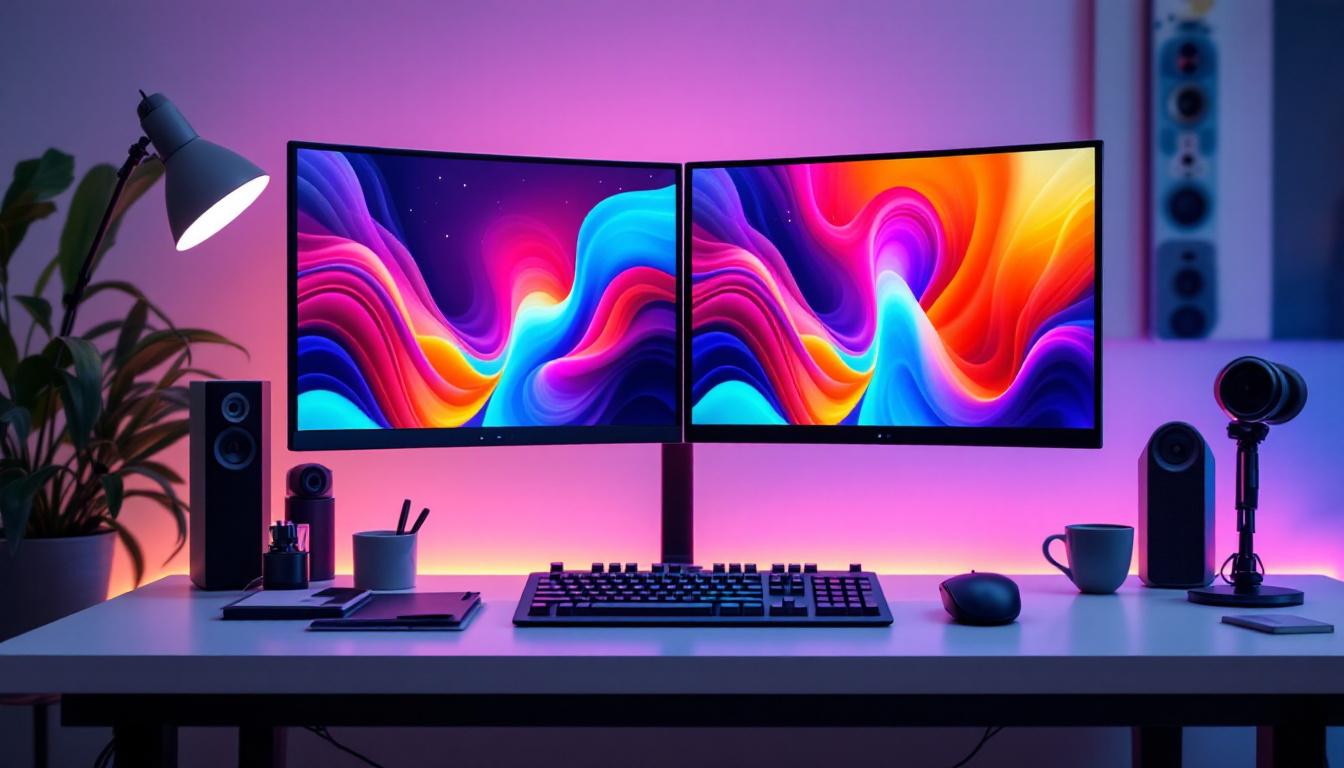
A dual monitor stand is a mounting solution designed to hold two monitors side by side or stacked vertically. Unlike traditional monitor bases that take up desk space, these stands clamp onto the desk or have weighted bases, allowing for better organization and flexibility. The primary goal is to optimize desk space, improve ergonomics, and provide a seamless multi-screen experience.
With the rise of remote work and multitasking, dual monitor setups have become increasingly popular. According to a 2023 report by Statista, over 60% of office workers in the United States use two or more monitors to enhance productivity. A dual monitor stand facilitates this by securely holding the monitors, allowing for easy adjustments in height, tilt, and rotation.
Why Use a Dual Monitor Stand Instead of Separate Bases?
Traditional monitors come with their own stands, which can be bulky and limit adjustability. Using a dual monitor stand offers several advantages:
- Space-saving: By elevating the monitors off the desk, you free up valuable workspace for other essentials.
- Ergonomic benefits: Adjustable arms allow users to position monitors at eye level, reducing neck and eye strain.
- Improved aesthetics: A clean, organized desk setup improves focus and reduces clutter.
- Flexibility: Dual monitor stands often support various configurations, such as side-by-side or stacked, catering to different work styles.
LED Displays: The Modern Standard for Dual Monitors
What Makes LED Displays Popular for Dual Monitor Setups?
LED (Light Emitting Diode) displays have become the industry standard for monitors due to their superior image quality, energy efficiency, and slim profiles. When paired with a dual monitor stand, LED displays offer an optimal blend of performance and design.
Compared to older LCD or CCFL-backlit monitors, LED displays provide:
- Better brightness and contrast: LED backlighting improves color accuracy and sharpness, which is crucial for tasks like photo editing and video production.
- Lower power consumption: LEDs use less energy, making them more environmentally friendly and cost-effective over time.
- Thinner and lighter panels: This makes mounting easier and reduces the strain on monitor arms.
- Longer lifespan: LED monitors generally last longer, ensuring a durable investment for your workspace.
Types of LED Displays Suitable for Dual Monitor Stands
When selecting LED monitors for a dual setup, understanding the different panel types can help tailor the experience to your needs:
- IPS (In-Plane Switching): Known for excellent color reproduction and wide viewing angles, IPS panels are ideal for creative professionals and users who require color accuracy.
- VA (Vertical Alignment): These panels offer better contrast ratios and deeper blacks, making them suitable for video consumption and gaming.
- TN (Twisted Nematic): TN panels have faster response times but narrower viewing angles and less accurate colors. They are often preferred by competitive gamers.
For most dual monitor setups aimed at productivity and general use, IPS LED displays are the most recommended due to their balance of color fidelity and viewing comfort.
Key Features to Consider When Choosing a Dual Monitor Stand for LED Displays
Weight Capacity and Monitor Size Compatibility
One of the most critical factors when selecting a dual monitor stand is ensuring it supports the weight and size of your LED monitors. LED displays vary widely—from compact 21-inch models to ultra-wide 34-inch screens. Most dual monitor stands specify a maximum weight per arm, typically ranging from 8 to 20 pounds.
For example, a 27-inch LED monitor generally weighs around 10 to 15 pounds, so a stand with a 15-pound per arm capacity is advisable. Exceeding the weight limit can lead to instability or damage to the stand and monitors.
Adjustability and Ergonomics
Ergonomics is a significant reason users invest in dual monitor stands. Look for stands that offer:
- Height adjustment: Allows you to align monitors at eye level to reduce neck strain.
- Swivel and tilt: Enables you to angle the screens for optimal viewing comfort and reduce glare.
- Rotation: Some stands allow monitors to be rotated from landscape to portrait mode, which is useful for coding, reading, or document editing.
Adjustability ensures that the dual monitor setup can be personalized to your unique posture and workspace, promoting better health and productivity.
Mounting Options and Desk Compatibility
Dual monitor stands come with different mounting mechanisms:
- Clamp mount: Attaches to the edge of the desk, saving space but requiring a suitable desk thickness.
- Grommet mount: Fits through a hole in the desk, providing a sturdy base but requiring pre-drilled holes.
- Freestanding base: Sits on the desk surface, offering flexibility but occupying more space.
Before purchasing, measure your desk and consider the mounting style that best fits your setup. Clamp mounts are often preferred for their minimal footprint and stability.
Cable Management Features
Dual monitor stands with built-in cable management channels help keep your workspace tidy by routing power cords, HDMI cables, and USB connections neatly along the arms. This not only improves aesthetics but also prevents cables from tangling or getting damaged.
Benefits of Using Dual Monitor Stands with LED Displays
Enhanced Productivity and Multitasking
Studies have shown that using multiple monitors can increase productivity by up to 42%. With dual LED displays mounted on a stand, users can easily reference documents, spreadsheets, or communication tools simultaneously without constantly switching windows. This seamless workflow is invaluable for professionals such as software developers, financial analysts, and content creators.
Improved Ergonomics and Reduced Physical Strain
Improper monitor placement can lead to neck pain, eye fatigue, and poor posture. A dual monitor stand allows precise positioning of LED displays to maintain a neutral spine alignment and reduce strain on the eyes. Adjustable arms ensure that both screens are at the correct height and distance, minimizing the risk of repetitive strain injuries.
Optimized Desk Space and Organization
By lifting monitors off the desk surface, dual monitor stands create additional space for keyboards, notebooks, and other office essentials. This decluttered environment fosters focus and reduces distractions. Additionally, integrated cable management keeps cords out of sight, contributing to a clean and professional workspace.
Flexibility for Various Workflows
Whether you need monitors side by side for coding and design or prefer a vertical stack for document review and social media monitoring, dual monitor stands offer the flexibility to adapt your setup. This versatility is especially beneficial in dynamic work environments where tasks and priorities frequently change.
Installation and Maintenance Tips for Dual Monitor Stands with LED Displays
Step-by-Step Installation Guide
Setting up a dual monitor stand with LED displays can be straightforward if you follow these steps:
- Check compatibility: Ensure your monitors have VESA mounting holes (usually 75x75mm or 100x100mm) compatible with the stand.
- Assemble the stand: Follow the manufacturer’s instructions to attach the base or clamp and assemble the arms.
- Attach mounting plates: Secure the VESA plates to the back of each LED monitor.
- Mount the monitors: Carefully hang the monitors on the stand arms, ensuring they lock securely.
- Adjust positioning: Set the height, tilt, and swivel to your preferred ergonomic position.
- Manage cables: Use the cable channels or clips to route and secure cables neatly.
Maintenance and Care
To prolong the life of your dual monitor stand and LED displays, consider the following maintenance tips:
- Regular cleaning: Dust the monitors and stand regularly using a microfiber cloth to prevent buildup.
- Check screws and joints: Periodically tighten any loose screws or bolts to maintain stability.
- Avoid overloading: Do not exceed the weight limits specified by the manufacturer.
- Protect from direct sunlight: Prolonged exposure to sunlight can degrade LED displays and the stand’s materials.
Popular Dual Monitor Stand Models for LED Displays in 2024
Ergotron LX Dual Stacking Arm
Known for its robust build and extensive adjustability, the Ergotron LX Dual Stacking Arm supports monitors up to 25 pounds each. Its smooth gas spring mechanism allows effortless height and tilt adjustments, ideal for professional environments. The integrated cable management system keeps cords organized, and its sleek design complements modern offices.
VIVO Dual LCD Monitor Desk Mount
Offering excellent value, the VIVO dual monitor stand supports monitors up to 27 inches and 22 pounds per arm. It features full articulation, including swivel, tilt, and rotation. The clamp and grommet mounting options provide flexibility for various desk types, making it a popular choice among home office users.
Amazon Basics Premium Dual Monitor Stand
This stand combines affordability with quality, supporting monitors up to 32 inches and 20 pounds each. It offers height adjustment, tilt, swivel, and rotation, along with a sturdy weighted base. Its integrated cable management keeps workspaces tidy, and it’s easy to assemble.
Conclusion: Elevate Your Workspace with Dual Monitor Stands and LED Displays
Investing in a dual monitor stand for your LED displays is more than just a matter of aesthetics—it’s a strategic decision to enhance productivity, improve ergonomics, and optimize your workspace. As technology advances and work habits evolve, having a flexible, efficient, and comfortable setup becomes essential.
By understanding the key features of dual monitor stands, the benefits of LED displays, and how to properly install and maintain your setup, you can create a workspace that supports your goals and well-being. Whether you’re a professional seeking to streamline your workflow or a gamer aiming for immersive experiences, the right dual monitor stand paired with LED displays can transform your daily computing experience.
Consider your specific needs, desk space, and monitor specifications when choosing a dual monitor stand. With the right setup, you’ll enjoy a cleaner, more organized, and highly functional workspace that keeps you focused and comfortable throughout your day.
Discover the Future of Visual Displays with LumenMatrix
Ready to take your workspace to the next level with a dual monitor stand and the latest in LED display technology? Look no further than LumenMatrix, a pioneer in crafting immersive visual experiences. From vibrant indoor walls to dynamic outdoor displays, LumenMatrix offers a comprehensive range of LED solutions tailored to your unique needs. Elevate your professional or gaming setup and engage with your content like never before. Check out LumenMatrix LED Display Solutions today and witness the transformation of your digital environment.