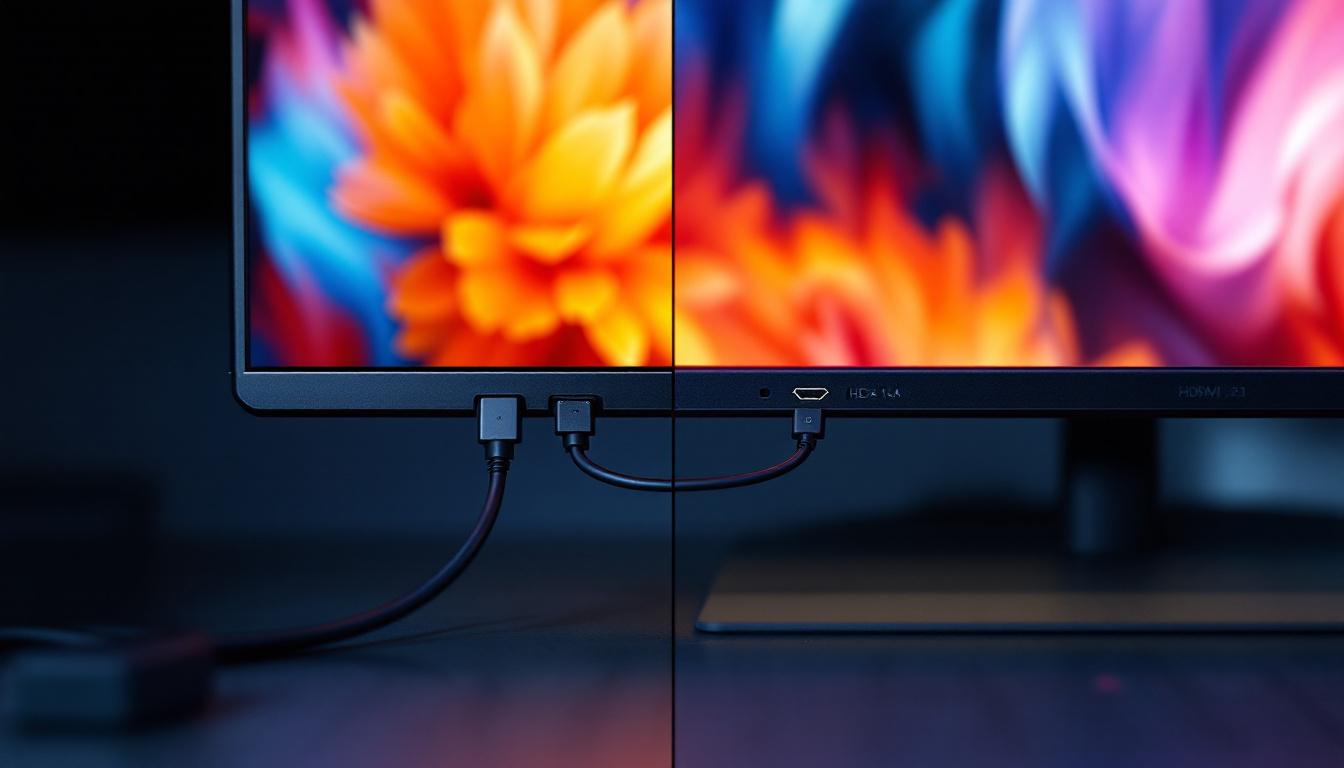
Choosing the right connection interface for your LED display can significantly impact your viewing experience, especially when dealing with high-resolution content and fast refresh rates. Two of the most prominent standards in the market today are DisplayPort 1.4a (DP 1.4a) and HDMI 2.1. Both interfaces are designed to handle high bandwidth and advanced features, but they differ in several key areas that matter depending on your setup and usage.
This article delves into the technical specifications, real-world performance, and practical considerations of DP 1.4a versus HDMI 2.1, helping you understand which connection suits your LED display needs best.
Understanding the Basics: What Are DP 1.4a and HDMI 2.1?
DisplayPort 1.4a Overview
DisplayPort 1.4a is a widely used digital display interface standard developed by the Video Electronics Standards Association (VESA). Released in 2018, it builds upon previous versions by increasing bandwidth and adding support for advanced features such as Display Stream Compression (DSC) 1.2a, HDR metadata transport, and Multi-Stream Transport (MST).
DP 1.4a supports a maximum raw bandwidth of 32.4 Gbps, which translates to an effective data rate of 25.92 Gbps after encoding overhead. This bandwidth allows for high-resolution displays, including 4K at 120Hz or 8K at 60Hz with DSC enabled. The interface is commonly found in gaming monitors, professional displays, and high-end laptops. Additionally, the support for MST enables users to connect multiple monitors through a single DisplayPort output, making it a popular choice for multi-monitor setups in gaming and professional environments. This feature is particularly beneficial for graphic designers and video editors who require expansive screen real estate for their workflows.
HDMI 2.1 Overview
HDMI 2.1, finalized in 2017 by the HDMI Forum, is the latest iteration of the HDMI standard, designed to support the growing demands of modern video and audio technologies. It significantly increases the maximum bandwidth to 48 Gbps, enabling higher resolutions and refresh rates without compression.
HDMI 2.1 supports 4K at 120Hz, 8K at 60Hz, and even 10K resolutions, along with features like Dynamic HDR, Enhanced Audio Return Channel (eARC), and Variable Refresh Rate (VRR). It is widely used in consumer electronics such as TVs, gaming consoles, Blu-ray players, and AV receivers. The introduction of features like Quick Frame Transport (QFT) and Auto Low Latency Mode (ALLM) further enhances the gaming experience by reducing latency and ensuring smoother gameplay. As a result, HDMI 2.1 is becoming increasingly essential for gamers who demand the best performance from their hardware, especially with the rise of next-generation gaming consoles that leverage these advanced capabilities to deliver immersive experiences.
Bandwidth and Resolution Capabilities
Raw Bandwidth Comparison
One of the most critical factors when comparing DP 1.4a and HDMI 2.1 is bandwidth, as it directly influences the maximum resolution and refresh rate the interface can handle.
- DP 1.4a: 32.4 Gbps raw bandwidth, 25.92 Gbps effective data rate after encoding.
- HDMI 2.1: 48 Gbps raw bandwidth, with no encoding overhead due to improved signaling.
HDMI 2.1 offers approximately 50% more raw bandwidth than DP 1.4a, which theoretically allows it to support higher uncompressed video data rates. This increase in bandwidth is particularly beneficial for applications that demand high fidelity, such as gaming and professional video editing, where every pixel matters. The enhanced bandwidth of HDMI 2.1 also facilitates more robust audio formats, allowing for immersive sound experiences alongside stunning visuals.
Supported Resolutions and Refresh Rates
Thanks to its high bandwidth and support for Display Stream Compression (DSC), DP 1.4a can handle:
- 4K (3840×2160) at up to 120Hz
- 8K (7680×4320) at 60Hz with DSC
- HDR10 and HDR metadata transport
HDMI 2.1 pushes these limits further by supporting:
- 4K at 120Hz without compression
- 8K at 60Hz without compression
- 10K resolution at lower refresh rates
- Dynamic HDR formats like HDR10+ and Dolby Vision
For users seeking the absolute highest uncompressed video quality, HDMI 2.1 holds a slight edge. However, DP 1.4a’s use of DSC means it can still deliver visually lossless quality at very high resolutions. This capability is particularly advantageous for content creators who require high-resolution outputs without the burden of excessive file sizes or bandwidth limitations. Moreover, the versatility of both interfaces means they can cater to a wide range of devices, from high-end gaming consoles to professional display setups, ensuring that users can enjoy top-tier performance across various applications.
In addition to resolution and refresh rate, the advancements in color depth and dynamic range supported by both standards cannot be overlooked. HDMI 2.1’s ability to support dynamic HDR means that the brightness and contrast can be optimized on a scene-by-scene basis, enhancing the viewing experience significantly. This is particularly relevant in cinematic releases and high-end streaming services that utilize HDR technology to deliver stunning visuals. Meanwhile, DP 1.4a’s support for HDR10 ensures that users can still enjoy a rich color palette and improved contrast, making it a formidable option for many users despite its lower bandwidth. As the demand for higher fidelity content continues to grow, both standards will play a crucial role in shaping the future of visual technology.
Feature Set and Use Cases
HDR and Color Depth Support
Both DP 1.4a and HDMI 2.1 support HDR content, but HDMI 2.1 introduces enhanced dynamic metadata capabilities that allow for frame-by-frame HDR adjustments, improving picture quality on compatible displays.
In terms of color depth, both interfaces support up to 12-bit color, which is essential for smooth gradients and accurate color representation in professional and entertainment applications.
Audio and Additional Features
HDMI 2.1 includes the Enhanced Audio Return Channel (eARC), which supports high-bitrate audio formats like Dolby Atmos and DTS:X, making it ideal for home theater setups. DP 1.4a supports audio transmission but lacks an equivalent to eARC.
Another important feature is Variable Refresh Rate (VRR), which reduces screen tearing and stuttering in gaming. HDMI 2.1 natively supports VRR, whereas DP 1.4a supports Adaptive Sync, which is the basis for technologies like AMD FreeSync and NVIDIA G-Sync.
Multi-Stream Transport (MST)
DP 1.4a supports MST, allowing multiple independent displays to be driven from a single DisplayPort output via daisy-chaining or hubs. This is particularly useful in professional environments requiring multiple monitors. HDMI 2.1 does not support MST, limiting it to one display per port.
Compatibility and Practical Considerations
Device Ecosystem
HDMI remains the dominant standard for consumer electronics, with nearly all modern TVs, gaming consoles, and AV receivers supporting HDMI 2.1. This makes HDMI 2.1 the go-to choice for home entertainment systems.
DisplayPort is more prevalent in computer monitors, graphics cards, and professional equipment. Many high-end gaming monitors and professional displays favor DP 1.4a for its MST capabilities and adaptive sync support.
Cable Length and Signal Integrity
DisplayPort cables typically maintain signal integrity over longer distances compared to HDMI cables, especially at high bandwidths. DP 1.4a can reliably transmit signals up to 3 meters or more without active repeaters, while HDMI 2.1 cables often require active or certified ultra-high-speed cables for longer runs.
Connector Types and Physical Considerations
DP connectors are generally larger and less common on TVs and portable devices, whereas HDMI connectors are ubiquitous and more compact. This can influence the choice depending on device form factor and available ports.
Real-World Performance and User Scenarios
Gaming and High Refresh Rate Displays
For gamers, both DP 1.4a and HDMI 2.1 offer excellent performance, supporting 4K at 120Hz and adaptive sync technologies. However, HDMI 2.1’s VRR support and widespread adoption in gaming consoles like the PlayStation 5 and Xbox Series X give it an advantage in console gaming setups.
PC gamers using high refresh rate monitors often prefer DP 1.4a due to MST support and compatibility with NVIDIA G-Sync and AMD FreeSync, which provide smoother gameplay experiences.
Professional and Creative Workflows
Professionals working with color-critical applications, multi-monitor setups, or 8K video editing benefit from DP 1.4a’s MST and DSC features. The ability to daisy-chain multiple monitors reduces cable clutter and simplifies workspace management.
While HDMI 2.1 supports higher uncompressed bandwidth, its lack of MST and less common presence on professional monitors may limit its utility in some workflows.
Home Theater and Entertainment
For home theater enthusiasts, HDMI 2.1 is the clear winner due to its support for eARC, Dynamic HDR, and compatibility with the latest AV receivers and soundbars. Its ability to handle 8K content and advanced audio formats ensures a future-proof setup.
Summary and Recommendations
Both DisplayPort 1.4a and HDMI 2.1 are powerful interfaces capable of delivering stunning visuals on LED displays. The choice between them largely depends on your specific use case:
- Choose DP 1.4a if: You need multi-monitor support, work in professional or creative environments, or prioritize adaptive sync technologies for PC gaming.
- Choose HDMI 2.1 if: You are setting up a home theater, using the latest gaming consoles, or require the highest uncompressed bandwidth for 8K or 10K content.
In many scenarios, users may find themselves using both interfaces depending on the devices involved. Understanding their strengths ensures you get the best performance and features from your LED display setup.
Frequently Asked Questions
Can I use an adapter to convert DP 1.4a to HDMI 2.1?
While adapters exist to convert DisplayPort to HDMI, most currently support HDMI 2.0 or earlier standards. True HDMI 2.1 support via adapters is limited and may not deliver full bandwidth or features such as 4K at 120Hz or 8K at 60Hz. For best results, use native ports.
Is Display Stream Compression (DSC) noticeable?
DSC is a visually lossless compression technology standardized by VESA. In practical use, it is virtually indistinguishable from uncompressed video to the human eye, making it an effective solution for transmitting high-resolution content over limited bandwidth.
Do all HDMI 2.1 cables support the full 48 Gbps bandwidth?
No. Only certified Ultra High Speed HDMI cables guarantee the full 48 Gbps bandwidth required for HDMI 2.1 features. Using older or uncertified cables can limit performance and cause compatibility issues.
Which interface is better for future-proofing?
HDMI 2.1 currently offers higher raw bandwidth and broader support for emerging consumer technologies, making it a strong candidate for future-proofing home entertainment setups. However, DP 1.4a remains highly relevant for professional and PC-centric applications, especially with its MST and adaptive sync capabilities.
Explore Cutting-Edge LED Display Solutions from LumenMatrix
Whether you’re setting up an immersive home theater, enhancing a professional workspace, or looking to captivate your audience with dynamic visual displays, the right technology makes all the difference. LumenMatrix is at the forefront of LED display innovation, offering a wide array of solutions tailored to your unique needs. From Indoor and Outdoor LED Wall Displays to specialized options like Vehicle and Sports LED Displays, our products are designed to deliver unparalleled clarity and performance. Elevate your visual experience and ensure your message resonates with impact. Check out LumenMatrix LED Display Solutions today and see the difference cutting-edge technology can make.