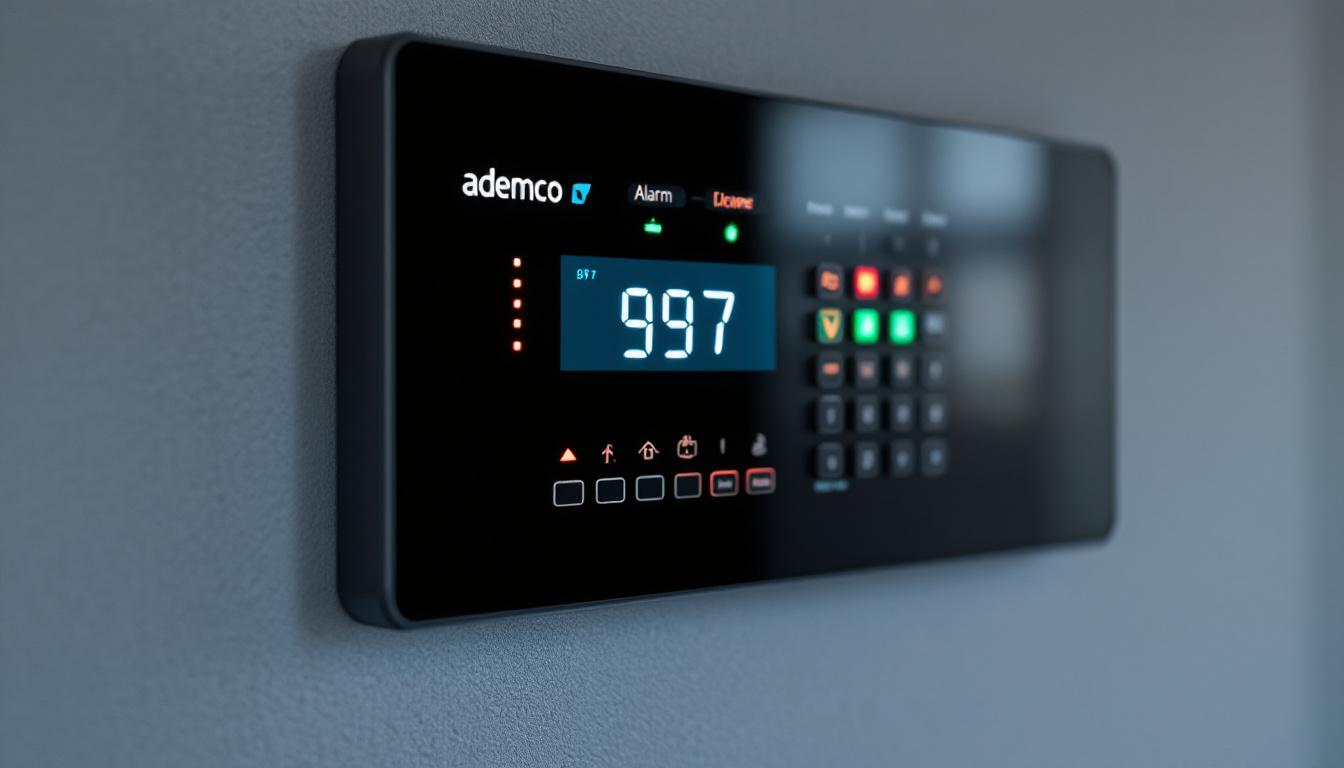
The Ademco 997 is a widely recognized security system keypad, known for its reliability and user-friendly interface. Among its many features, the LED display stands out as a critical component that provides users with real-time system status, alerts, and operational feedback. Understanding the functionality and interpretation of the Ademco 997’s LED display is essential for both homeowners and security professionals to ensure optimal use and quick response to security events.
Overview of the Ademco 997 Keypad
The Ademco 997 is part of the Honeywell security product family, designed primarily for residential and small commercial security systems. It serves as an interface between the user and the alarm control panel, allowing for arming, disarming, and system status monitoring. This keypad is particularly appreciated for its straightforward functionality, making it an ideal choice for users who prioritize ease of use over complex features.
One of the defining features of the Ademco 997 is its LED display panel, which uses a combination of lights to communicate system conditions. Unlike modern LCD or touchscreen keypads, the LED display relies on a series of indicator lights that illuminate in various patterns to convey different messages. This simplicity can be advantageous in situations where quick visual feedback is essential, as the user can instantly recognize the system’s status without needing to navigate through menus or settings.
Physical Layout of the LED Display
The LED display on the Ademco 997 consists of multiple indicator lights arranged in a row or cluster. Each LED corresponds to a specific system function or status. Common indicators include:
- Ready: Indicates the system is ready to be armed.
- Armed: Shows that the system is currently armed.
- Bypass: Indicates one or more zones have been bypassed.
- Memory: Alerts the user to previous alarm events.
- Trouble: Signals system faults or issues requiring attention.
- Fire: Indicates a fire alarm condition.
Understanding these indicators is key to interpreting the system’s status quickly and accurately. Each light is designed to be easily visible from a distance, ensuring that users can monitor their security system effectively, even from across the room. Additionally, the keypad’s layout is intuitive, allowing users to familiarize themselves with the functions without extensive training. The tactile feedback of the buttons also enhances usability, providing a satisfying click that confirms each action taken.
Moreover, the Ademco 997 is built with durability in mind, making it suitable for various environments. Its robust design helps it withstand the rigors of daily use, while the clear labeling of each function ensures that users can operate the keypad confidently, even in high-stress situations. This reliability is crucial for maintaining security, as the keypad often serves as the first line of defense in emergency scenarios. As a result, the Ademco 997 remains a popular choice for those seeking a dependable and user-friendly security solution.
Decoding the LED Indicators: What Each Light Means
The LED display on the Ademco 997 uses a simple yet effective system of lights to communicate. Each LED can be either on, off, or flashing, with each state carrying specific meaning. Below is a detailed explanation of the most common LED indicators and their significance.
Ready Light
The “Ready” LED is perhaps the most important indicator for everyday users. When illuminated, it means all zones are secure, and the system is ready to be armed. If the “Ready” light is off, it typically indicates that one or more zones are open or faulted, preventing arming.
For example, if a door or window sensor is triggered or left open, the “Ready” light will not illuminate, signaling the user to check and secure the premises before arming the system.
Armed Light
The “Armed” LED lights up when the system is actively armed in either “Away” or “Stay” mode. This confirms that the alarm system is monitoring the premises and will trigger alerts if a zone is breached.
In some cases, the “Armed” light may flash during the exit delay period, indicating the system is in the process of arming but not yet fully active.
Bypass Light
The “Bypass” indicator illuminates when one or more zones are intentionally bypassed. Bypassing a zone temporarily disables it, allowing users to arm the system while ignoring specific sensors, such as when a window is left open for ventilation.
It is important to monitor the “Bypass” light carefully, as leaving zones bypassed unintentionally can create security vulnerabilities.
Memory Light
The “Memory” LED alerts users to previous alarm events that have occurred since the last system reset. This feature is crucial for identifying if the system has been triggered during the user’s absence or overnight.
After reviewing the cause of the alarm, users can clear the memory by entering the appropriate code or following system reset procedures.
Trouble Light
The “Trouble” indicator signals a fault or issue within the security system. Common causes include low battery, communication failure, sensor malfunctions, or power outages.
When the “Trouble” light is on or flashing, it is essential to investigate and resolve the problem promptly to maintain system integrity and reliability.
Fire Light
The “Fire” LED lights up to indicate a fire alarm condition, typically triggered by smoke or heat detectors connected to the system. This alert requires immediate attention and may activate audible alarms and emergency notifications.
Interpreting LED Flash Patterns and Sounds
In addition to static illumination, the Ademco 997’s LED indicators may flash or blink in specific sequences to provide more detailed information. These flash patterns often correspond to system states, warnings, or error codes.
For instance, a flashing “Trouble” light combined with a series of beeps may indicate a low battery condition. Similarly, rapid blinking of the “Fire” LED could signal an active fire alarm requiring evacuation.
Understanding these patterns is vital for users to respond appropriately without unnecessary panic or delay.
Common Flash Patterns
- Slow Flashing Ready Light: System is in exit delay mode.
- Rapid Flashing Trouble Light: Indicates a serious system fault.
- Alternating Armed and Ready Lights: System is in alarm memory mode.
- Flashing Bypass Light: A zone has been bypassed but may be open or faulted.
Audible Feedback
The Ademco 997 keypad also provides audible signals such as beeps and chirps. These sounds often accompany LED indicators to reinforce alerts or confirm user actions. For example, a single beep may confirm a valid code entry, while continuous beeping might indicate a trouble condition.
Practical Tips for Using the Ademco 997 LED Display
To maximize the effectiveness of the Ademco 997 system, users should become familiar with the LED display’s signals and how to respond to them. Below are some practical tips to help users navigate the keypad and maintain system security.
Regularly Check the Ready Light Before Arming
Always verify that the “Ready” light is on before arming the system. If it’s off, inspect all doors, windows, and sensors to identify the open zone. This simple step can prevent false alarms and ensure the system is fully operational.
Use the Bypass Function Judiciously
While bypassing zones can be convenient, it should be used sparingly and only when necessary. Always remember to un-bypass zones after the reason for bypassing has passed to maintain full security coverage.
Respond Promptly to Trouble Indicators
Ignoring the “Trouble” light can compromise system reliability. Troubleshoot common issues such as replacing batteries, checking wiring connections, or consulting the system manual for error codes. If problems persist, contact a professional technician.
Clear Memory After Alarm Events
After an alarm event, review the cause and clear the memory indicator. This helps keep the system status current and prevents confusion about past alarms.
Keep the Keypad Clean and Accessible
Maintaining the keypad in a clean, accessible location ensures that LED indicators are visible and buttons are easy to operate. Avoid placing the keypad in areas with poor lighting or where it can be easily obstructed.
Common Issues and Troubleshooting the LED Display
Despite its simplicity, users may occasionally encounter issues with the Ademco 997 LED display. Understanding common problems and their solutions can save time and prevent unnecessary service calls.
LEDs Not Illuminating
If none of the LEDs light up, the keypad may not be receiving power. Check the power supply, wiring, and backup battery. In some cases, a faulty keypad may need replacement.
Incorrect or Confusing LED Behavior
Occasionally, LEDs may behave unpredictably due to wiring errors, software glitches, or hardware faults. Resetting the system or performing a power cycle can resolve transient issues. If problems persist, professional diagnostics may be required.
Persistent Trouble Light
A trouble indicator that remains on despite troubleshooting may point to a deeper issue such as a failing sensor or communication problem with the control panel. Detailed system diagnostics and possibly component replacement may be necessary.
Conclusion: Mastering the Ademco 997 LED Display for Enhanced Security
The Ademco 997 keypad’s LED display offers a straightforward yet powerful way to monitor and control a security system. By understanding what each LED indicator means and how to interpret their patterns, users can ensure their security system operates effectively and responds appropriately to any issues.
Whether for a homeowner seeking peace of mind or a security professional managing multiple installations, mastering the Ademco 997 LED display is an essential step toward maintaining a safe and secure environment.
Regular attention to the LED indicators, combined with proper system maintenance and prompt troubleshooting, will help maximize the lifespan and reliability of the Ademco 997 security system.
Enhance Your Security with Advanced LED Technology
If you’re impressed by the functionality of the Ademco 997 LED display, you’ll be captivated by the innovative solutions from LumenMatrix. As a leader in LED display technology, LumenMatrix offers a wide array of products that can take your security monitoring to the next level. From Indoor and Outdoor LED Wall Displays to Custom and All-in-One LED Display solutions, LumenMatrix is committed to revolutionizing visual communication. Elevate your security system’s effectiveness and ensure clear, impactful messaging with our cutting-edge displays. Check out LumenMatrix LED Display Solutions today and experience the future of visual engagement.