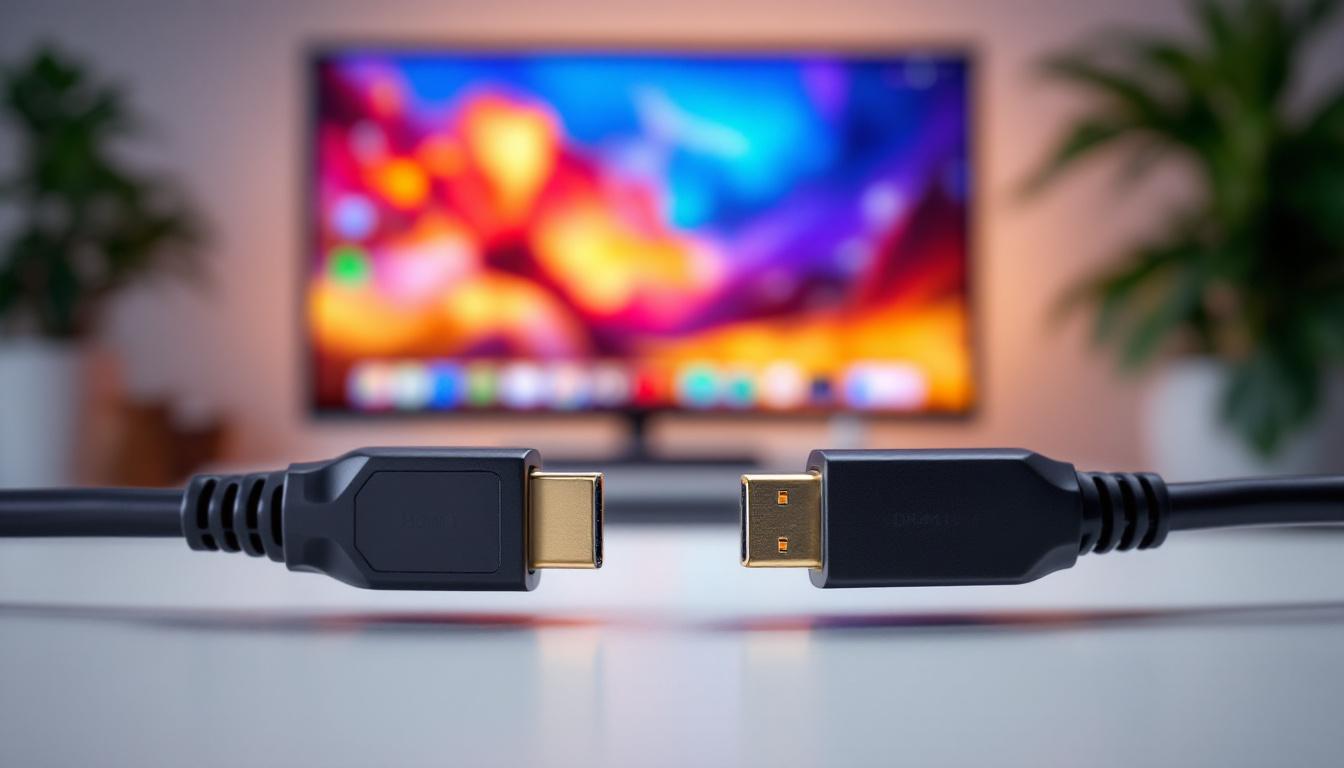
In the rapidly evolving world of display technology, choosing the right connection interface can significantly impact your viewing experience. Whether you’re a gamer, a professional content creator, or simply a tech enthusiast, understanding the differences between HDMI 2.1 and DisplayPort 1.4 (DP 1.4) is crucial for maximizing the potential of your LED display. This article delves into the technical specifications, practical applications, and future-proofing considerations of these two leading standards, helping you make an informed decision.
Understanding HDMI 2.1 and DisplayPort 1.4: The Basics
What is HDMI 2.1?
High-Definition Multimedia Interface (HDMI) version 2.1 is the latest major update to the HDMI standard, officially released in late 2017. It represents a significant leap forward from HDMI 2.0, primarily designed to support higher resolutions and refresh rates, making it ideal for modern LED displays.
HDMI 2.1 supports bandwidths up to 48 Gbps, enabling it to handle video signals up to 10K resolution at 120Hz, though 4K at 120Hz and 8K at 60Hz are more common use cases today. This bandwidth increase is critical for delivering ultra-high-definition content with high dynamic range (HDR), variable refresh rates (VRR), and enhanced audio return channel (eARC). Additionally, HDMI 2.1 introduces features like Quick Frame Transport (QFT) and Auto Low Latency Mode (ALLM), which are particularly beneficial for gaming enthusiasts. These features help reduce lag and ensure a smoother gaming experience, making HDMI 2.1 a preferred choice for next-gen gaming consoles and high-performance PCs.
What is DisplayPort 1.4?
DisplayPort 1.4, standardized in 2016, is a digital display interface primarily used in computer monitors and professional-grade displays. It supports a maximum bandwidth of 32.4 Gbps over a single cable, allowing for 8K resolution at 60Hz or 4K at 120Hz with HDR support.
DisplayPort 1.4 also incorporates Display Stream Compression (DSC) 1.2a, a visually lossless compression technology that effectively increases the data transmission capacity, enabling even higher resolutions or refresh rates without compromising image quality. This feature is particularly advantageous for users who require high fidelity in graphic design, video editing, or gaming, as it allows for the transmission of complex visuals without degradation. Furthermore, DisplayPort 1.4 supports multiple display configurations through Multi-Stream Transport (MST), enabling users to connect multiple monitors to a single output, which is a significant advantage for productivity in multi-monitor setups. This flexibility makes DisplayPort a popular choice among professionals and gamers alike, who benefit from its high performance and versatility in display connectivity.
Technical Comparison: HDMI 2.1 vs DisplayPort 1.4
Bandwidth and Resolution Support
One of the most critical factors in choosing between HDMI 2.1 and DP 1.4 is bandwidth capacity, which directly influences the maximum resolution and refresh rate achievable.
- HDMI 2.1: Offers up to 48 Gbps bandwidth, supporting 4K at 120Hz, 8K at 60Hz, and even 10K at 120Hz with DSC. It is designed to handle the latest HDR formats, including Dynamic HDR and Dolby Vision.
- DisplayPort 1.4: Provides 32.4 Gbps bandwidth, capable of 8K at 60Hz or 4K at 120Hz with DSC. The compression technology allows for higher effective bandwidth, but it is still slightly behind HDMI 2.1 in raw throughput.
While both interfaces support high resolutions and refresh rates, HDMI 2.1’s higher bandwidth gives it an edge for future-proofing, especially as 8K content becomes more mainstream. This increased capacity not only enhances visual fidelity but also ensures that users can enjoy the latest gaming and streaming technologies without compromising performance. As the demand for higher resolutions continues to grow, HDMI 2.1 positions itself as a robust solution for both current and emerging media formats.
Audio and Additional Features
Beyond video, audio capabilities are essential for a complete multimedia experience.
- HDMI 2.1: Features Enhanced Audio Return Channel (eARC), which supports high-bitrate audio formats like Dolby Atmos and DTS:X. This makes it ideal for home theater setups where audio quality is paramount.
- DisplayPort 1.4: Supports multi-channel audio but lacks eARC functionality. It is more focused on video performance and professional use cases.
Moreover, HDMI 2.1 supports Variable Refresh Rate (VRR), Quick Frame Transport (QFT), and Auto Low Latency Mode (ALLM), features that benefit gamers by reducing lag and screen tearing. DisplayPort 1.4 also supports Adaptive Sync, which is the basis for AMD FreeSync, enhancing gaming performance. The inclusion of these features in HDMI 2.1 makes it particularly appealing to gamers who seek a seamless and immersive experience, especially in fast-paced titles where every millisecond counts. Additionally, the ability to transmit high-quality audio alongside video through a single cable simplifies connectivity and reduces clutter, making it a practical choice for modern entertainment systems.
Compatibility and Use Cases
Compatibility is a practical consideration when selecting between HDMI 2.1 and DP 1.4.
- HDMI 2.1: Widely used in consumer electronics such as TVs, gaming consoles (PlayStation 5, Xbox Series X), and AV receivers. It is the default choice for home entertainment systems.
- DisplayPort 1.4: Predominantly found in PC monitors, graphics cards, and professional workstations. It is favored by users requiring high refresh rates and color accuracy, such as graphic designers and competitive gamers.
While adapters exist, native support ensures the best performance and stability. Users should consider their existing hardware ecosystem when choosing between these interfaces. Furthermore, as technology evolves, the landscape of compatibility is also shifting. For instance, many new gaming monitors now feature HDMI 2.1 ports to accommodate the latest consoles, while high-end graphics cards are increasingly incorporating DisplayPort 1.4 to cater to gamers and professionals who prioritize refresh rates and color depth. This evolving compatibility landscape means that users must stay informed about their devices’ specifications to maximize their multimedia experience.
LED Display Technologies and Their Impact on Interface Choice
What Makes LED Displays Unique?
LED (Light Emitting Diode) displays use an array of LEDs as the light source for the screen, offering advantages such as high brightness, energy efficiency, and long lifespan. Modern LED displays often incorporate advanced technologies like quantum dots and mini-LED backlighting to enhance color accuracy and contrast.
These advancements demand interfaces capable of transmitting high-quality signals without bottlenecks. Both HDMI 2.1 and DP 1.4 are designed to meet these requirements, but the choice depends on the specific display capabilities and intended usage.
Color Depth and HDR Support
Color depth and High Dynamic Range (HDR) are critical for vibrant and lifelike images on LED displays. HDMI 2.1 supports up to 12-bit color depth and multiple HDR formats, including HDR10+, Dolby Vision, and HLG. DisplayPort 1.4 also supports 10-bit and 12-bit color depths and HDR10, but its HDR ecosystem is less extensive compared to HDMI.
For users prioritizing cinematic visual quality and compatibility with the latest HDR content, HDMI 2.1 offers a more versatile solution.
Refresh Rates and Gaming Performance
High refresh rates are essential for smooth motion rendering, especially in gaming and fast-paced video content. DP 1.4 is known for its robust support of high refresh rates with low latency, making it popular among competitive gamers using high-refresh-rate monitors (144Hz, 240Hz, and beyond).
HDMI 2.1 has closed the gap by supporting 4K at 120Hz and 8K at 60Hz, along with gaming-centric features like VRR and ALLM. This makes HDMI 2.1 highly competitive for gaming on consoles and PC alike, particularly as more monitors and TVs adopt HDMI 2.1 ports.
Practical Considerations When Choosing Between HDMI 2.1 and DP 1.4
Device Ecosystem and Connectivity
Assessing your current and future device ecosystem is vital. For instance, if you primarily use a gaming console or a 4K/8K TV, HDMI 2.1 is the natural choice due to its widespread adoption in consumer electronics.
Conversely, if your setup revolves around a high-end PC with a DisplayPort-compatible monitor, DP 1.4 might offer better integration and performance, especially for multi-monitor configurations and professional applications.
Cable Quality and Length
Both HDMI 2.1 and DP 1.4 require high-quality cables to achieve their maximum performance. HDMI 2.1 cables must support the Ultra High Speed HDMI certification to handle 48 Gbps bandwidth reliably. DisplayPort 1.4 cables, while generally robust, can also vary in quality, especially at longer lengths.
For setups requiring longer cable runs, DisplayPort often has an advantage due to its signal integrity over extended distances, though active HDMI cables and repeaters can mitigate this limitation.
Price and Availability
HDMI 2.1 devices and cables have become increasingly affordable as the standard matures, but premium certified cables can still command higher prices. DisplayPort 1.4 accessories are widely available and often cost less, reflecting their longer presence in the PC market.
Choosing the right interface should balance cost with performance needs and compatibility.
The Future of Display Interfaces: What Lies Ahead?
Emerging Standards and Technologies
Both HDMI and DisplayPort standards continue to evolve. HDMI 2.1 is already paving the way for HDMI 2.1a, which introduces Source-Based Tone Mapping (SBTM) to improve HDR performance dynamically. DisplayPort 2.0, announced in 2019 but still gradually rolling out, promises bandwidths up to 80 Gbps, supporting 16K resolution and beyond.
These advancements indicate that the competition between HDMI and DisplayPort will persist, with each catering to different segments of the display market.
Impact on LED Display Innovation
As LED displays become more sophisticated, with higher resolutions, faster refresh rates, and richer color gamuts, the demand for robust, high-bandwidth interfaces will grow. Both HDMI 2.1 and DisplayPort 1.4 are well-positioned to support current LED display technology, but future iterations will likely require users to upgrade their cables and devices to fully benefit from new capabilities.
Conclusion: Making the Right Choice for Your LED Display
Choosing between HDMI 2.1 and DisplayPort 1.4 ultimately depends on your specific needs, device ecosystem, and usage scenarios. HDMI 2.1 excels in consumer electronics, offering higher bandwidth, extensive HDR support, and advanced audio features, making it ideal for home theaters and next-gen gaming consoles.
DisplayPort 1.4 remains a strong contender in the PC and professional display market, delivering excellent performance for high-refresh-rate monitors and multi-display setups, with efficient compression technologies that extend its capabilities.
Understanding the strengths and limitations of each interface ensures that your LED display setup delivers the best possible performance and visual experience, both now and in the future.
Explore Cutting-Edge LED Display Solutions with LumenMatrix
Now that you understand the importance of selecting the right interface for your LED display needs, take the next step with LumenMatrix. As a pioneer in LED display technology, LumenMatrix offers an extensive range of innovative solutions, from Indoor and Outdoor LED Wall Displays to specialized options like Vehicle LED Displays and Custom LED Displays. Whether you’re looking to enhance your brand visibility, create immersive visual experiences, or revolutionize your visual communication, LumenMatrix has the technology to bring your vision to life. Check out LumenMatrix LED Display Solutions today and see how our state-of-the-art displays can transform your space.