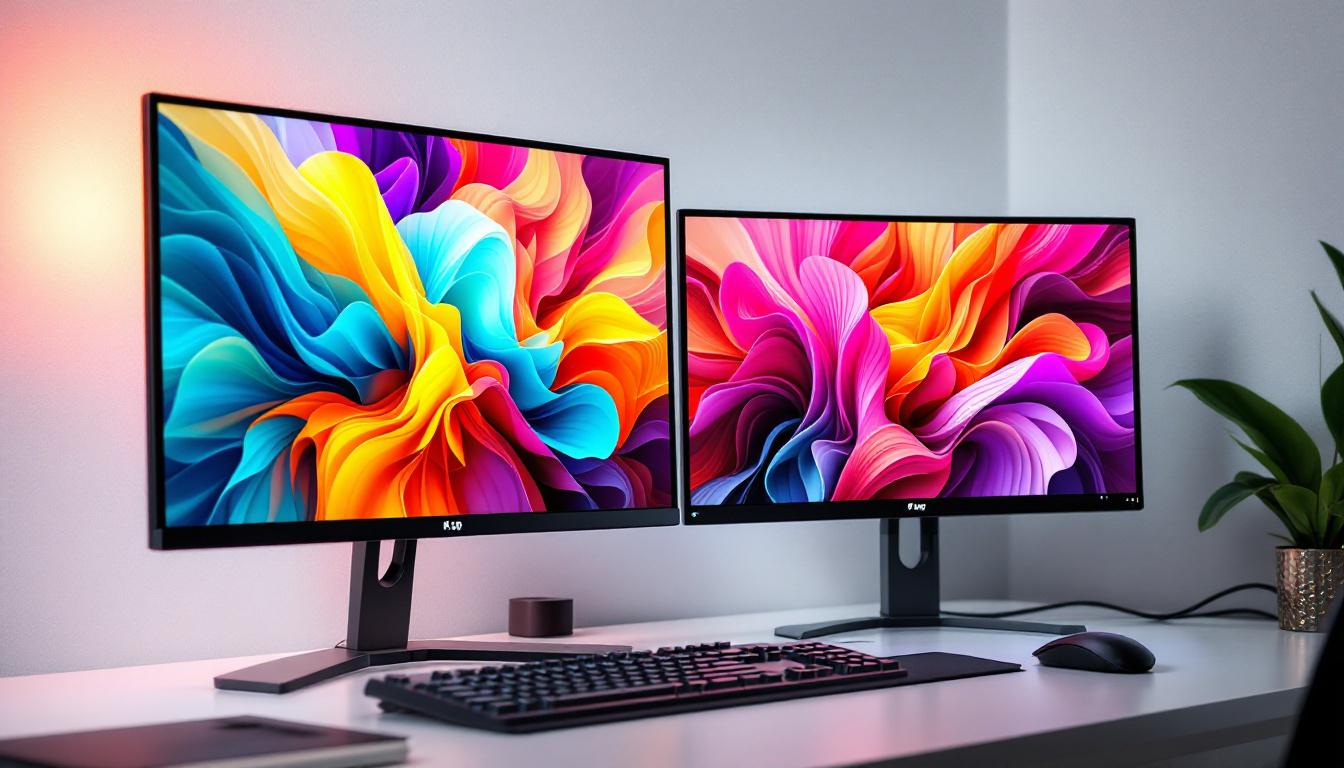
In today’s digital workspace, dual-monitor setups have become increasingly popular among professionals, gamers, and creative enthusiasts alike. One of the subtle yet impactful ways to enhance the multi-monitor experience is by optimizing wallpaper settings across LED displays. Wallpaper for two monitors isn’t just about aesthetics—it can influence workflow efficiency, visual comfort, and even the overall ambiance of your workspace.
This article delves into the intricacies of wallpaper usage on dual LED monitors, exploring technical considerations, practical tips, and the best approaches to create a seamless and visually appealing display environment.
Understanding Dual Monitor Setups and LED Displays
The Rise of Dual Monitor Workspaces
Over the past decade, the adoption of dual monitor setups has surged dramatically. According to a 2023 survey by TechRadar, nearly 60% of office workers and 70% of creative professionals use two or more monitors daily. This trend is driven by the need for increased screen real estate, better multitasking capabilities, and enhanced productivity.
LED (Light Emitting Diode) displays have become the standard in these setups due to their superior brightness, energy efficiency, and color accuracy compared to older LCD and CCFL-backlit monitors. When paired, two LED monitors can provide a crisp, vibrant, and consistent visual experience, making the choice of wallpaper even more significant.
Technical Aspects of LED Displays in Dual Monitor Configurations
LED monitors use an array of light-emitting diodes to illuminate the screen, which allows for thinner panels and improved color reproduction. When using two LED monitors side-by-side, certain technical factors must be considered to ensure a harmonious display:
- Resolution Matching: Both monitors should ideally have the same resolution to avoid distortion when stretching wallpapers across screens.
- Color Calibration: Differences in color settings can cause mismatched hues, breaking the illusion of a continuous image.
- Physical Alignment: Proper alignment reduces visual breaks and makes the wallpaper appear as one seamless background.
Understanding these factors is essential before selecting or designing wallpapers tailored for dual LED displays.
Choosing the Right Wallpaper for Two Monitors
Single Image vs. Separate Wallpapers
One of the first decisions users face is whether to use a single panoramic image stretched across both monitors or to assign different wallpapers to each screen. Each approach has its advantages and challenges.
Single Image Wallpaper: This method involves using a wide image that spans both monitors, creating a unified and immersive background. It works best when both monitors have the same resolution and size. Panoramic landscapes, abstract art, or custom-designed graphics are popular choices.
Separate Wallpapers: Alternatively, users can set distinct images on each monitor. This allows for personalized themes or functional differentiation (e.g., work on one screen, entertainment on the other). However, this can sometimes disrupt visual harmony if the wallpapers clash in style or color.
Aspect Ratio and Resolution Considerations
When selecting wallpapers for dual LED monitors, understanding the aspect ratio and resolution of each display is crucial. For example, two 1920×1080 (Full HD) monitors side-by-side create a combined resolution of 3840×1080 pixels. Therefore, a wallpaper designed for this combined resolution will stretch perfectly across both screens without distortion.
Using a wallpaper with a mismatched resolution can lead to pixelation or black bars, detracting from the visual appeal. Many wallpaper websites now offer dual-monitor specific categories, providing images optimized for common resolutions and aspect ratios.
Color and Brightness Matching
Even with the perfect wallpaper, differences in color calibration and brightness between two LED monitors can create a jarring effect. For instance, one monitor might display warmer tones while the other leans cooler, breaking the continuity of the wallpaper.
To mitigate this, users can utilize built-in calibration tools in operating systems or third-party software like DisplayCAL. Adjusting brightness, contrast, and color temperature ensures both screens display the wallpaper consistently, enhancing immersion and reducing eye strain.
How to Set Wallpaper Across Two LED Monitors
Windows Operating System
Windows 10 and 11 provide straightforward methods to customize wallpapers on multi-monitor setups:
- Using a Single Image Across Both Monitors: Select a panoramic wallpaper that matches the combined resolution. Right-click the desktop, choose Personalize, then Background. Set the background to Picture, browse for the image, and under Choose a fit, select Span. This stretches the image across both monitors.
- Setting Different Wallpapers Per Monitor: In the same Background settings, right-click an image and select Set for monitor 1 or Set for monitor 2. This allows unique wallpapers on each screen.
macOS
macOS supports multi-monitor wallpaper customization with a few simple steps:
- Open System Preferences and go to Desktop & Screen Saver.
- Drag and drop images onto each monitor’s preview to assign different wallpapers.
- To span a single image, users may need third-party apps or manually create a combined wallpaper matching the total resolution.
Third-Party Tools and Software
For advanced customization, third-party applications offer enhanced control over dual-monitor wallpapers:
- DisplayFusion: A popular Windows tool that allows users to manage multi-monitor wallpapers, including automatic rotation, multi-image layouts, and monitor-specific settings.
- UltraMon: Provides multi-monitor taskbars and wallpaper management, useful for professional setups.
- MultiMonitorTool: A lightweight utility for quick wallpaper adjustments and monitor management.
These tools often support a wider range of image formats and offer scheduling features, making them ideal for users who want dynamic or themed wallpapers across their LED displays.
Designing Custom Wallpapers for Dual LED Monitors
Benefits of Custom Wallpapers
Creating custom wallpapers tailored to a dual LED monitor setup allows for a perfectly fitting, unique background that enhances productivity and personal style. Custom designs can incorporate company branding, motivational quotes, or workspace organization cues.
Designers and hobbyists often use graphic design software such as Adobe Photoshop or Affinity Designer to create panoramic images. These tools provide precise control over resolution, aspect ratio, and color profiles, ensuring the wallpaper looks flawless on dual screens.
Tips for Effective Dual Monitor Wallpaper Design
- Maintain Consistency: Use a consistent color palette and style across the entire image to avoid visual breaks.
- Consider the Monitor Bezels: Account for the physical gap between monitors by avoiding critical visual elements in the center where the bezels meet.
- Optimize for Resolution: Design the wallpaper at the combined resolution of both monitors to ensure sharpness and clarity.
- Use Subtle Patterns or Gradients: These can create a smooth transition between screens and reduce distractions.
Popular Themes for Dual Monitor Wallpapers
Some themes naturally lend themselves to dual monitor setups, including:
- Panoramic Landscapes: Wide vistas, cityscapes, or nature scenes that stretch across both screens.
- Abstract Art: Geometric shapes, gradients, or digital art that create a modern look.
- Space and Sci-Fi: Starfields, galaxies, or futuristic designs that inspire creativity.
- Minimalist Designs: Simple color blocks or patterns that reduce visual clutter.
Optimizing Your Workspace with Dual Monitor Wallpapers
Enhancing Productivity Through Visual Design
Beyond aesthetics, wallpapers can influence productivity and focus. Studies show that a well-designed workspace, including the visual environment, can reduce cognitive load and improve task performance. Dual monitor wallpapers that are calming and non-distracting help maintain concentration during long work sessions.
Some users employ wallpapers with organizational cues, such as color-coded zones or subtle grid lines, to mentally segment their workspace and streamline multitasking.
Reducing Eye Strain and Improving Comfort
LED monitors emit blue light, which can cause eye fatigue over extended periods. Choosing wallpapers with softer colors and lower brightness levels can help mitigate this effect. Dark mode or night-themed wallpapers are popular choices for evening work, reducing glare and promoting better sleep hygiene.
Additionally, matching wallpaper brightness and contrast across both monitors prevents abrupt changes that can strain the eyes.
Personalizing Your Workspace
Dual monitor wallpapers offer a unique opportunity for personalization. Whether it’s showcasing favorite artwork, family photos, or inspirational quotes, a customized wallpaper can make the workspace more inviting and motivating.
For corporate environments, branded wallpapers reinforce company identity and foster a sense of belonging among employees.
Common Challenges and How to Overcome Them
Wallpaper Stretching and Distortion
One common issue when spanning a single wallpaper across two monitors is image distortion due to mismatched resolutions or incorrect aspect ratios. To avoid this, always select or create wallpapers that match the combined resolution of your monitors.
Using image editing software to resize and crop images precisely can prevent stretching and maintain image quality.
Color Inconsistencies Between Monitors
Even identical LED monitors can display colors differently due to manufacturing variances or settings. Regular calibration using colorimeters or software tools can harmonize color output, ensuring the wallpaper looks consistent.
Wallpaper Not Displaying Correctly
Sometimes, operating system limitations or driver issues can prevent wallpapers from displaying as intended. Keeping graphics drivers up to date and using reliable wallpaper management tools can resolve most problems.
Future Trends in Dual Monitor Wallpaper and LED Display Technology
Ultra-Wide and Curved LED Monitors
The rise of ultra-wide and curved LED monitors is reshaping how wallpapers are designed and used. These displays offer even more immersive experiences, requiring wallpapers that accommodate curved edges and wider aspect ratios.
Dynamic and Interactive Wallpapers
Advancements in software are enabling dynamic wallpapers that change based on time of day, weather, or user activity. For dual monitor setups, synchronized dynamic wallpapers can create engaging and adaptive environments.
Higher Resolution and HDR Displays
As 4K and HDR LED monitors become more affordable, wallpapers need to support higher resolutions and wider color gamuts. This shift demands higher quality images and more sophisticated design techniques to fully leverage the capabilities of modern displays.
Conclusion
Wallpaper for two monitors on LED displays is more than just a decorative element—it plays a vital role in enhancing the visual coherence, comfort, and functionality of a dual-monitor workspace. By understanding the technical aspects of LED displays, choosing appropriate wallpapers, and leveraging customization tools, users can create an optimized and visually appealing environment that supports productivity and personal expression.
Whether for professional use or personal enjoyment, investing time into selecting or designing the right wallpaper for your dual LED monitors can transform your digital workspace into a seamless and inspiring experience.
Explore Cutting-Edge Dual Monitor Wallpapers with LumenMatrix
Ready to elevate your dual-monitor setup with vibrant, high-resolution wallpapers? Discover the transformative power of LumenMatrix’s advanced LED display technology. Our innovative solutions, from Indoor to Outdoor LED Wall Displays, are designed to bring your digital workspace to life. Experience the ultimate visual clarity and immerse yourself in a world of color and detail. Check out LumenMatrix LED Display Solutions today and redefine your visual communication.