In the evolving world of architectural design and building information modeling (BIM), the integration of lighting elements within Revit families has become increasingly critical. Among these, LED displays stand out as a modern, energy-efficient lighting solution that not only enhances aesthetics but also contributes to sustainable building practices. This article delves into the intricacies of creating and utilizing LED display lights within Revit families, providing a comprehensive guide for architects, designers, and BIM professionals.
Understanding Revit Families and Their Importance in Lighting Design
Revit families are parametric components that form the backbone of any BIM project. They range from simple objects like doors and windows to complex mechanical systems and lighting fixtures. When it comes to lighting design, Revit families allow for precise control over the placement, type, and behavior of lights within a model, enabling designers to simulate real-world lighting conditions effectively.
Lighting families are particularly essential because they influence not only the visual appeal of a space but also its functionality and energy consumption. Incorporating LED display lights into Revit families enables designers to leverage the benefits of LED technology—such as longevity, energy efficiency, and versatility—while maintaining accurate BIM data for analysis and documentation. This integration also facilitates collaboration among project stakeholders, as everyone can visualize and understand the lighting design in context, leading to more informed decision-making throughout the project lifecycle.
Moreover, the use of Revit families allows lighting designers to create custom family types that can be tailored to specific project needs. For instance, designers can develop families that account for various light distributions, color temperatures, and control systems, ensuring that the lighting design is not only aesthetically pleasing but also meets the unique requirements of each space. This level of customization is crucial in environments such as museums, where lighting must enhance artwork without causing damage, or in retail spaces, where lighting plays a vital role in influencing consumer behavior.
Why LED Displays Are a Game-Changer in Modern Lighting
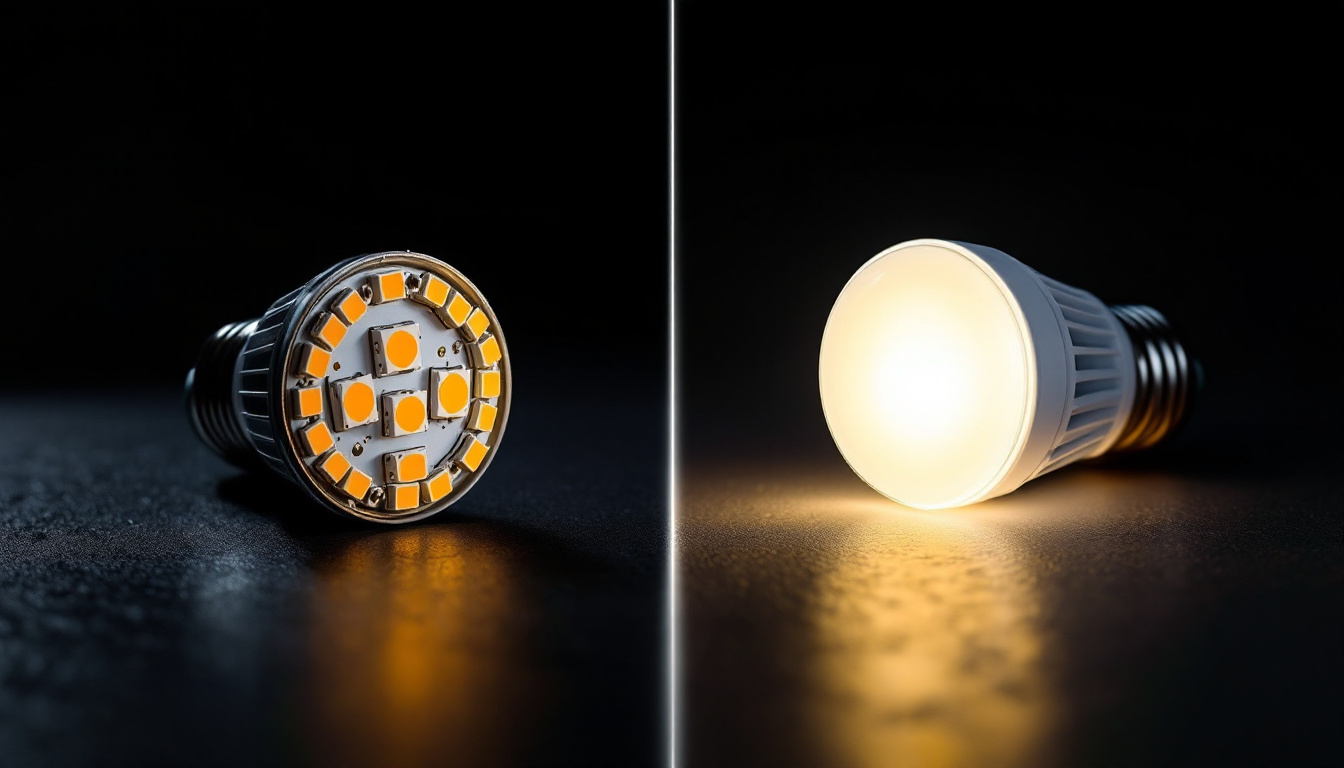
LED (Light Emitting Diode) technology has revolutionized the lighting industry over the past decade. According to the U.S. Department of Energy, LED lighting uses at least 75% less energy and lasts 25 times longer than incandescent lighting. This efficiency translates into significant cost savings and reduced environmental impact for building owners and occupants. Additionally, the ability to dim LEDs and control them via smart systems further enhances their appeal, allowing for tailored lighting scenarios that can adapt to different activities or moods within a space.
LED displays, which integrate LED lighting with digital display technology, are increasingly used in commercial, retail, and public spaces. They offer dynamic lighting solutions that can change colors, display information, or create immersive environments. Integrating these into Revit families allows for accurate visualization and simulation, ensuring that the lighting design aligns with the project’s aesthetic and functional requirements. Furthermore, the versatility of LED displays means that they can be utilized in a variety of applications, from interactive advertising in storefronts to ambient lighting in hospitality settings, making them an essential component of modern architectural design.
As the demand for sustainable and innovative lighting solutions continues to grow, the role of LED technology in Revit families is becoming even more critical. Designers can create families that not only showcase the physical attributes of LED fixtures but also incorporate performance metrics, such as energy consumption and light output, directly into the BIM model. This data-driven approach allows for better planning and optimization of lighting systems, ensuring that projects not only meet aesthetic goals but also adhere to sustainability standards and regulations. The ability to visualize and analyze these factors within Revit empowers designers to make informed choices that enhance both the user experience and environmental stewardship.
Creating LED Display Lights in Revit Families: Step-by-Step Guide
Designing LED display lights within Revit requires a blend of technical knowledge and creative insight. The process involves modeling the physical fixture, defining its lighting properties, and setting up parameters that control its behavior within the project environment.
Step 1: Modeling the Physical Fixture
The first step is to create a detailed 3D model of the LED display fixture. This includes the housing, LED modules, diffusers, and any mounting hardware. Accuracy in modeling ensures that the fixture fits correctly within the architectural context and interacts properly with other building elements.
Using Revit’s family editor, designers can create nested families for complex components, allowing for modularity and easier updates. For example, the LED module can be a separate nested family within the main fixture family, enabling independent control over its properties.
Step 2: Defining Lighting Properties
Once the physical model is complete, the next step is to assign lighting properties. Revit supports several types of light sources, including point, spot, and rectangular lights. LED display lights often use rectangular or spot lights to simulate the directional light emitted by the LED modules.
Key parameters to define include:
- Light intensity (lumens): Determines the brightness of the fixture.
- Color temperature (Kelvin): Defines the color of the light, ranging from warm (2700K) to cool (6500K).
- Beam angle: Controls the spread of the light beam, essential for simulating focused or diffuse lighting.
- Light distribution: Specifies how light is emitted from the fixture, which can be customized using photometric web files (.ies files).
Incorporating accurate photometric data is crucial for realistic lighting simulations and energy analysis.
Step 3: Parameterizing the Family
To maximize flexibility, LED display families should be parameterized. Parameters allow users to adjust properties such as brightness, color, size, and mounting height without editing the family geometry directly. This adaptability is vital for accommodating different design scenarios and client requirements.
Parameters can be categorized as:
- Type parameters: Affect all instances of a family type, such as default brightness or color temperature.
- Instance parameters: Unique to each fixture instance, allowing for individual adjustments within the same family type.
Additionally, visibility parameters can control the display of specific components within the family, such as turning on or off the LED modules or display screens.
Integrating LED Display Families into BIM Workflows
Beyond modeling, LED display families play a pivotal role in the broader BIM workflow. Their integration impacts visualization, simulation, documentation, and facility management.
Visualization and Rendering
LED display lights enhance the realism of renderings and walkthroughs, helping stakeholders visualize how lighting affects the space. High-quality LED families with accurate materials and light properties enable photorealistic images that support design decisions and client presentations.
Modern rendering engines, such as Autodesk’s Raytracer or third-party tools like Enscape and Lumion, can simulate complex lighting effects, including color changes and dynamic displays, when linked with well-constructed Revit families.
Lighting Analysis and Energy Modeling
Accurate LED display families contribute to reliable lighting and energy analyses. Software like Autodesk Insight or IES VE can use the photometric data embedded in Revit families to calculate daylighting, artificial lighting levels, and energy consumption.
These analyses help designers optimize lighting layouts for comfort, compliance with standards (such as LEED or WELL Building Standard), and operational cost savings. For example, adjusting the brightness or color temperature of LED displays can influence occupant well-being and productivity.
Documentation and Specification
Revit families streamline the creation of construction documents by embedding manufacturer data, specifications, and schedules. LED display families can include parameters for model numbers, wattage, voltage, and installation instructions, which populate schedules automatically.
This integration reduces errors, improves coordination with electrical engineers, and ensures that contractors have precise information for procurement and installation.
Facility Management and Lifecycle Considerations
Post-construction, LED display families support facility management by providing detailed asset information. Building owners can track maintenance schedules, replacement cycles, and energy usage, extending the lifespan of LED fixtures and reducing downtime.
As LED technology evolves, families can be updated to reflect new products or retrofits, maintaining the BIM model’s relevance throughout the building lifecycle.
Best Practices for Developing LED Display Revit Families
Creating effective LED display families requires attention to detail and adherence to industry standards. The following best practices help ensure families are robust, flexible, and user-friendly.
Use Accurate Photometric Data
Whenever possible, incorporate manufacturer-provided IES or LDT files to define light distribution. This data ensures that simulations reflect real-world performance, which is critical for lighting design validation.
Maintain Parameter Consistency
Use standardized naming conventions and grouping for parameters. Consistency facilitates easier family management and integration with project templates and schedules.
Optimize Family Geometry
Keep geometry as simple as possible without sacrificing detail. Overly complex families can slow down Revit performance, especially in large projects.
Test Families in Various Project Environments
Validate families across different lighting scenarios and project templates to ensure compatibility and functionality. Testing helps identify issues with visibility, scaling, or parameter behavior early.
Document Family Usage and Limitations
Provide clear instructions within the family or accompanying documentation to guide users on how to place, configure, and modify LED display lights effectively.
Future Trends in LED Display Integration with Revit
The intersection of LED technology and BIM is poised for exciting advancements. Emerging trends include:
Smart Lighting and IoT Integration
LED displays increasingly incorporate smart controls and sensors, enabling dynamic adjustments based on occupancy, daylight, or user preferences. Integrating these capabilities into Revit families will allow designers to simulate and specify intelligent lighting systems more accurately.
Enhanced Visualization with Augmented Reality (AR)
AR technologies will enable stakeholders to experience LED display lighting in situ before construction, improving design feedback and reducing costly changes.
Parametric and Generative Design
Advanced parametric tools will allow for automated optimization of LED display layouts based on criteria like energy efficiency, aesthetics, and cost, streamlining the design process.
Sustainability and Circular Economy Focus
As sustainability becomes paramount, LED display families will incorporate data on recyclability, embodied carbon, and end-of-life management, supporting greener building practices.
Conclusion
LED display lights represent a convergence of cutting-edge lighting technology and sophisticated BIM modeling. By mastering the creation and integration of LED display Revit families, architects and designers can deliver projects that are visually stunning, energy-efficient, and future-ready.
From accurate modeling and parameterization to seamless integration into BIM workflows, LED display families empower professionals to realize innovative lighting designs that meet the demands of modern architecture and sustainability standards. As technology advances, staying informed and adaptable will be key to harnessing the full potential of LED lighting within Revit.
Explore Cutting-Edge LED Display Solutions with LumenMatrix
Ready to elevate your architectural projects with the latest in LED display technology? Discover LumenMatrix’s innovative range of LED display modules, designed to bring your designs to life with vibrant visuals and unparalleled energy efficiency. From Indoor and Outdoor LED Wall Displays to specialized solutions like Vehicle, Sports, and Floor LED Displays, LumenMatrix offers custom and all-in-one options to fit any application. Embrace the future of visual communication and make a lasting impression with LumenMatrix’s LED display solutions. Check out LumenMatrix LED Display Solutions today and transform your space into a dynamic, engaging environment.