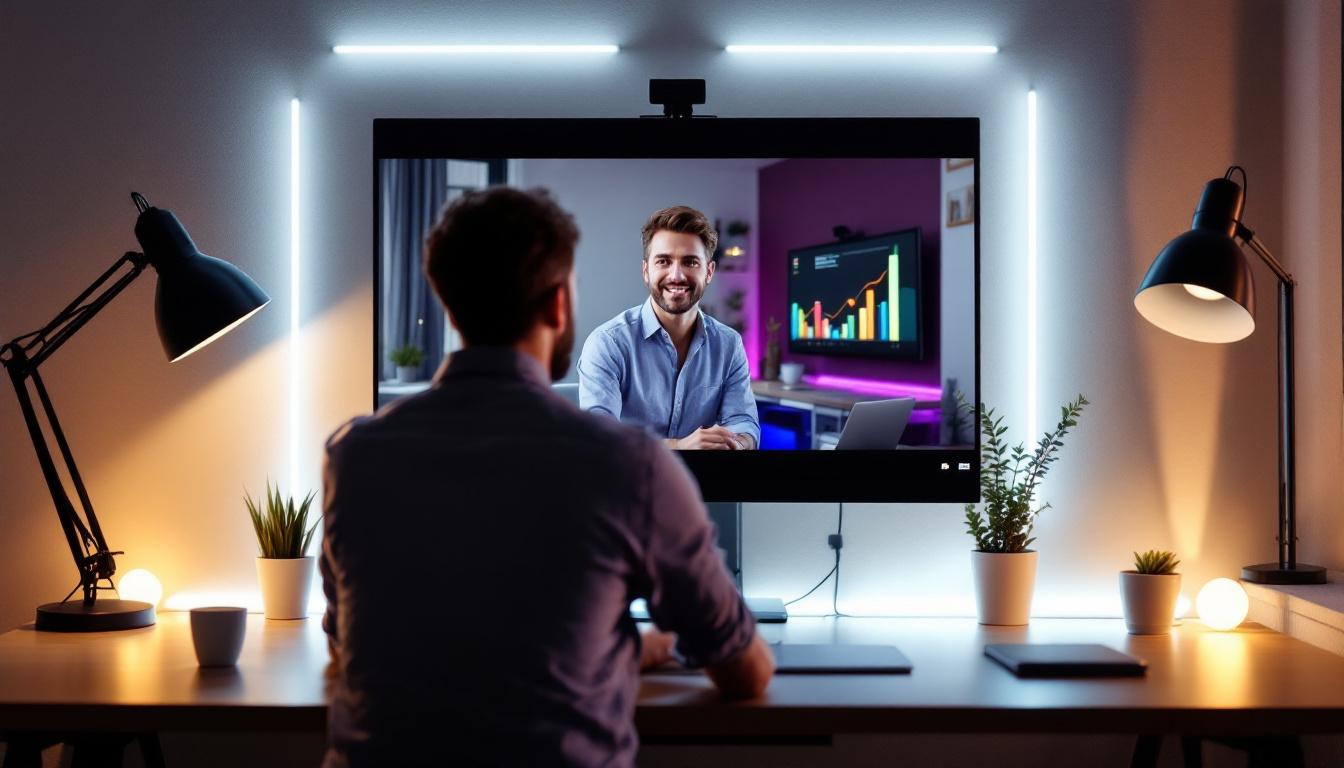
In the era of remote work and virtual meetings, video conferencing has become an essential part of daily professional life. Whether it’s a quick check-in with colleagues or a critical client presentation, the quality of your video feed can significantly impact communication effectiveness. One of the most overlooked yet crucial elements in achieving a professional appearance on camera is lighting. Specifically, LED lighting designed for video conferencing can transform your home office setup, ensuring you look clear, vibrant, and well-presented.
This article explores the importance of lighting for video conferencing at home, focusing on LED displays and how they enhance your video quality. From understanding the technical aspects to practical tips on setup, this comprehensive guide will help you optimize your lighting for every virtual interaction.
Why Lighting Matters in Video Conferencing
Video conferencing platforms like Zoom, Microsoft Teams, and Google Meet have standardized remote communication, but they cannot compensate for poor lighting. Studies show that well-lit faces improve viewer engagement and perception of professionalism. According to a survey by Owl Labs, 62% of remote workers believe that video quality, including lighting, directly affects how others perceive their competence during meetings.
Good lighting helps your camera capture accurate skin tones, reduces shadows, and minimizes graininess caused by low-light conditions. In contrast, inadequate lighting can make you appear washed out, shadowed, or pixelated, distracting from your message and potentially undermining your credibility.
Moreover, consistent and flattering lighting reduces eye strain for both the speaker and the audience, creating a more comfortable and productive meeting environment. Given the average remote worker spends over 7 hours per week in video calls, investing in proper lighting is a practical step toward enhancing communication and professionalism.
In addition to the aesthetic benefits, the psychological impact of lighting should not be overlooked. Bright, well-distributed lighting can evoke a sense of openness and clarity, fostering a more inviting atmosphere for discussions. This can be particularly important in team settings where collaboration and brainstorming are essential. A well-lit environment can encourage participants to engage more actively, share ideas freely, and contribute to a more dynamic conversation. Furthermore, the right lighting can help convey your personality and professionalism, allowing you to connect more authentically with your colleagues and clients.
There are various ways to achieve optimal lighting for video calls. Natural light is often the best option; positioning yourself facing a window can create a soft, flattering glow. However, for those who may not have access to ideal lighting conditions, investing in ring lights or softbox lights can be a game changer. These tools provide adjustable brightness and color temperature, allowing you to customize the lighting to suit your environment and personal preferences. By taking the time to set up your lighting correctly, you can significantly enhance the quality of your video presence and ensure that your message is communicated clearly and effectively.
Understanding LED Lighting for Video Conferencing
What is LED Lighting?
LED (Light Emitting Diode) lighting is a highly efficient and versatile technology that produces bright, consistent light while consuming minimal energy. Unlike traditional incandescent or fluorescent bulbs, LEDs generate less heat and offer greater control over brightness and color temperature, making them ideal for video conferencing setups.
LED lights come in various forms, including ring lights, panel lights, and strip lights, each suited for different lighting needs and environments. Their compact size and adjustable features allow users to tailor lighting precisely to their face and background, enhancing video quality significantly.
Benefits of LED Lighting for Video Conferencing
LED lighting offers several advantages that make it the preferred choice for video conferencing:
- Adjustable Color Temperature: LEDs can emulate natural daylight (around 5600K) or warmer tones (2700K-3200K), allowing users to match their lighting to the time of day or room ambiance.
- Brightness Control: Many LED devices feature dimming options, enabling precise control over light intensity to avoid glare or underexposure.
- Energy Efficiency: LEDs consume less power and last longer than traditional bulbs, making them cost-effective for daily use.
- Compact and Portable: LED lights are lightweight and easy to position, fitting seamlessly into home office setups.
- Low Heat Emission: LEDs remain cool to the touch, preventing discomfort during extended use.
Key Features to Look for in LED Lighting for Video Conferencing
Color Rendering Index (CRI)
The Color Rendering Index (CRI) measures how accurately a light source reveals the colors of objects compared to natural light. For video conferencing, a high CRI (above 90) is essential to ensure your skin tone appears natural and vibrant on camera. Lower CRI lighting can cause colors to look dull or distorted, which is undesirable for professional appearances.
Color Temperature
Color temperature, measured in Kelvin (K), affects the mood and clarity of your video feed. Daylight-balanced LEDs (around 5600K) provide a neutral, bright light that mimics natural sunlight, ideal for most video calls. Warmer tones (2700K-3200K) create a cozy atmosphere but may not be suitable for formal meetings. Some LED lights offer adjustable color temperature, allowing you to switch between warm and cool light depending on the context.
Brightness and Dimming Capability
Adjustable brightness is crucial for adapting to different room conditions and time of day. A dimmable LED light lets you fine-tune illumination to avoid harsh shadows or overexposure. Look for lights with a wide brightness range and smooth dimming controls for optimal flexibility.
Size and Mounting Options
Consider the size of the LED light and how it can be mounted or positioned. Ring lights are popular for their even, circular illumination and can be mounted on tripods or attached to monitors. Panel lights offer broader coverage and can be placed on desks or mounted on stands. Choose a size that fits your workspace without overwhelming it.
Power Source and Portability
LED lights can be powered via USB, batteries, or AC adapters. USB-powered lights offer convenience and compatibility with laptops or power banks, ideal for flexible setups. Battery-powered options provide portability but may require frequent charging. AC-powered lights typically offer higher brightness but limit mobility.
How to Set Up LED Lighting for Optimal Video Conferencing
Positioning Your Light Source
The placement of your LED light dramatically influences the quality of your video. The most effective setup involves positioning the light source directly in front of you, slightly above eye level. This angle mimics natural sunlight and reduces unflattering shadows under the eyes or chin.
A common technique is the “three-point lighting” approach, which includes a key light (primary light source), fill light (to soften shadows), and backlight (to separate you from the background). While professional setups may use all three, many home users achieve excellent results with just a well-placed key light.
Balancing Ambient and LED Lighting
Ambient lighting from windows or overhead fixtures can interfere with your LED setup if not balanced properly. Natural daylight fluctuates throughout the day, causing inconsistent video quality. To maintain control, consider using blackout curtains or blinds to minimize ambient light and rely primarily on your LED lighting.
If ambient light is unavoidable, adjust your LED brightness and color temperature to complement rather than compete with the existing light. This balance helps maintain a consistent and flattering appearance on camera.
Background Considerations
Lighting not only affects your face but also the background visible in your video frame. Ensure your background is well-lit but not brighter than your face to avoid distracting viewers. Soft, diffused lighting on the background can add depth and professionalism to your video environment.
Popular LED Lighting Products for Home Video Conferencing
Ring Lights
Ring lights are a favorite among content creators and remote workers for their ability to provide even, shadow-free illumination. They encircle the camera lens, creating a flattering catchlight in the eyes and minimizing facial shadows. Many ring lights offer adjustable brightness and color temperature, making them versatile for various settings.
Popular models include the Neewer 18-inch Ring Light and the Elgato Ring Light, both praised for their build quality and user-friendly controls.
LED Panel Lights
LED panel lights provide a broader, softer light source that can illuminate larger areas. They are ideal for users who want to light both themselves and their background evenly. Panels often come with adjustable stands and diffusers to soften the light further.
Examples include the Lume Cube Panel Mini and the Aputure Amaran AL-MX, which are compact yet powerful options favored by professionals.
Portable USB LED Lights
For those with limited space or frequent travel, compact USB-powered LED lights offer convenience and flexibility. These lights can clip onto laptops or monitors and provide sufficient illumination for casual video calls.
Products like the Logitech Litra Glow and the Razer Kiyo Mini combine portability with effective lighting performance.
Additional Tips to Enhance Video Conferencing Lighting
Use Diffusers to Soften Light
Harsh, direct light can create unflattering shadows and highlights. Using diffusers, such as softboxes or translucent covers, helps spread the light evenly and soften its intensity. Many LED lights come with built-in diffusers or compatible accessories.
Maintain Consistent Lighting During Calls
Changing lighting conditions during a call can be distracting. Try to schedule meetings when natural light is stable or rely solely on your LED lighting to maintain consistency. Avoid mixing different light sources with varying color temperatures, as this can cause color imbalance on camera.
Test Your Setup Before Important Meetings
Before joining critical video calls, test your lighting setup using your conferencing software’s preview feature or camera app. Adjust brightness, color temperature, and positioning until you achieve a clear, natural look.
Conclusion
Effective lighting is a cornerstone of professional video conferencing, especially in home office environments where natural light may be limited or inconsistent. LED lighting technology offers an accessible, energy-efficient, and highly customizable solution to enhance your on-camera presence.
By understanding the importance of color temperature, CRI, brightness control, and proper positioning, remote workers can significantly improve their video quality and communication impact. Investing in quality LED lighting tailored for video conferencing not only boosts your professional image but also contributes to a more engaging and productive virtual meeting experience.
As remote work continues to evolve, mastering your home video setup—including lighting—will remain a valuable skill for professionals across all industries.
Illuminate Your Professional Presence with LumenMatrix
Ready to elevate your video conferencing setup to the next level? LumenMatrix is at the forefront of LED display technology, offering innovative solutions that bring your virtual communications to life. Whether you’re looking to create a more engaging home office environment or enhance your professional image on camera, our range of LED display modules is designed to meet your needs. From Indoor LED Wall Displays that provide a stunning backdrop for your calls, to Custom LED Displays that fit your unique space, we have the technology to transform your video conferencing experience. Don’t let poor lighting hold you back. Check out LumenMatrix LED Display Solutions today and make every virtual interaction count.