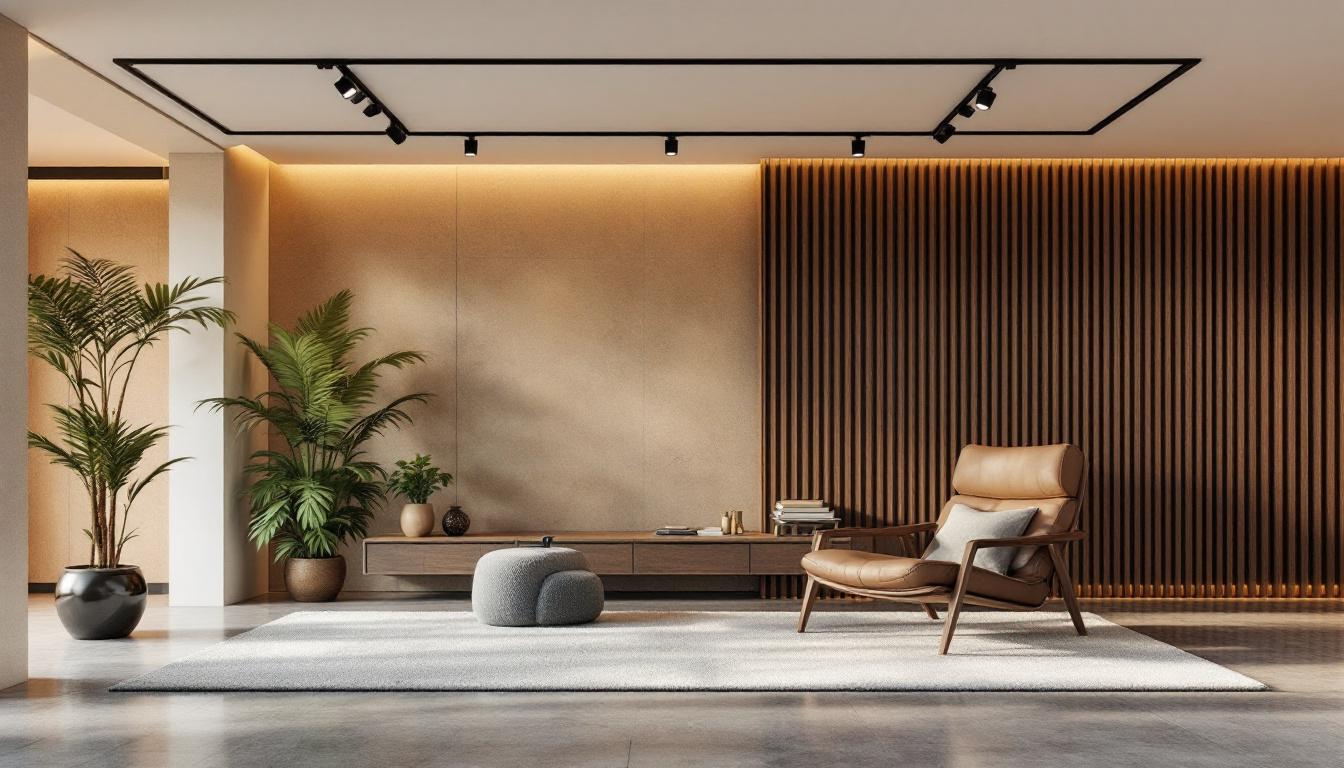
Track lighting has become an essential feature in modern architectural and interior design projects, offering flexibility, style, and efficiency. With the rise of LED technology, track lighting systems have evolved to provide superior illumination with lower energy consumption and enhanced design possibilities. Autodesk Revit, as a leading Building Information Modeling (BIM) software, enables designers and engineers to incorporate detailed track lighting systems, including LED displays, into their projects with precision and ease.
This article explores the integration of LED track lighting within Revit, focusing on how to effectively model, customize, and optimize LED track lighting displays. Whether you are an architect, lighting designer, or MEP engineer, understanding these concepts will help you leverage Revit’s capabilities to create functional and visually appealing lighting schemes.
Understanding Track Lighting and LED Technology
What is Track Lighting?
Track lighting consists of a series of light fixtures attached to a continuous track device, which provides both mechanical support and electrical power. This setup allows fixtures to be positioned anywhere along the track, offering unparalleled flexibility in directing light where it is needed most. Track lighting is popular in retail, galleries, offices, and residential spaces due to its adaptability and modern aesthetic.
Unlike fixed lighting, track lighting can be adjusted post-installation, making it ideal for spaces where lighting needs change frequently. The ability to move, add, or remove fixtures without rewiring is a significant advantage in dynamic environments. This feature is particularly beneficial in commercial settings, where displays and layouts may evolve, requiring different lighting strategies to highlight products effectively. Additionally, track lighting can be used to create dramatic effects, accentuating architectural features or artwork, thereby enhancing the overall ambiance of a space.
Why LED Track Lighting?
Light Emitting Diodes (LEDs) have revolutionized lighting by offering energy-efficient, long-lasting, and versatile illumination. LED track lighting combines the benefits of track systems with the superior performance of LEDs. Some key advantages include:
- Energy Efficiency: LEDs consume up to 75% less energy than traditional incandescent bulbs, reducing operational costs.
- Longevity: LED fixtures can last 25,000 to 50,000 hours, minimizing maintenance and replacement frequency.
- Design Flexibility: LEDs come in various color temperatures and beam angles, allowing designers to tailor lighting effects precisely.
- Reduced Heat Emission: LEDs emit minimal heat, enhancing comfort and safety in indoor environments.
Incorporating LED track lighting into architectural projects aligns with sustainability goals and modern design trends, making it a preferred choice for contemporary spaces. Furthermore, the ability to dim LED lights and control them via smart home systems adds another layer of convenience and efficiency. This technological integration allows users to customize their lighting experience based on time of day, mood, or specific activities, such as reading or entertaining. As the demand for energy-efficient solutions continues to rise, LED track lighting stands out as a forward-thinking option that not only meets practical needs but also contributes to a more sustainable future.
Modeling LED Track Lighting in Revit
Revit’s Capabilities for Lighting Design
Autodesk Revit is a powerful BIM tool that facilitates the creation of detailed and accurate building models, including mechanical, electrical, and plumbing (MEP) systems. For lighting design, Revit offers comprehensive tools to place, configure, and analyze lighting fixtures within a 3D environment.
Revit’s lighting families include a variety of fixture types, and users can create custom families to represent specific products, such as LED track lighting systems. This customization allows for precise representation of fixture dimensions, electrical characteristics, and photometric data. The software also supports the integration of real-world product specifications, ensuring that the lighting design not only meets aesthetic requirements but also adheres to energy efficiency standards and building codes.
Creating Custom LED Track Lighting Families
To model LED track lighting accurately in Revit, it is often necessary to create or modify families that reflect the physical and functional attributes of the track and fixtures. Key steps include:
- Defining the Track: Model the track as a linear element with parameters for length, mounting type, and electrical feed points.
- Adding Fixtures: Create fixture families that can be hosted on the track, with adjustable positions along the track length.
- Incorporating Electrical Data: Assign electrical parameters such as wattage, voltage, and circuit information to facilitate load calculations and coordination with other systems.
- Embedding Photometric Information: Import IES (Illuminating Engineering Society) files to simulate realistic light distribution and intensity.
By developing these detailed families, designers can simulate real-world installations and perform lighting analyses directly within the Revit environment. This capability not only enhances the accuracy of the design but also allows for effective collaboration among project stakeholders, as changes can be visualized and assessed in real-time. Moreover, the ability to analyze energy consumption and lighting performance helps in making informed decisions that contribute to sustainable design practices.
Placement and Adjustment of Track Fixtures
Once the track and fixture families are in place, Revit allows users to place fixtures along the track with precision. The flexibility of track lighting is mirrored in Revit’s interface, enabling easy repositioning and adjustment of fixtures without altering the underlying model geometry. This dynamic interaction is particularly beneficial during design reviews, where quick modifications can lead to improved outcomes based on client feedback.
Users can also configure fixture parameters such as beam angle, color temperature, and intensity within the family properties, allowing for quick iteration and optimization of lighting designs. Additionally, Revit’s visualization tools enable users to render realistic lighting scenarios, providing a clearer understanding of how the lighting will interact with the space. This feature is invaluable for presentations and helps clients visualize the final outcome, ensuring that the design aligns with their vision and requirements.
Visualizing and Analyzing LED Track Lighting in Revit
Lighting Visualization Techniques
Visual representation is crucial for communicating lighting design intent to clients and stakeholders. Revit supports various visualization methods to showcase LED track lighting:
- 3D Views: Detailed 3D models with realistic materials and lighting effects help stakeholders understand fixture placement and spatial impact.
- Rendered Images: Using Revit’s rendering engine or external tools like Autodesk 3ds Max, designers can produce photorealistic images demonstrating how LED track lighting enhances the space.
- Walkthroughs: Animated walkthroughs simulate the experience of moving through a space with dynamic lighting conditions.
These visualization tools aid in decision-making and ensure that the lighting design aligns with aesthetic and functional goals.
Lighting Analysis and Performance Evaluation
Beyond visualization, Revit integrates with lighting analysis software such as AGi32 or DIALux, enabling detailed performance evaluations. These analyses include:
- Illuminance Levels: Measuring light intensity on surfaces to ensure compliance with standards such as the Illuminating Engineering Society (IES) guidelines.
- Energy Consumption: Calculating energy use based on fixture specifications and operating schedules.
- Glare and Uniformity: Assessing visual comfort and evenness of lighting distribution.
By performing these analyses early in the design process, teams can optimize LED track lighting layouts to balance aesthetics, functionality, and energy efficiency.
Practical Considerations for Implementing LED Track Lighting in Revit Projects
Coordination with Other Building Systems
Track lighting systems must be coordinated with architectural elements, HVAC, and other electrical components to avoid conflicts and ensure smooth installation. Revit’s collaborative platform supports multidisciplinary coordination through shared models and clash detection tools.
For example, designers can verify that track mounting locations do not interfere with ceiling grids or ductwork, and electrical engineers can plan circuits to accommodate the lighting load efficiently.
Documentation and Specification
Accurate documentation is essential for procurement, installation, and maintenance. Revit automates the generation of schedules and specifications, including:
- Fixture schedules listing quantities, types, and electrical data.
- Track layout drawings with dimensions and mounting details.
- Wiring diagrams and circuiting plans.
These documents streamline communication between design teams, contractors, and suppliers, reducing errors and project delays.
Energy Code Compliance and Sustainability
Many regions enforce energy codes such as ASHRAE 90.1 or the International Energy Conservation Code (IECC), which set minimum efficiency requirements for lighting systems. Revit’s energy analysis tools help verify compliance by modeling lighting power densities and control strategies.
Incorporating LED track lighting supports sustainability goals by lowering energy consumption and reducing carbon footprints. Additionally, the ability to simulate daylight integration and lighting controls within Revit enhances the overall building performance.
Future Trends and Innovations in LED Track Lighting and BIM Integration
Smart Lighting and IoT Integration
The integration of smart lighting controls and Internet of Things (IoT) technology is transforming how track lighting systems operate. Features such as occupancy sensing, daylight harvesting, and color tuning can be modeled and coordinated in BIM environments to optimize energy use and user experience.
Revit is increasingly supporting data-rich families that include parameters for smart controls, enabling designers to plan for these advanced systems from the outset.
Advancements in LED Technology
LED technology continues to evolve with improvements in brightness, color rendering, and miniaturization. These advancements expand design possibilities for track lighting, allowing for more creative and efficient solutions.
Revit’s flexible family editor allows designers to update models to reflect new products and technologies quickly, ensuring that projects remain current and competitive.
Enhanced Collaboration and Cloud-Based Workflows
Cloud-based collaboration platforms such as Autodesk BIM 360 facilitate real-time coordination among project stakeholders. This connectivity enhances the integration of LED track lighting design within the broader project context, improving communication and reducing rework.
As BIM workflows mature, lighting designers will benefit from seamless data exchange and integrated project delivery methods.
Conclusion
Revit’s robust capabilities for modeling, visualizing, and analyzing LED track lighting systems empower designers to create lighting solutions that are both aesthetically pleasing and highly functional. By understanding the nuances of LED technology and track lighting design, professionals can leverage Revit to optimize lighting layouts, ensure code compliance, and enhance sustainability.
As LED technology and BIM tools continue to advance, the integration of track lighting within Revit will become even more sophisticated, supporting smarter, more efficient, and more adaptable lighting designs for a wide range of applications.
For anyone involved in architectural or lighting design, mastering Revit’s LED track lighting features is a valuable skill that contributes to successful project outcomes and innovative lighting solutions.
Explore Cutting-Edge LED Display Solutions with LumenMatrix
Ready to elevate your architectural or lighting design projects with the latest in LED technology? Discover how LumenMatrix’s innovative LED display modules can transform your space and captivate your audience. From dynamic Indoor LED Wall Displays to versatile Outdoor LED Wall Displays and beyond, LumenMatrix offers a comprehensive range of solutions tailored to your unique needs. Check out LumenMatrix LED Display Solutions today and experience the future of visual communication.